3. Proceed with the configuration for your BIOS version. To determine which BIOS version
your development workstation uses, refer to the table below:
BIOS Version Telestra server
BIOS Advantech AIMB-562 American Megatrends Advantech
BIOS Advantech AIMB-562 Award Advantech
BIOS Q35AX American Megatrends 2U or tower
BIOS Q67AX 2.14.1219 and higher 2U or tower
BIOS Q67AX 2.02.1205 and lower 2U or tower
BIOS BLH6710H Small form factor
BIOS JGIBX10J Small form factor
Table 1: BIOS versions and equipment
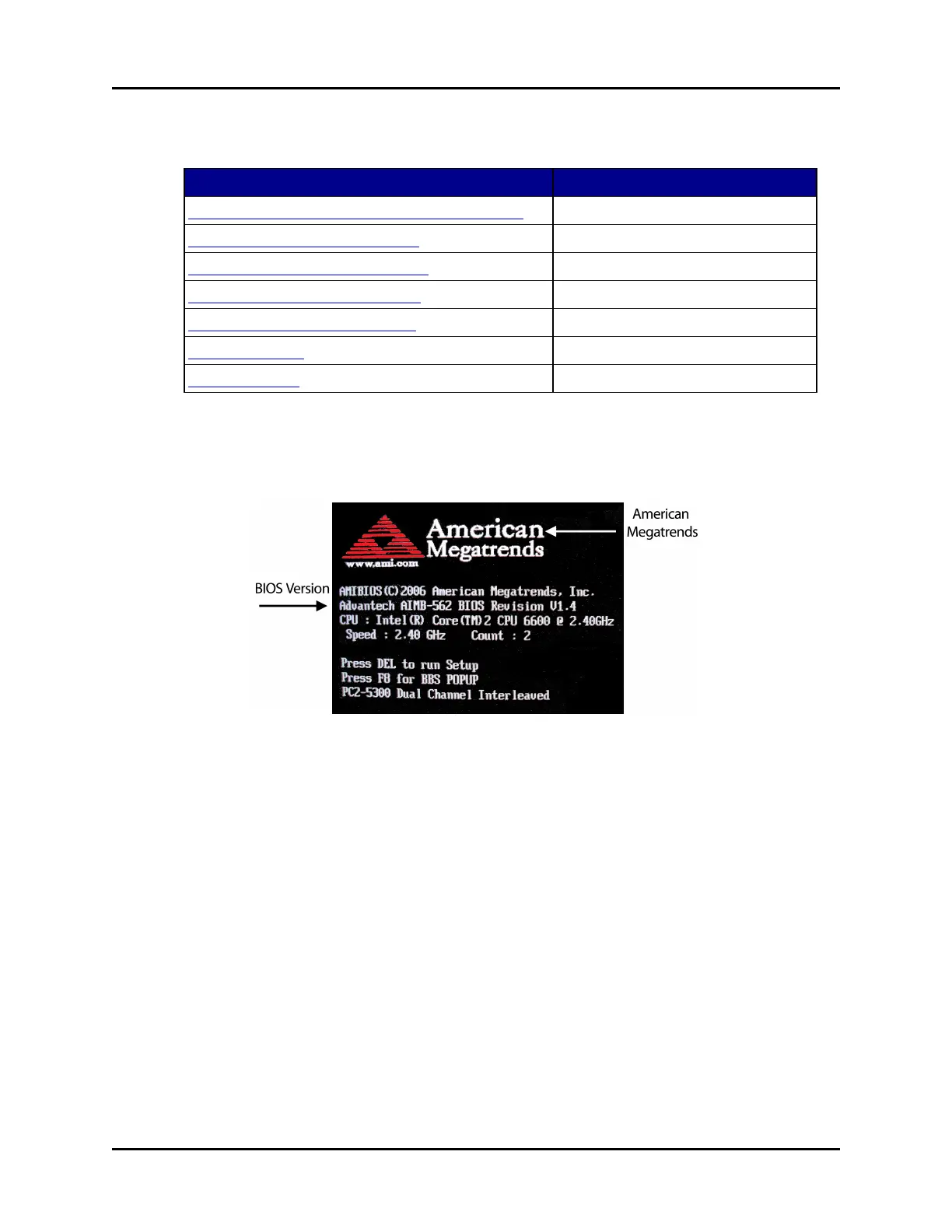
4.1 BIOS Advantech AIMB-562 American Megatrends
Figure 6: AIMB-562 American Megatrends BIOS version
To configure BIOS version AIMB-562 American Megatrends, follow these steps:
1. Insert the Telestra Target Software Installation DVD.
2. Reboot the development workstation, and immediately press the Delete key as the system
boots to enter the BIOS Setup Utility.
3. Navigate to Exit, and select Load Set Up Defaults.
4. Navigate to the Main tab, and set the system date and time to Greenwich Mean Time.
5. Navigate to Chipset > APM Configuration. Set Restore on AC Power Loss to Power
On.
6 Copyright © 2018 Advanced Simulation Technology inc.
ACE Target and Studio Cold Start Guide (Rev. B, Ver. 0)



 To Next Page