2.0 Required equipment
Note: To install ACEStudio on a virtual machine, see the ACE Studio VM Quick Start
Guide.
To complete the ACE cold start procedure, you will need the following items:
l Hardware
o
Telestra 2U platform with removable hard drive
o
Monitor
o
Keyboard
l Software
o
Telestra Target Software Installation DVD and/or Telestra Studio Software Installation
DVD
o
Red Hat 5 Installation DVD or Red Hat 6 Installation DVD
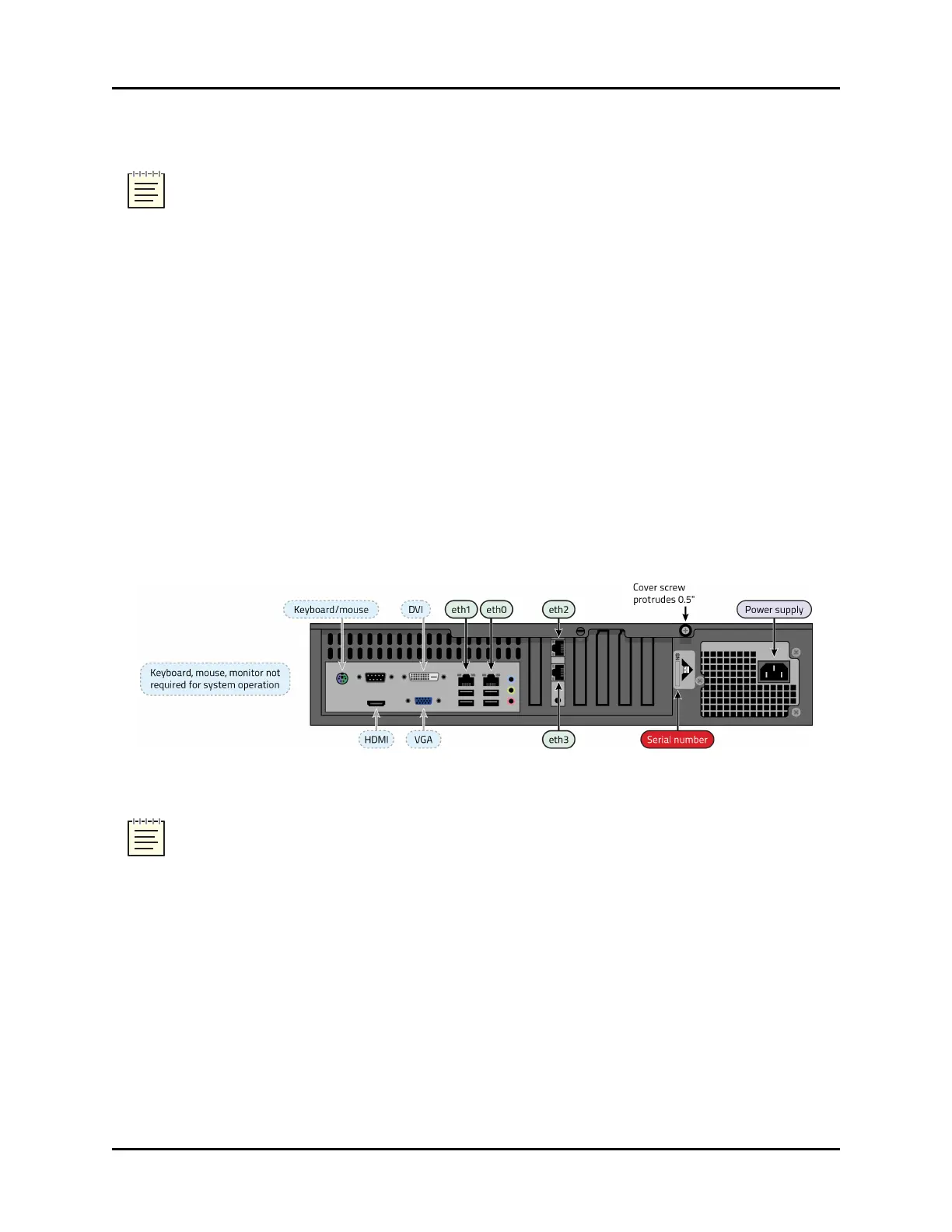
The following shows the Telestra 2U rear panel:
Figure 1: Telestra 2U rear panel
Note: The chassis and connections shown here are for general representation only; the loc-
ation(s) of cards, ports, and slots may vary. For specific designations, consult the included
engineering drawings and labels on the rear of your chassis.
2 Copyright © 2018 Advanced Simulation Technology inc.
ACE Target and Studio Cold Start Guide (Rev. B, Ver. 0)



 To Next Page