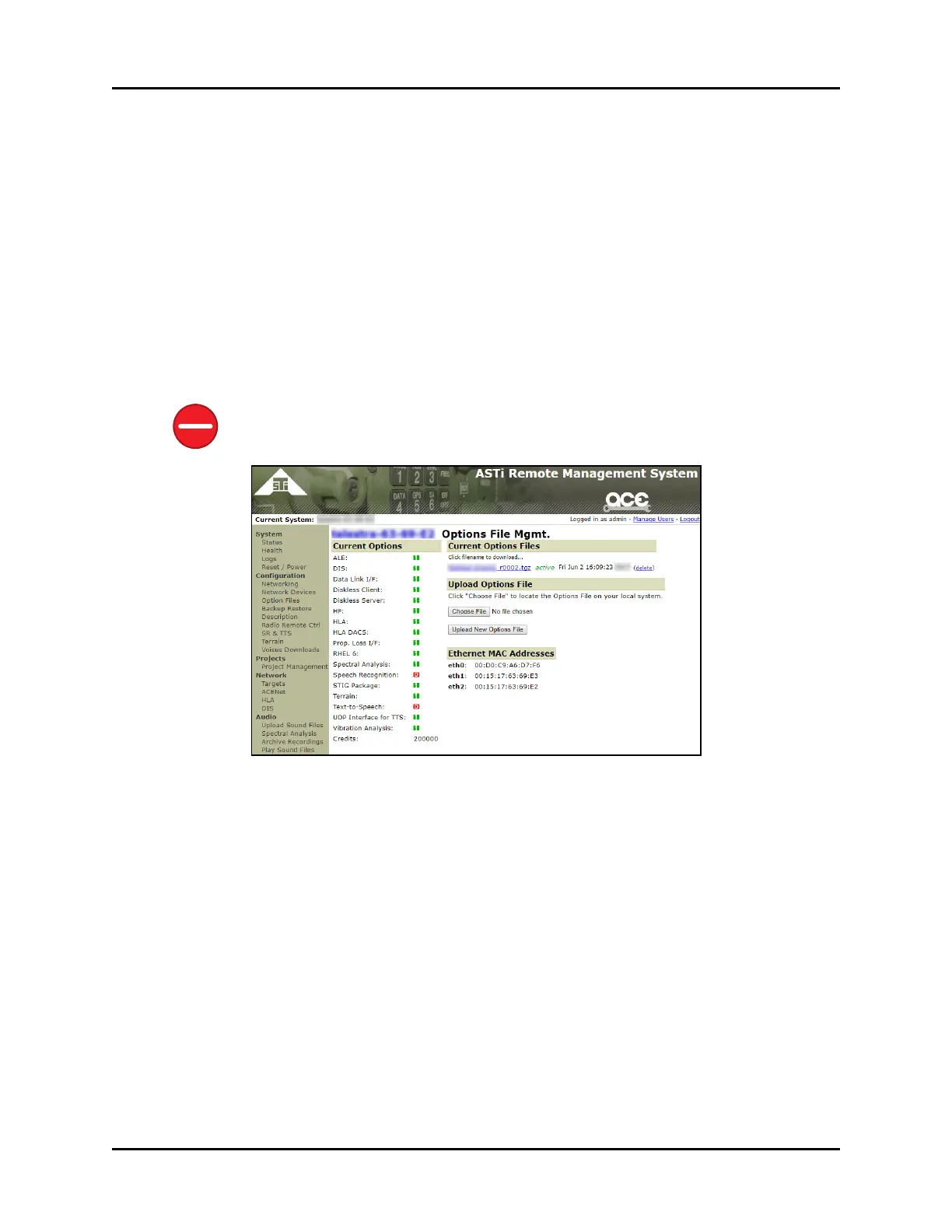
12.1 Upload Options files to the RMS
ASTi ships the options file on a CD included with the system. The Options file is an archive
(i.e., tgz) file. To upload an Options file to the Remote Management System (RMS), follow
these steps:
1. From the vertical left menu, under Configuration, click Options File Mgmt., and then
click Choose File.
2. Browse to the file on the development workstation, and click Choose.
3. Click Upload New Options File, and wait for the upload to complete. You can upload a
new Options file at any time.
Caution: If you select an Options file with the same name as the currently installed
Options file, the new file overwrites the existing file.
Figure 36: Options File Mgmt.
48 Copyright © 2018 Advanced Simulation Technology inc.
ACE Target and Studio Cold Start Guide (Rev. B, Ver. 0)



 To Next Page