7. Open a web browser on the development workstation. Ensure the development work-
station shares the same network as the Telestra Target.
8. To access the RMS, in the address bar, type the Telestra Target's IP address.
9. In the upper-right corner, click Login.
10. Log into the system using the following default credentials:
Username Password
admin astirules
11. From the vertical left menu, click Configuration, and then click Networking. Verify the
following are set:
l Default Route
l Gateway IP
l (Optional) Domain
l Hostname
l (Optional) Nameserver
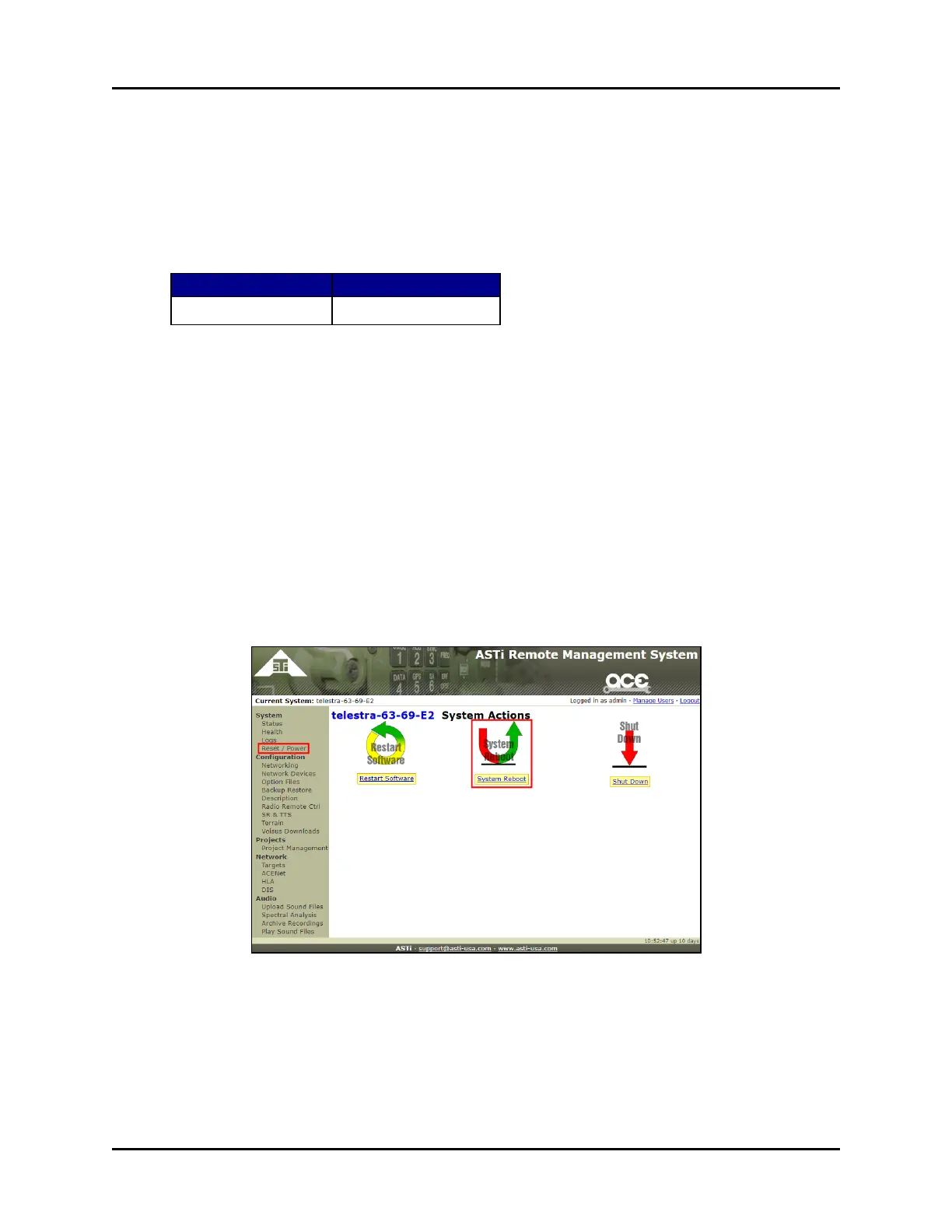
12. From the vertical left menu, under System, and then click Reset / Power.
13. On the System Actions page, click System Reboot.
Figure 23: System Reboot
34 Copyright © 2018 Advanced Simulation Technology inc.
ACE Target and Studio Cold Start Guide (Rev. B, Ver. 0)



 To Next Page