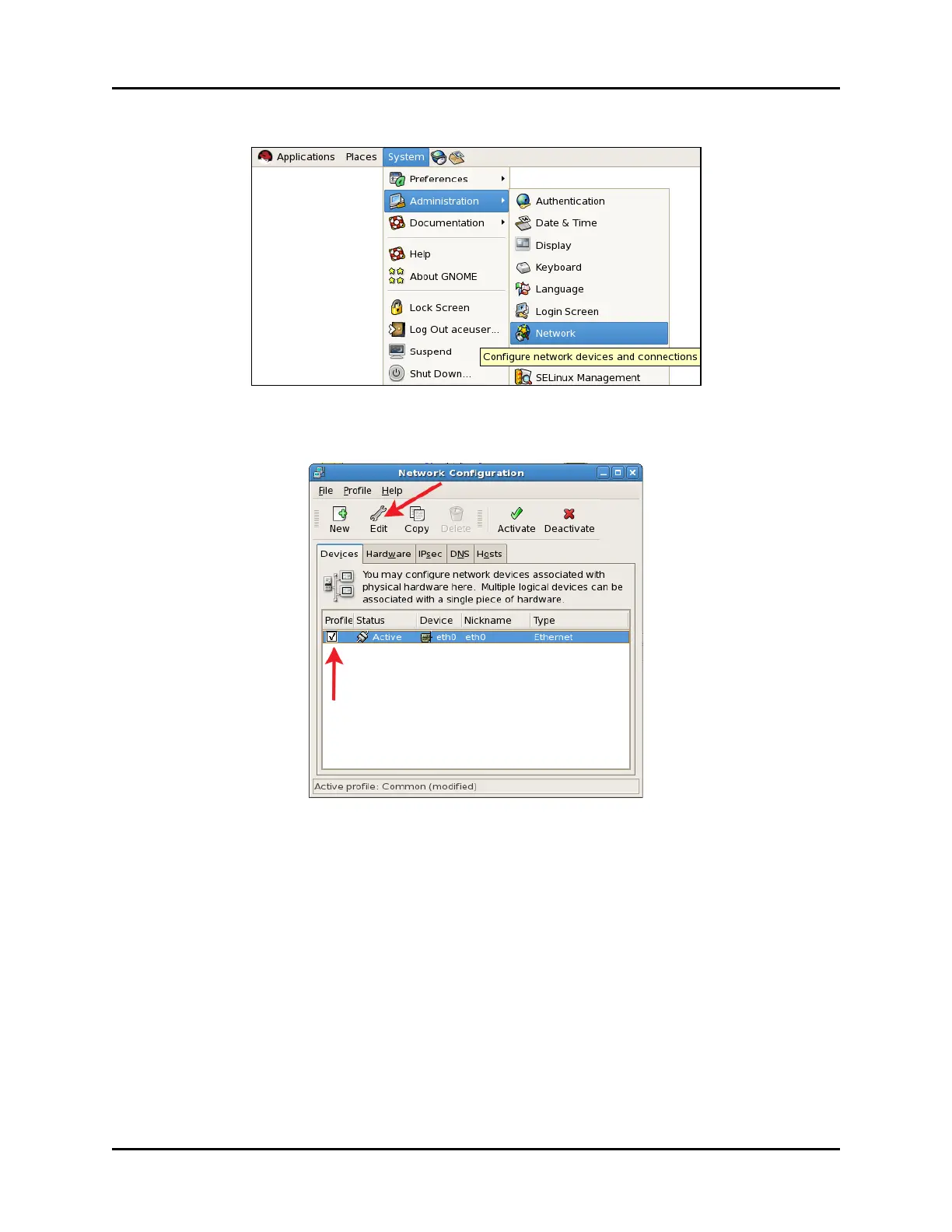
5. From the taskbar, click System, point to Administration, and then click Network.
Figure 28: Network navigation
6. Select the Profile check box, and click Edit.
Figure 29: Network Configuration
40 Copyright © 2018 Advanced Simulation Technology inc.
ACE Target and Studio Cold Start Guide (Rev. B, Ver. 0)



 To Next Page