I N S T A L L A T I O N a nd P OWER
page 1 – 6
D-16 / Feb 2003
the long power supply cable to the center connector of the rackmount failsafe
panel. Then connect one supply with a short cable to either of the two
remaining connectors on the failsafe panel and connect the second supply
with a short cable to the last connector.
Note that each power supply is fitted with a 3-wire grounded AC cord
that should be plugged into a "clean" AC power source, that is, an AC source
that feeds only the control room audio gear. This source should be a separate
feed from those powering lighting, air-conditioning, or any other non-audio
machinery. The third pin ground wire of the AC source should be tied to the
central system ground point.
Failsafe Dual Redundant Supply
Wheatstone failsafe power supply systems use two separate rackmount
power supplies for each piece of powered equipment. Though either is
capable of running a full load on its own, in failsafe operation both units run
in tandem: if one fails, the other takes over, assuring uninterrupted opera-
tion.
In order for failsafe systems to perform as designed, always have BOTH
rackmount supplies powered up and connected to their associated equip-
ment.
Energizing
Assuming the D-16 console mainframe is properly placed and grounded,
and its PSR-100 power supply correctly rackmounted and connected to the
console, you may now energize the power supply by plugging it into the AC
mains. The green “+PH” (phantom) LED and all of the “GOOD” LEDs on
the power supply front panel should light up to indicate the presence of their
respective voltages. The console's VU meters will illuminate and individual
module switches will assume factory default settings.
Note: To de-energize the console, unplug the rackmount power supply’s
AC cord from the AC mains. Never de-energize the console by disconnect-
ing the cable that connects the console and power supply together.
Once you have verified proper power-up, unplug the rackmount power supply
to de-energize the console. You may now proceed to wire up audio and
control connections.
D-16 / June 2006
The power feed recom-
mended in the text is of-
ten installed and referred
to in studios as an “iso-
lated AC ground” outlet.
It is usually orange in
color.
1
2
3
4
Phantom
Digital Common
Digital Common
+ Digital
PIN PIN
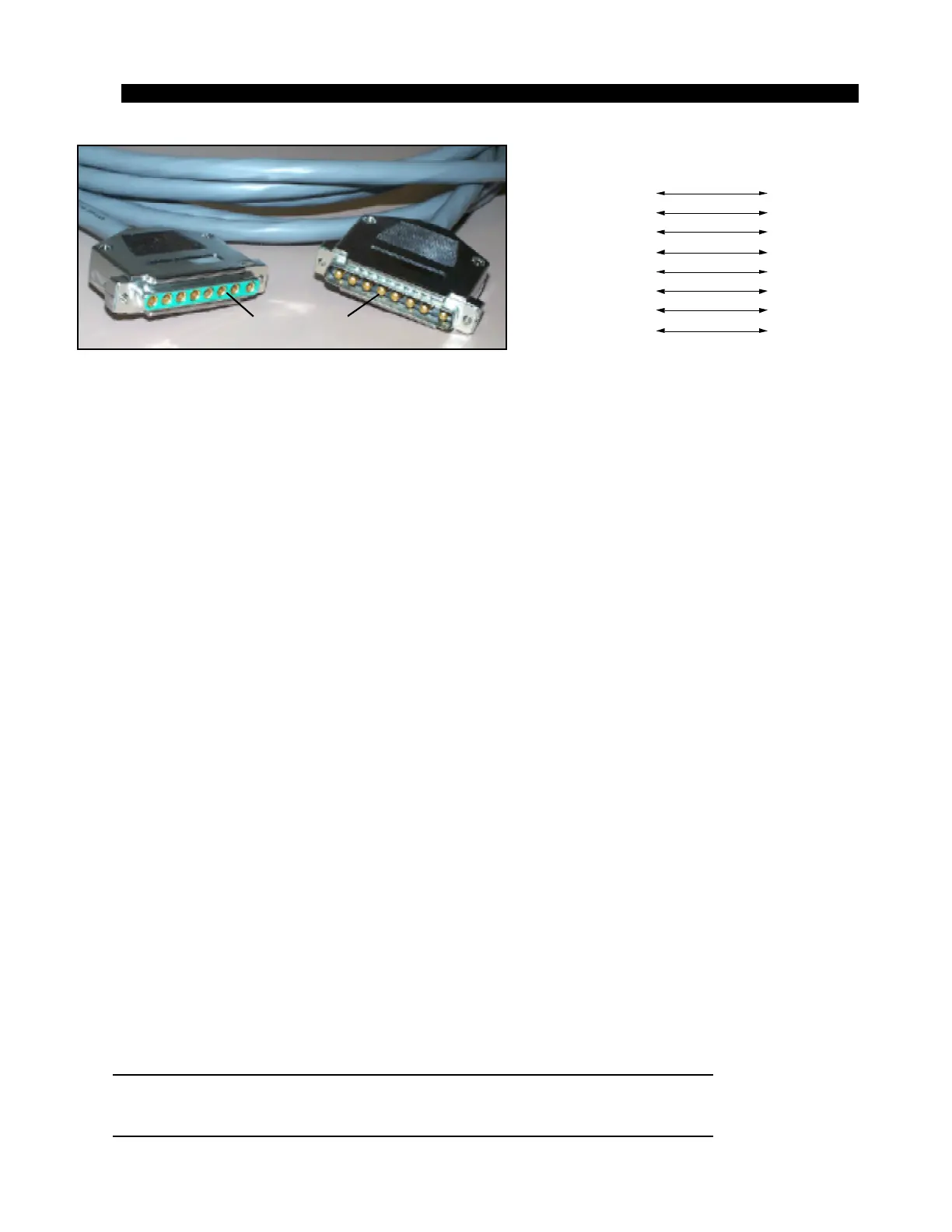
8-pin Connector
Female
Console End
5
6
7
8
+ Digital
Audio Common
- V
+ V
VIO
GRN
BRN
WHT
ORG
BLK
BLU
RED
PS Cable Pinout
1
2
3
4
5
6
7
8
VIO
GRN
BRN
WHT
ORG
BLK
BLU
RED
Console
End
Power Supply
End



 To Next Page