page 7 – 2
D-16 / Feb 2003
CLOCK/TIMER SECTION
Clock/Timer Section
Overview
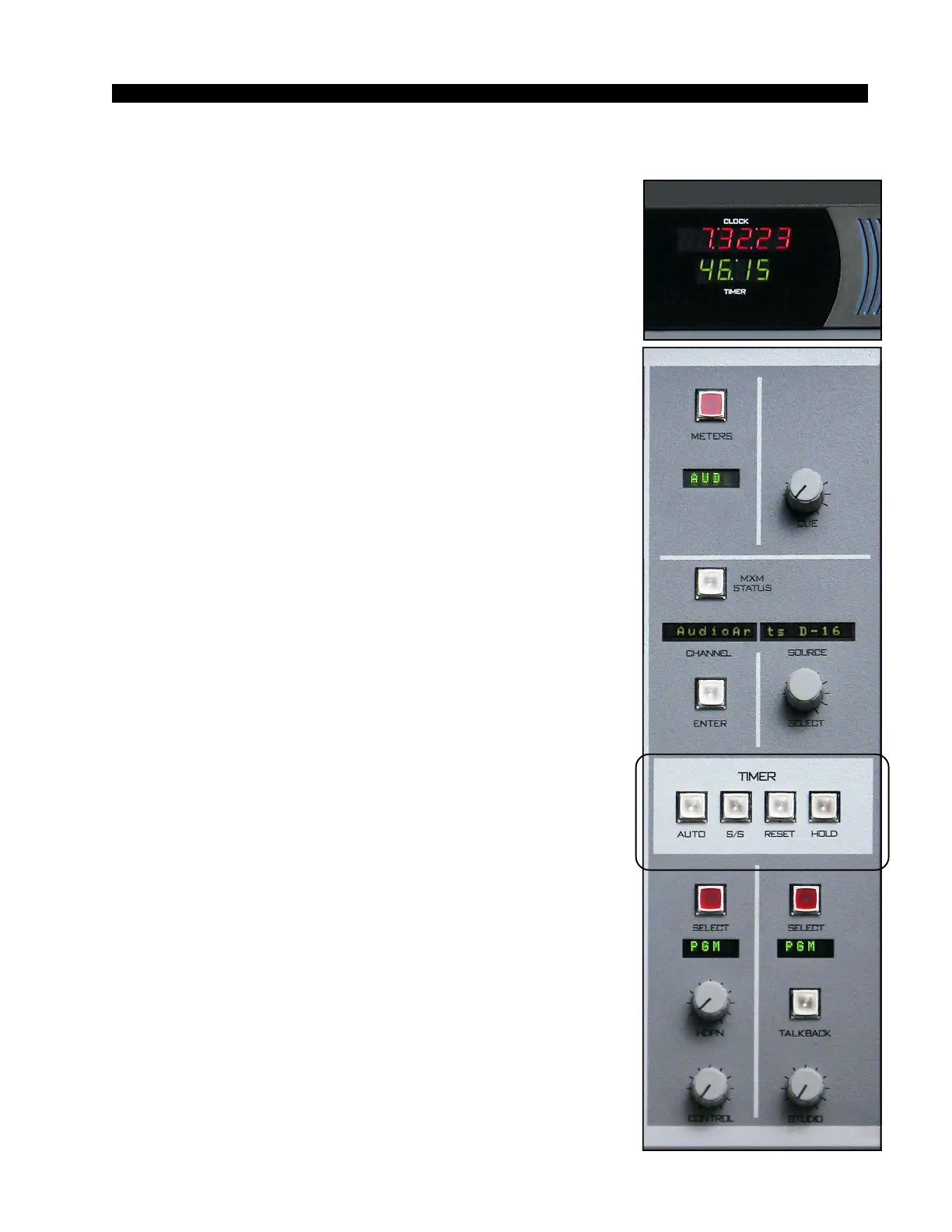
The CLOCK/TIMER SECTION consists of a digital CLOCK/
TIMER DISPLAY and a set of TIMER CONTROLS. The
console timer allows the operator to determine elapsed time of
events.
Digital Timer
The TIMER DISPLAY, located in the METERBRIDGE,
shows the elapsed time in minutes and seconds, up to a maximum
elapsed time of 59 minutes and 59 seconds, after which the timer
will turn over to zero and continue.
The timer is provided with an AUTO-RESTART function so
programmed input modules can automatically reset the timer
display to zero and start a new count (if the timer is currently
running), allowing the announcer to easily track his own pace.
The START/STOP button halts the timer, holds the last
count, and then restarts and accumulates the count when de-
pressed again
—
perfect for compiling tapes of desired duration.
RESET has a dual-mode capability:
- if you depress it while the timer is counting, the display will
instantly reset to zero and start a fresh count;
- if the timer is already stopped, depressing this button will
reset the timer to zero, where it will stay until start is pressed.
The HOLD button allows you to hold the display for a longer
viewing duration, while still allowing the counter to continue in
the background. Releasing the button will then display the
current count.



 To Next Page