- 7 -
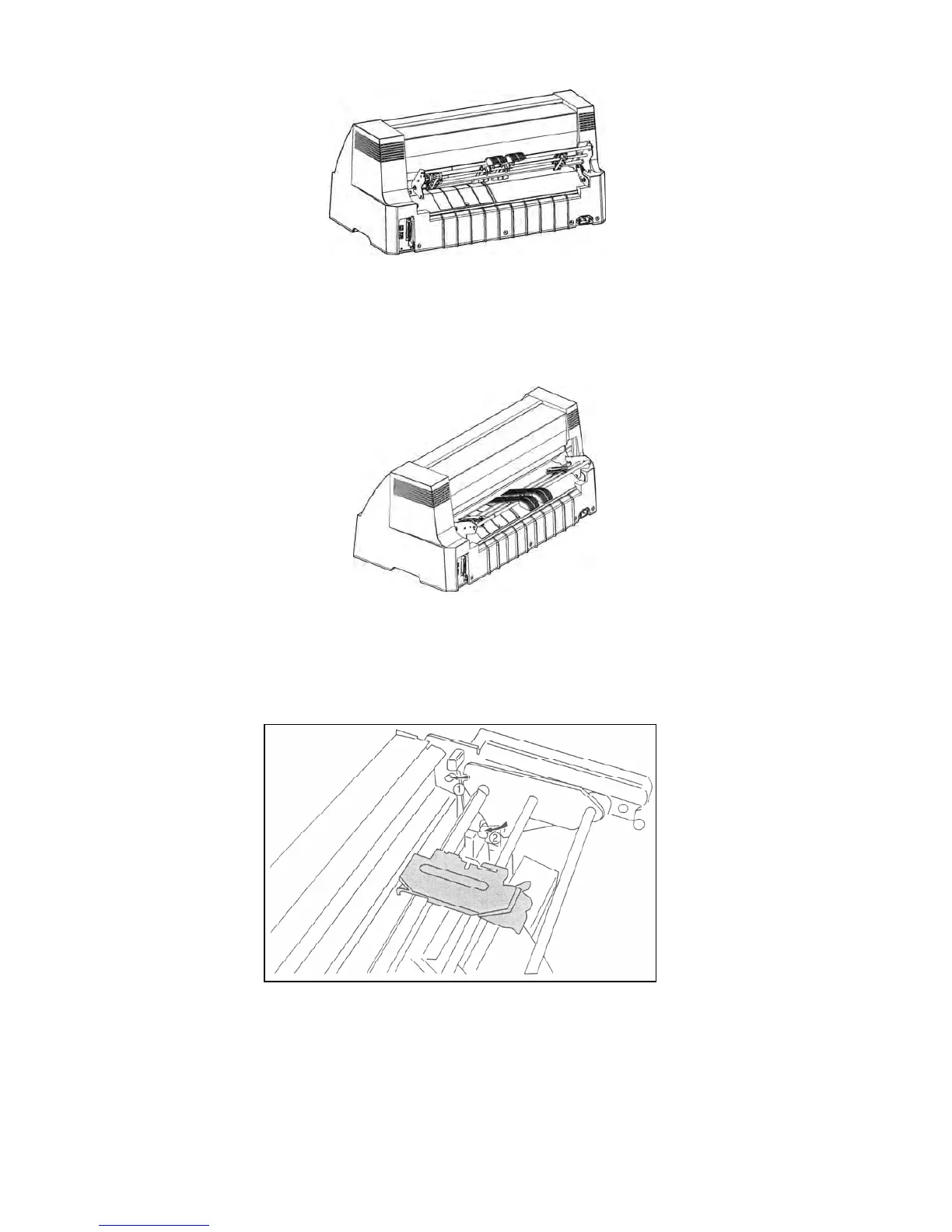
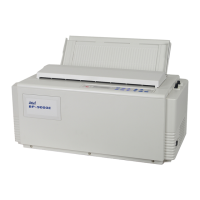
1. Plug the connection cable of the tractor into the connector of the printer.
2. Aim the mounting slot on both sides of the tractor at the positioning shaft on right and left of the
printer, then push them into place and put them down.
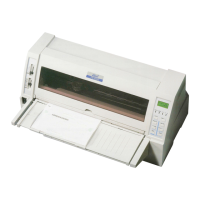
2.8.2 Installing the Front Tractor
Plug the connector on the left side of the tractor into the corresponding socket of the printer. And then
install the tractor on the left and right tractor supports. (As Figure 2-14 shown)
2.9 Connecting to the Printer
Your printer can be configured with parallel interface, USB interface, serial interface or Ethernet
interface, (Please take the specific interface as standard).). Connect the printer to your computer with
the suitable cable. As Figure2-15, 2-16, 2-17 and 2-18 show.
Figure 2-12 Start to install tractor
Figure 2-13 Installing the rear tractor
Figure 2-14 Installing the front tractor


 To Next Page