- 44 -
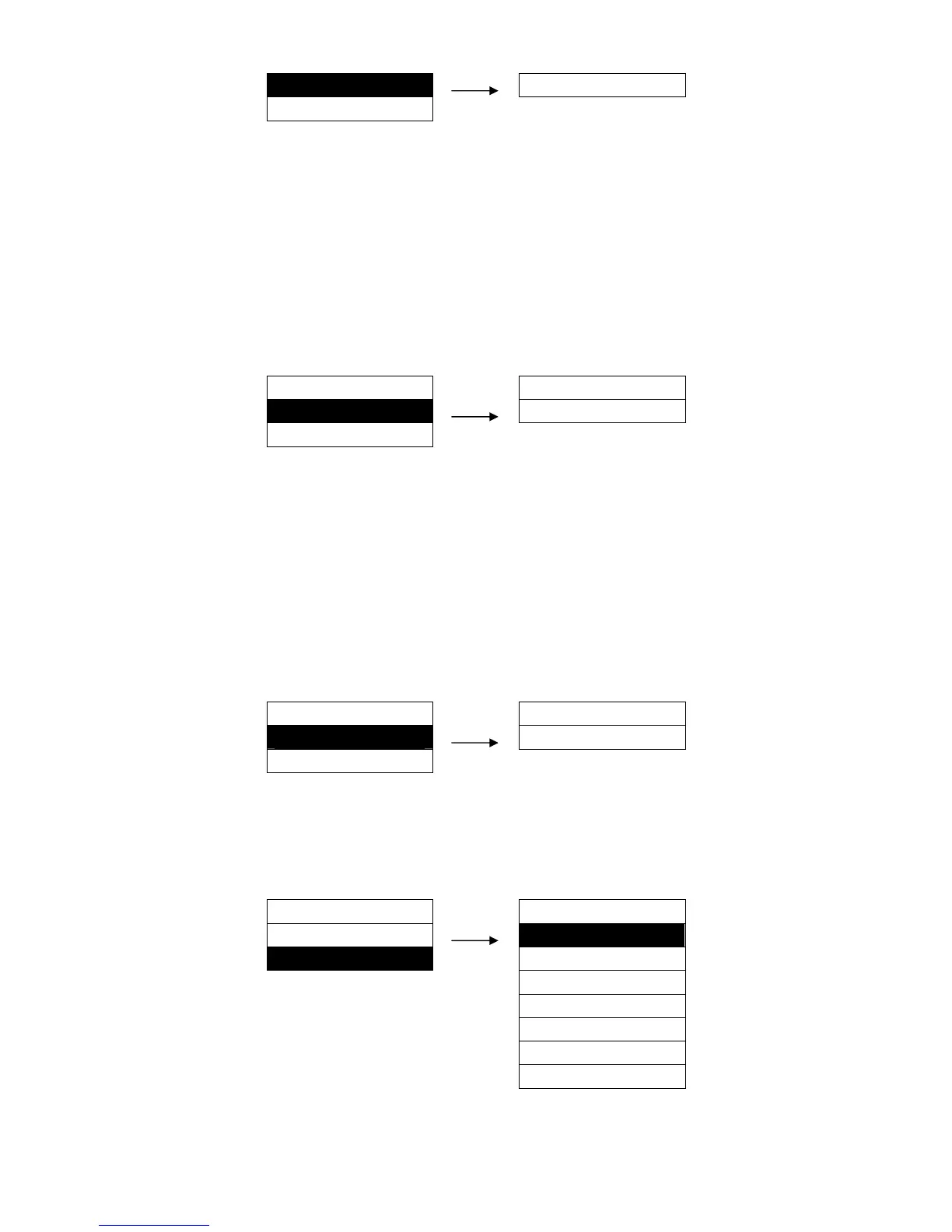
50. IP ADDRESS ►
010.000.000.001
51. SUBNET MASK ►
5.51 SUBNET MASK
It is the subnet mask of the printer Ethernet.
Setting process:
1. After entering this option, current setting will be shown on the LCD, and the first parameter would be
underlined.
2. Use the ↑ and ↓ keys to modify the parameter, press ENTER key to save. and then press → key to
modify the next parameter, so that you can modify the address according to your request.
3. After modifying, press ← key to go back to the upper menu or press FORMAT key to exit the menu.
MENU SETUP
SUBNET MASK
51. SUBNET MASK ►
255.255.255.0
52. GATEWAY ►
5.52 GATEWAY
It is the gateway of the printer Ethernet.
Setting process:
1. After entering this option, current setting will be shown on the LCD, and the first parameter would be
underlined.
2. Use the ↑ and ↓ keys to modify the parameter, press ENTER key to save. and then press → key to
modify the next parameter, so that you can modify the address according to your request.
3. After modifying, press ← key to go back to the upper menu or press FORMAT key to exit the menu.
MENU SETUP
GATEWAY
52. GATEWAY ►
255.255.255.255
53. MENU LISTING ►
5.53 MENU LISTING
It is the menu list of the printer.
Setting process:
MENU SETUP
MENU LISTING
52. GATEWAY ► FORMAT 1 ※
53. MENU LISTING ►
FORMAT 2
FORMAT 3
FORMAT 4
FORMAT 5
FORMAT 6
PIRNT ALL


 To Next Page