- 39 -
displayed on the LCD.
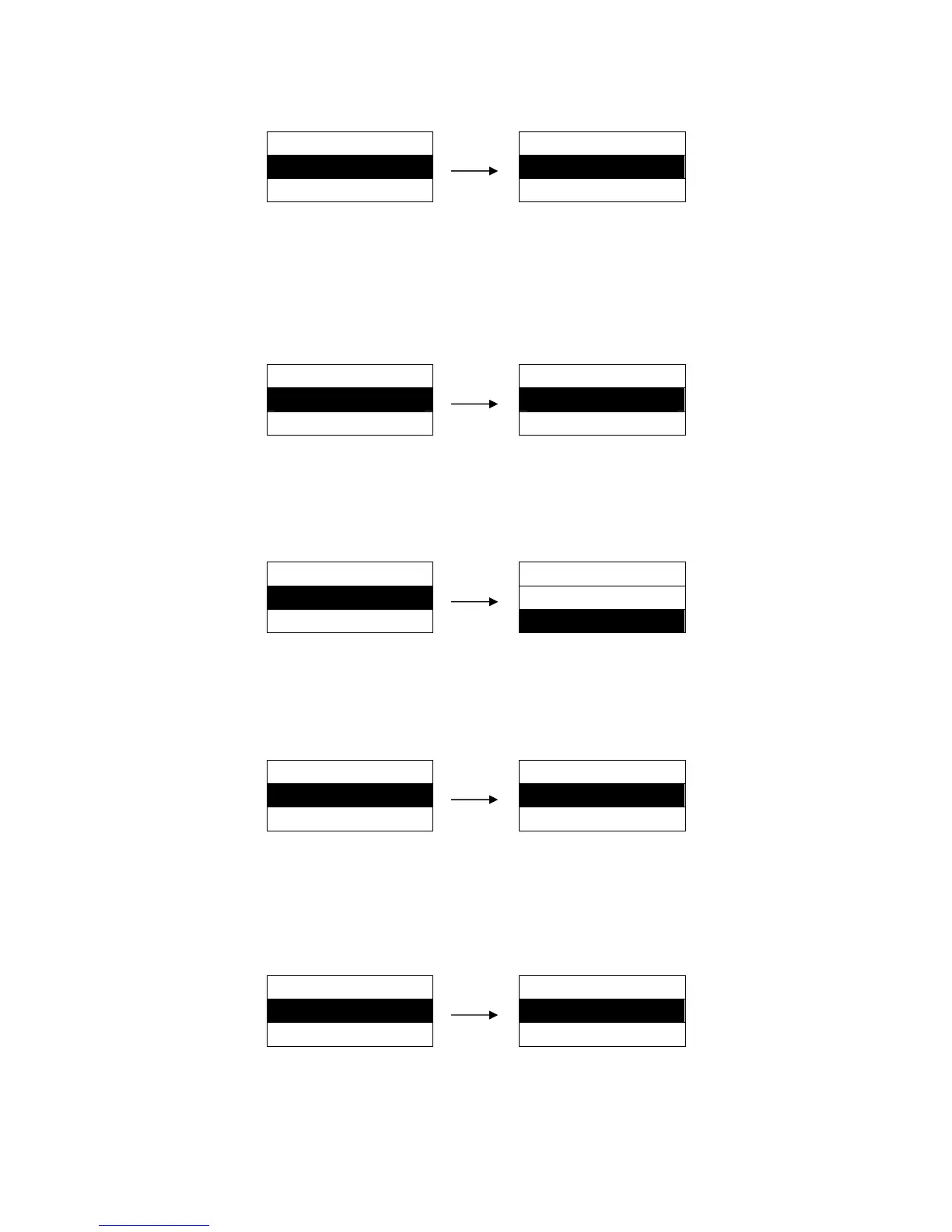
Setting process:
MENU SETUP
JAM DETECT
27. JAM DETECT ►
OFF ※
28. PAGE LOCK ►
ON
5.28 PAGE LOCK
After selecting this function on, printer would lock the page length setting. Printer feeds to next page
according to the current setting parameter and would not affected by the page length instruction of
the print data.
Setting process:
MENU SETUP
PAGE LOCK
28. PAGE LOCK ►
OFF ※
29. QUALITY LOCK ►
ON
5.29 QUALITY LOCK
Lock the setting of print speed. Printer will ignore other relative commands in the print data.
Setting process:
MENU SETUP
QUALITY LOCK
29. QUALITY LOCK ►
ON
30. FF SETTING ►
OFF ※
5.30 PITCH LOCK
Lock the setting of character pitch. Printer will ignore other relative commands in the print data.
Setting process:
MENU SETUP
PITCH LOCK
30. PITCH LOCK ►
OFF ※
31. FF SETTING ►
ON
5.31 FF SETTING
Control the the operation of FF command when it is sent to the printer as well as the current printing
position is on the top of the paper.
Setting process:
MENU SETUP
FF SETTING
31. FF SETTING ►
OFF ※
32. ERROR STATUS ►
ON
5.32 ERROR STATUS
Setting the output of the printer error signal pin when the printer is connected with parallel interface.


 To Next Page