- 51 -
Power consumption
① Operating: 110 W; ② Standby: Approximately 15.9 W
Caution: Only when the product is unconnected with outer power supply, it can achieve
zero energy consumption state.
Note: All the technical instructions in this user's manual are the laboratorial measurements which
achieved under national standard store and work environment (room temperature), the
measuring paper accords with the specification in this user's manual.
7.2 Interface Specification
This printer can be configured with 2.0 Full-Speed USB interface, Centronics (IEEE1284 NIBBLE)
parallel interface, RS-232 serial interface or 10/100Base-T Ethernet interface (according to specific
interface standards). You can connect the printer to computer according to your requirement.
7.2.1 Parallel Interface
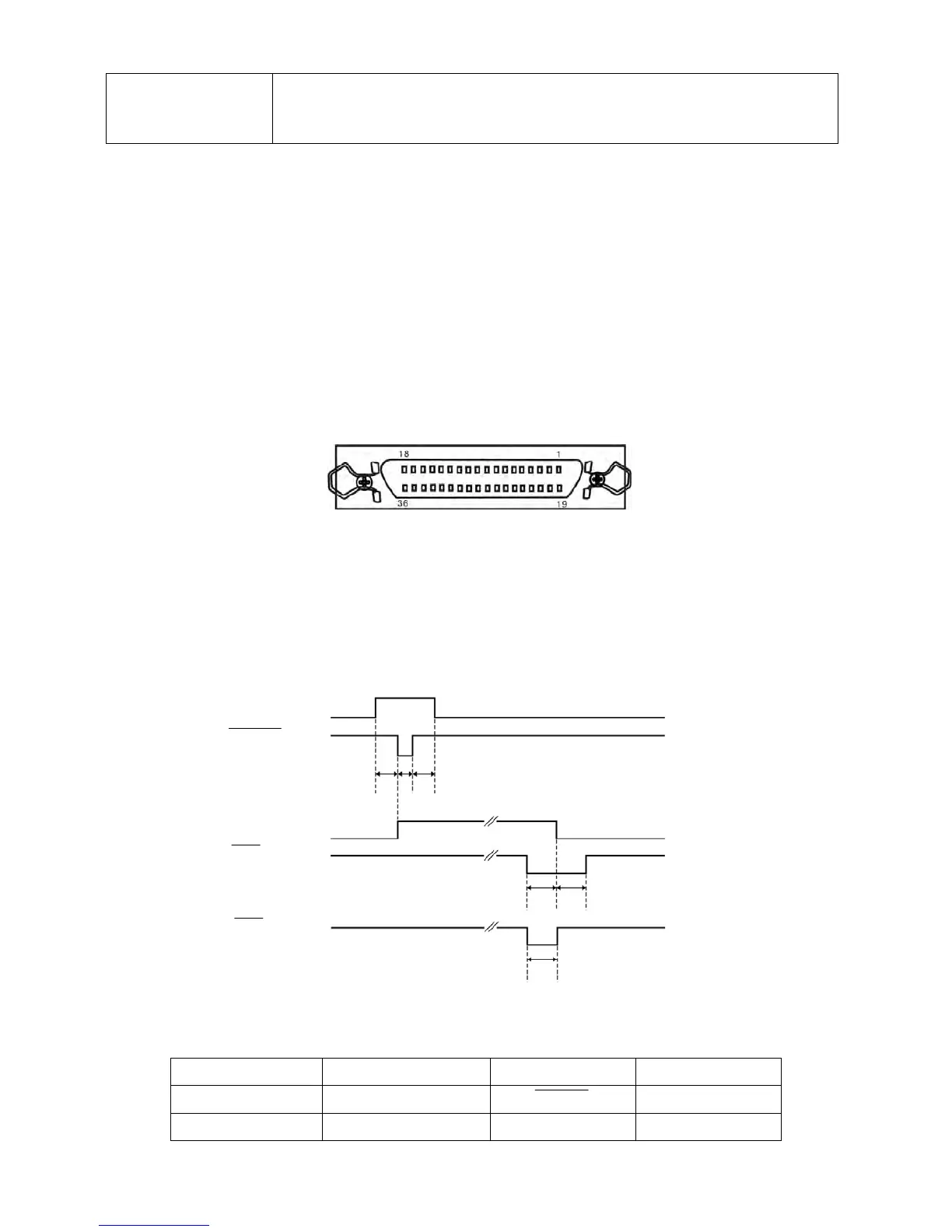
Standard Centronics (IEEE1284 NIBBLE) parallel interface connector is DB-36 pin type connector. Its
pin numbers are as Figure 7-1 shown.
Sequence and signal level
Sequence Diagram as 7-2
Signal level
Input High level: 2 ~ 5 V Low level: 0 ~ 0.8 V
Output High level: 2.4 ~ 5 V Low level: 0 ~ 0.4 V
Connector Pin Assignments
Signal Pin No.
Return Line Pin No. Signal Name Signal Direction
1 19
STROBE
Printer ← Host
2 ~ 9 20 ~ 27 DATA Printer ← Host
Figure 7-2 Sequence diagram
Figure 7-1 Parallel interface connector pin number
DATA
STROBE
BUSY


 To Next Page