- 30 -
automatically (The Paper skew function in the Menu should be on).
4.2 Setting the Tractor Mode
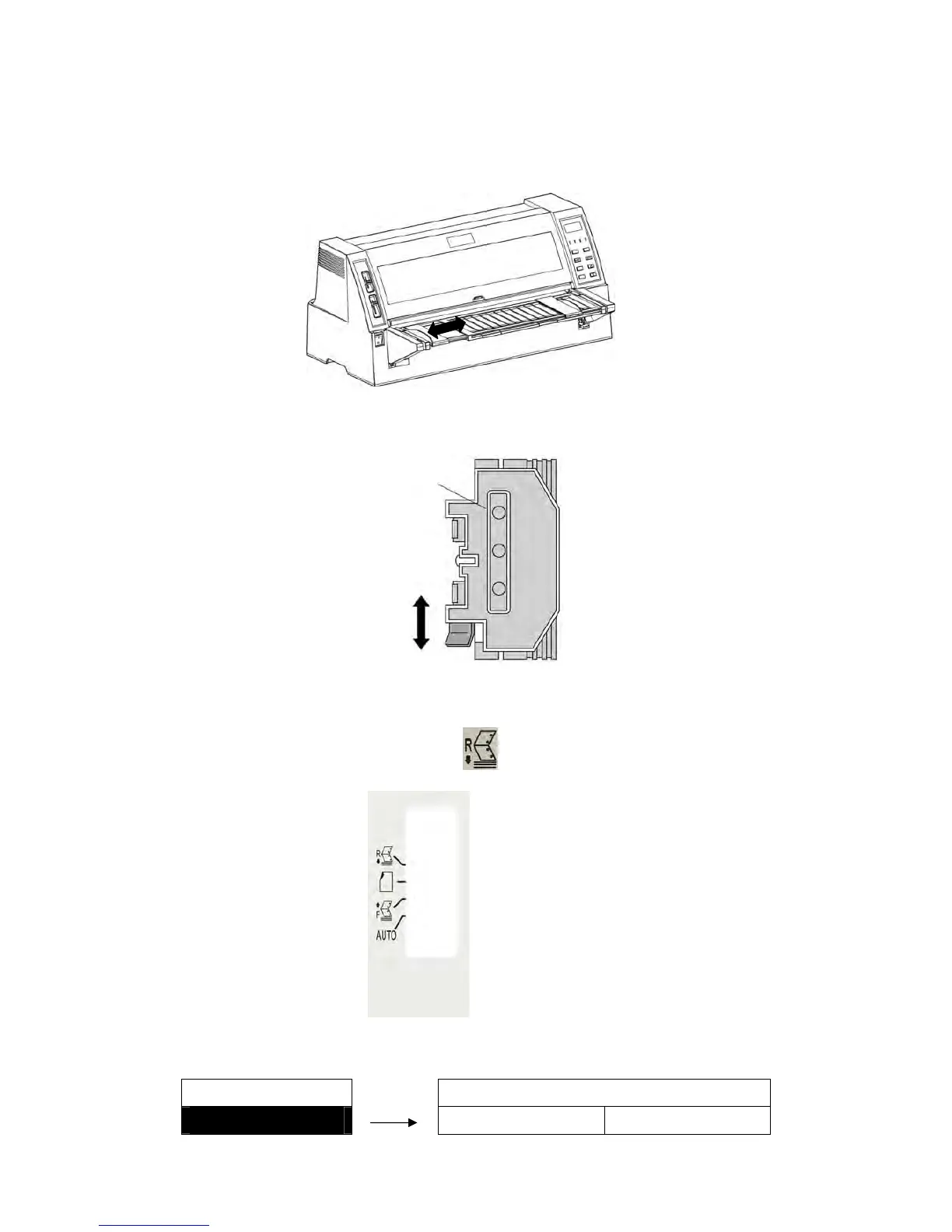
1. Firstly, please ensure the tractor has been installed at the back of the printer, and then adjust the
right and left paper guides on the paper rack to the proper positions.
2. Adjust the positions of the tractor right and left sprockets to fulfill the requirement of the paper width.
Please lock the tractor after adjustment.
3. Open the sprocket cover, aim the tractor paper holes at the sprockets and install it correctly, and
then close the sprocket cover.
4. Pull the paper path lever to the position of “ ”.
5. Setting page length.
MENU SETUP PG LGTH TRAC
6. R.TR PG LGTH ► 3 INCH 9.5 INCH
Loosen
Lock
Sprocket cover


 To Next Page