- 27 -
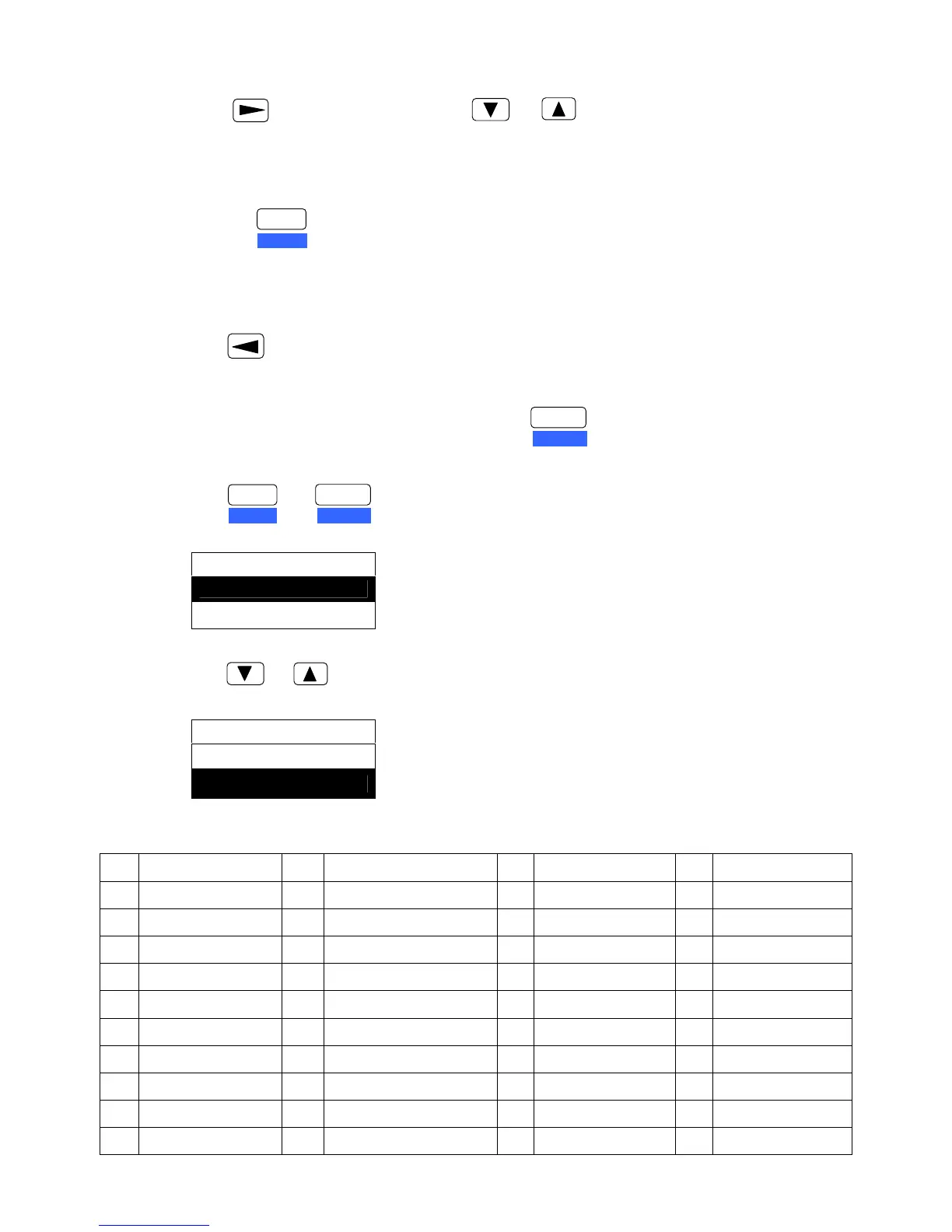
3) Submain select key (item select key)
Press key to enter submain, press or key can skim over the submain (long
press can quickly skim it over).
Before pressing ENTER key, you just adjust the shown content not the functional setting.
4) Enter key
To select the shown menu item, please press ENTER key. After pressing the ENTER key, the
selected item is confirmed and sign with “ ”※ in the back.
5) Exit the submain
Press key to exit the submain and return to the mainmenu.
6) Exit the Menu Setup Mode
In the mainmenu or submenu setting mode, press key to exit the Menu Setup Mode.
3.2.2 Setting Examples
1) Press keys to enter Menu Setup Mode, the LCD shows as below
2) Press or key to select the menu item (as shown below).
FB-600E printer now totally contains 53 menu items (mainmenu):
1 MULTIPART 2 TOF ADJ.MANL 3 TOF ADJ.R.TR 4 TOF ADJ.F.TR
5 MANL PG LGTH 6 R.TR PG LGTH 7 F.TR PG LGTH 8 RGHT PG WDTH
9 LEFT PG WDTH 10 TOP MRG 11 BOTTOM MRG 12 LEFT MRG
13 FONT SELECH 14 CHR PITCH 15 LF PITCH 16 EMULATION
17 CHR TBL EPSON 18 CHR TBL IBM 19 INTL FONT 20 CODE PAGE
21 AGM IBM 22 LF SETTING 23 CR SETTING 24 ZERO STYLE
25 MANUAL EJECT 26 SKEW DETECT 27 JAM DETECT 28 PAGE LOCK
29 QUALITY LOCK 30 PITCH LOCK 31 FF SETTING 32 ERROR STATUS
33 THAI MODE 34 VOWELS COMPENS 35 COMPRESS PRN 36 PARITY BIT
37 DATA LENGTH 38 STOP BIT 39 PROTOCOL 40 BAUD RATE
41 PRINT DIRECT 42 COVER DETECT 43 LOAD DELAY 44 QUIET MODE
MENU SETUP
1. MULTIPART ►
2. TOF ADJ.MANL ►
MENU SETUP
2. TOF ADJ.MANL ►
3. TOF ADJ.R.TR ►
ENTER
ALT
FORMAT
SET UP
ENTER
ALT
FORMAT
SET UP
+


 To Next Page