- 28 -
45 TEAR OFF 46 HEAD PIN 47 PIN SWITCH 48 BC/ENL. CHAR
49 DHCP 50 IP ADDRESS 51 SUBNET MASK 52 GATEWAY
53 MENU LISTING
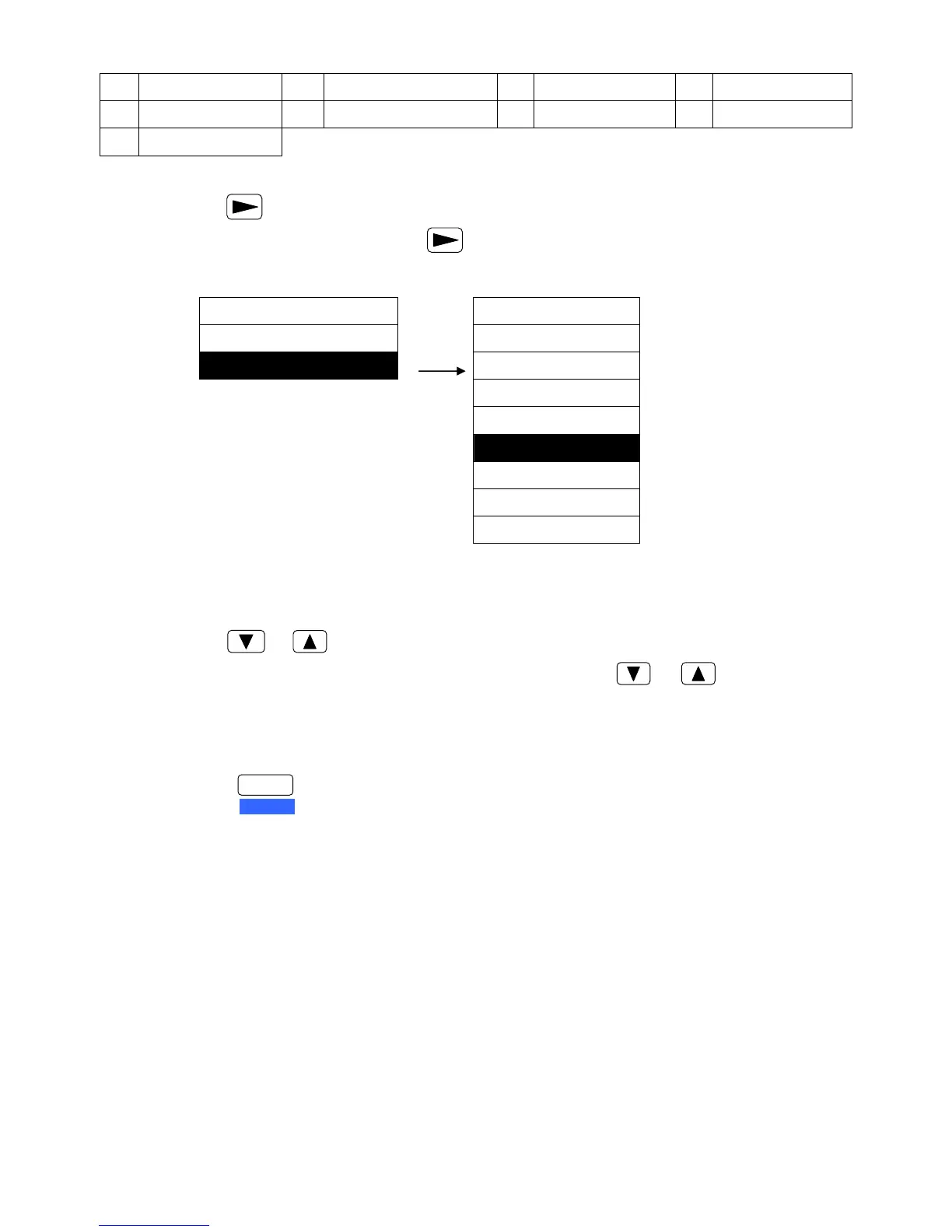
3) Press key to enter into submemu.
Such as, select BAUD RATE, press key to enter BAUD RATE and the particular items are
shown (as shown below):
The right side of the figure shows the items belong to BAUD RATE, item with “ ”※ sign is the
current setting.
4) Press or key can select in the submenu.
Such as, If need to change the baud rate to “19200 BPS”, press or key to select the
item of “19200 BPS”, and then press ENTER key to save the setting. The newly selected item will
be marked with “ ”※ in the back.
5) Press key to exit the MENU SETUP MODE.
MENU SETUP BAUD RATE
39. PROTOCOL ► 115200 BPS
40. BAUD RATE ► 57600 BPS
38400 BPS
19200 BPS
9600 BPS ※
4800 BPS
2400 BPS
1200 BPS
FORMAT
SET UP


 To Next Page