- 16 -
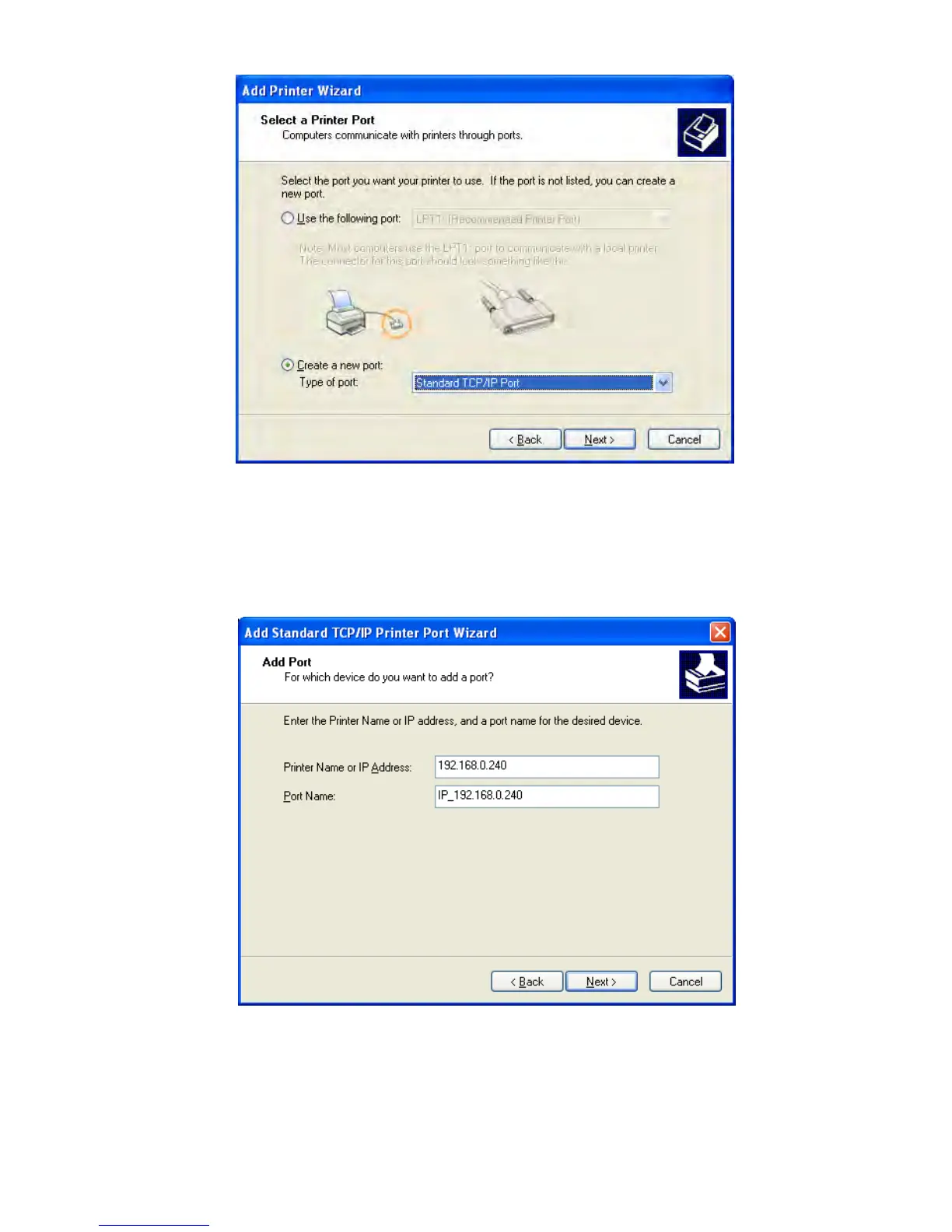
4) A window of “Add standard TCP/IP Printer Port Wizard”, click “Next”.
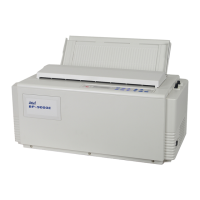
5) A window of “Add Port” pops up, enter the IP address reported by the “Setting printer’s IP address”
in the “Printer Name or IP Address” column. Take IP address “192.168.0.240” for example. “Port
Name” is created automatically after finishing filling in IP address.
6) A window of “Additional Port Information Required” pops up, select “Custom” in the “Device Type”,
then click “Settings”.


 To Next Page