- 21 -
9) Return to “Additional Port Information Required”, click “Next”.
10) A window of “Completing the Add Standard TCP/IP Printer Port Wizard” pops up, click “Finish”.
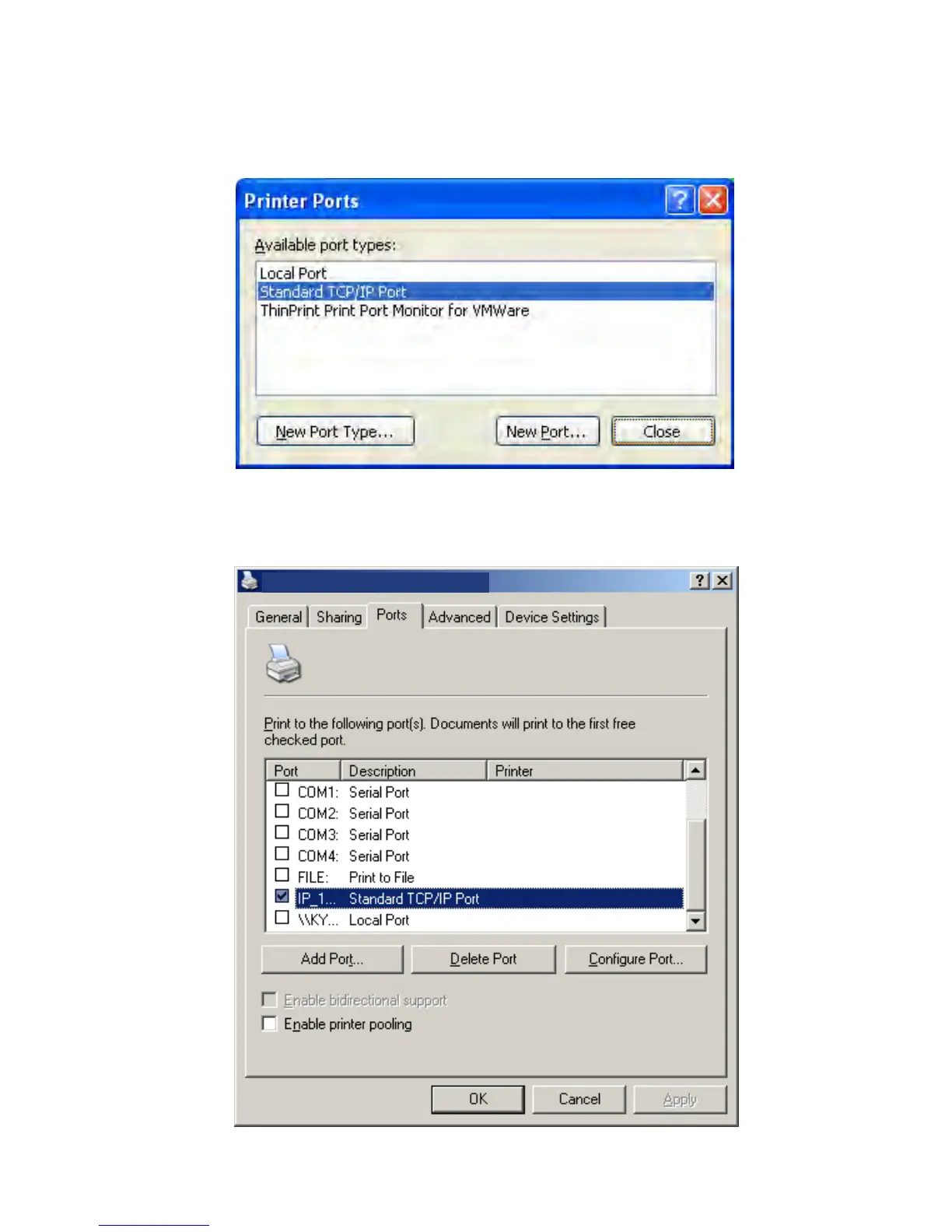
11) Return to “Printer Ports”, click “Close”.
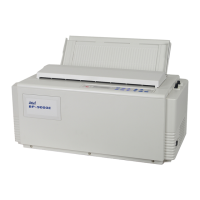
12) Return to “Properties”, make sure the network port is selected, click “Apply”, and then click
“Close”. Thus, printer’s network port setting is finished.
AUI FB-600E
AUI FB-600E Pro


 To Next Page