- 23 -
2
RESET
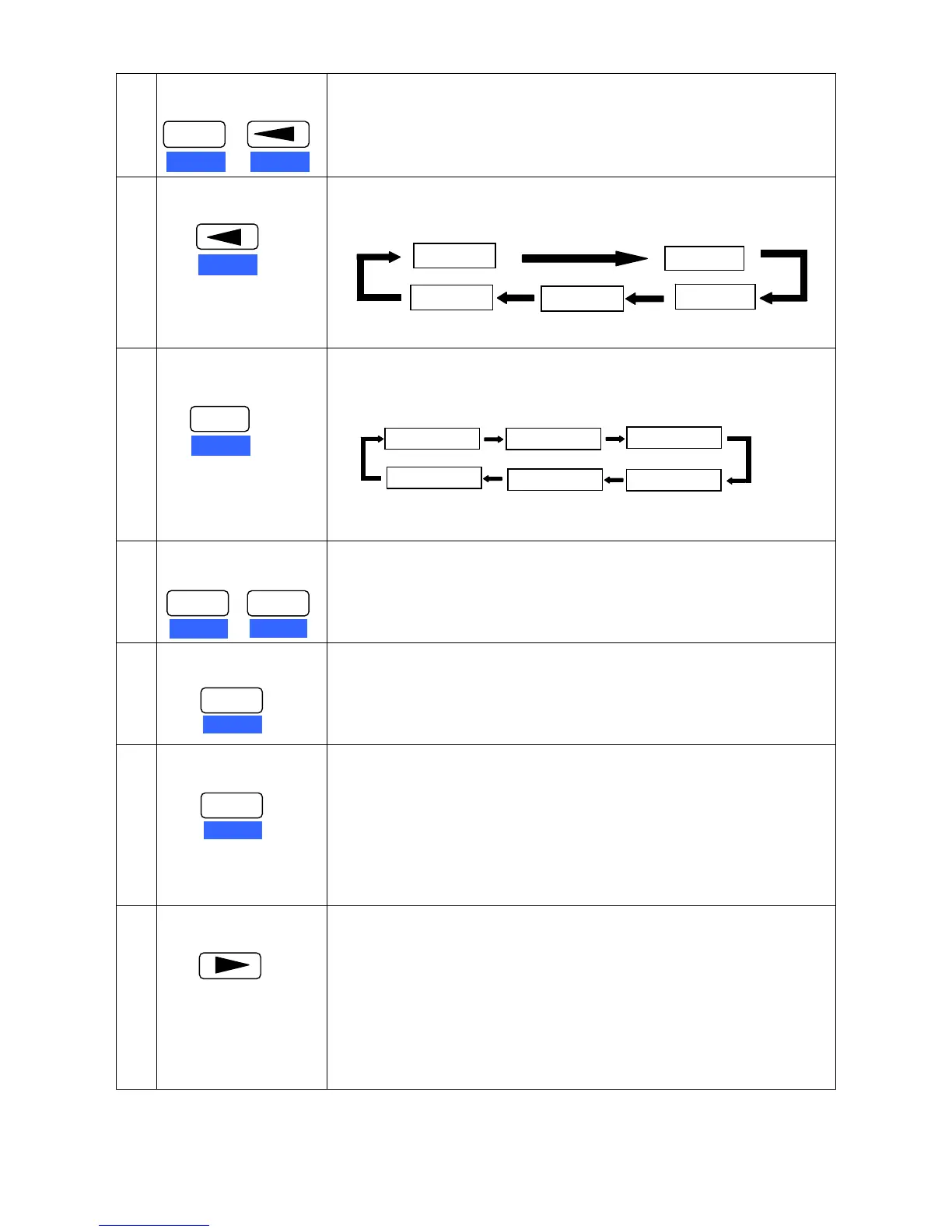
Long press the ALT + ONLIN key, then “INITIALIZING...” is displayed on
the LCD, and then the printer restarts and initializes which will clean the
printing buffer. (Each time 132K)
Note: It is workable both in Online and Offline modes.
3
HIGH SPEED
1. Press HIGH SPEED key once can display the current speed on the
LCD, press this key one more time will change the speed in turn, and
lossen the key to choose the shown print speed. As shown below.
2. In the Menu Setup Mode, press HIGH SPEED to exit the submenu.
4
FORMAT
1. Press FORMAT key once can display the current FORMAT state on
the LCD, press this key one more time can modify the FORMAT
states in turn. The display is as follows:
2. In the Menu Setup Mode, press this key to exit Menu Setup Mode.
5
SET UP
Press ALT and FORMAT keys at the same time to enter Menu Setup
Mode.
Note: Both Online and Offline are OK.
6
ENTER
In the Menu Setup Mode, press ENTER key to confirm and save the
settings.
7
ALT
The following functions are executed by pressing the corresponding key
while you press the ALT key.
ALT + MICRO LF → MICRO LF
ALT + MICRO RLF → MICRO RLF
ALT + SET UP → MENU SETUP
ALT + ONLINE→ RESET (Initialize the printer, clean the printing buffer.
Note: It should be long pressed.)
8
EJECT/LOAD
1. In tractor paper mode, if there is no paper in the printing home
position, press this EJECT/LOAD key to feed paper; If there is paper
in the printing home position, press this key can eject the paper to
parking position.
2. In manual paper feed mode, if there is no paper in the printing home
position, press this EJECT/LOAD key, the printer would make out an
alarm of paper out; If there is paper in the printing home position,
press this key can eject the paper.
3. In the Menu Setup Mode, press TEAR OFF key to enter submenu.
ENTER
ONLIN
ALT
+
RESET
SPEED
RESET
FORMAT 1
FORMAT 2
FORMAT 3
FORMAT 4
FORMAT 5
FORMAT 6
FORMAT
SET UP
ENTER
ALT
ENTER
ALT
+
ENTER
ALT
FORMAT
SET UP
EJECT/LOAD
HIGH 1
HIGH 2
NORMAL
LQ
HIGH 3


 To Next Page