4
C. Red
⚫ Illuminates red when the tablet is powered on and the battery level is below 15%
or an error has occurred.
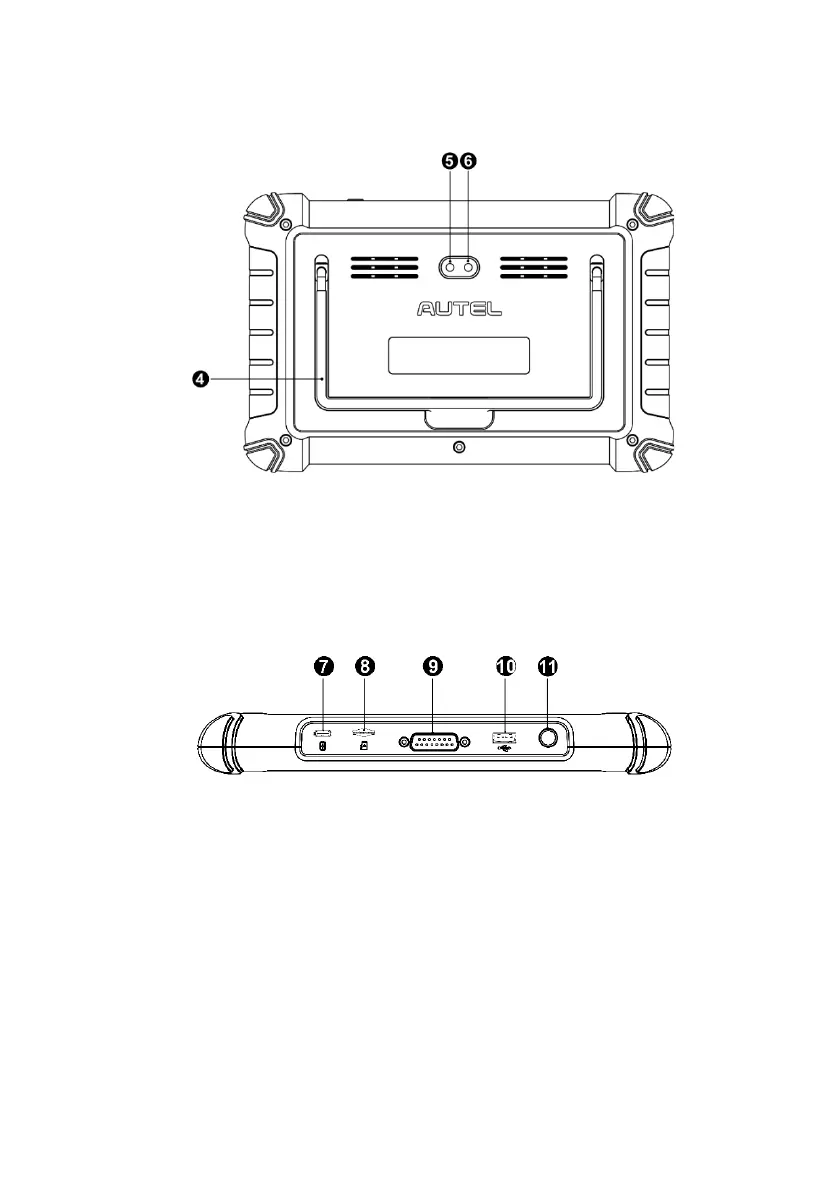
Figure 2-2 Tablet Back View
4. Collapsible Stand — extends from the back to allow hands-free viewing of the tablet.
5. Rear Camera
6. Camera Flash
Figure 2-3 Tablet Top View
7. USB Type-C Charging Port
8. Mini SD Card Slot
9. DB15-Pin Port — connects the main cable.
10. USB Port
11. Power/Lock Button — press and hold to turn the device on/off, or tap to lock the
screen.















 To Next Page