11
4 Diagnostics
The Diagnostics application can access the electronic control unit (ECU) for various
vehicle control systems, including engine, transmission, antilock brake system (ABS),
and airbag system (SRS).
4.1 Getting Started
Prior to first using of the Diagnostics application, ensure a communication link is
established between the tablet and the test vehicle via the main cable.
4.1.1 Vehicle Menu Layout
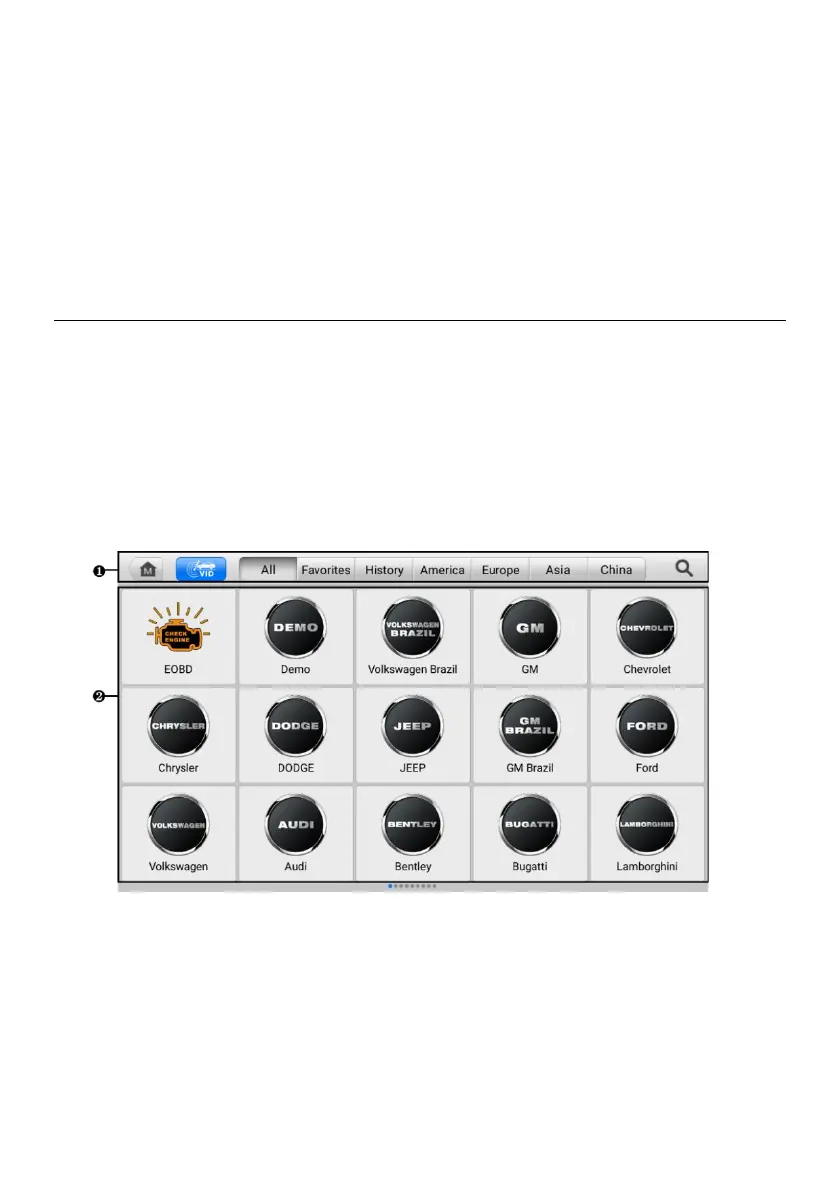
When the tablet is properly connected to the vehicle, the platform is ready to start vehicle
diagnosis. Tap the Diagnostics application button on the MaxiPRO Job Menu to access
the Vehicle Menu.
Figure 4-1 Vehicle Menu Screen
1. Top Toolbar Buttons
2. Manufacturer Buttons















 To Next Page