52
➢ To delete a customer account
1. Tap Data Manager on the MaxiPRO Job Menu.
2. Select Customer.
3. Tap the Delete icon on the right of a customer account. A message displays.
4. Tap OK to confirm the command, and the account is deleted, or tap Cancel to
cancel the request
6.4 Image
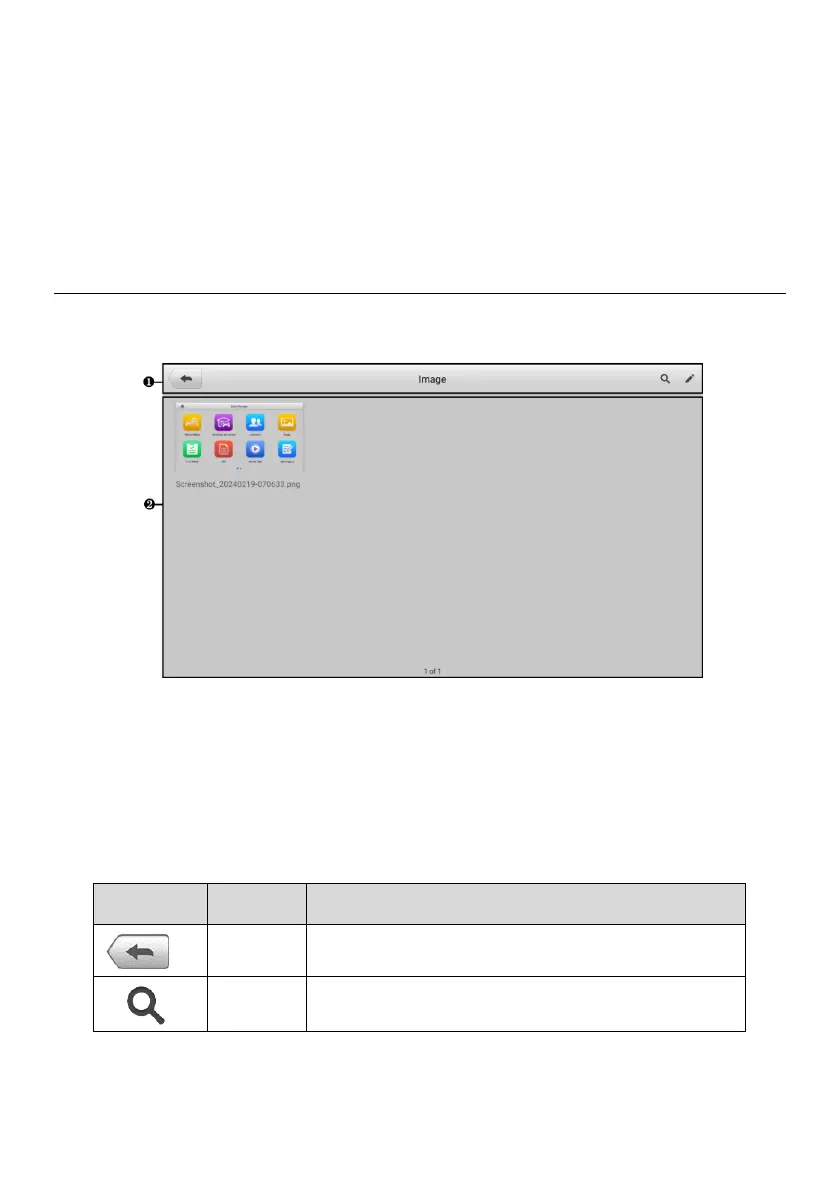
The Image section is a database containing all captured screenshots.
Figure 6-5 Image Screen
1. Toolbar Buttons — used to edit, print or delete image files. See the following table
for detailed information.
2. Main Section — displays stored images.
Table 6-2 Toolbar Buttons in Image















 To Next Page