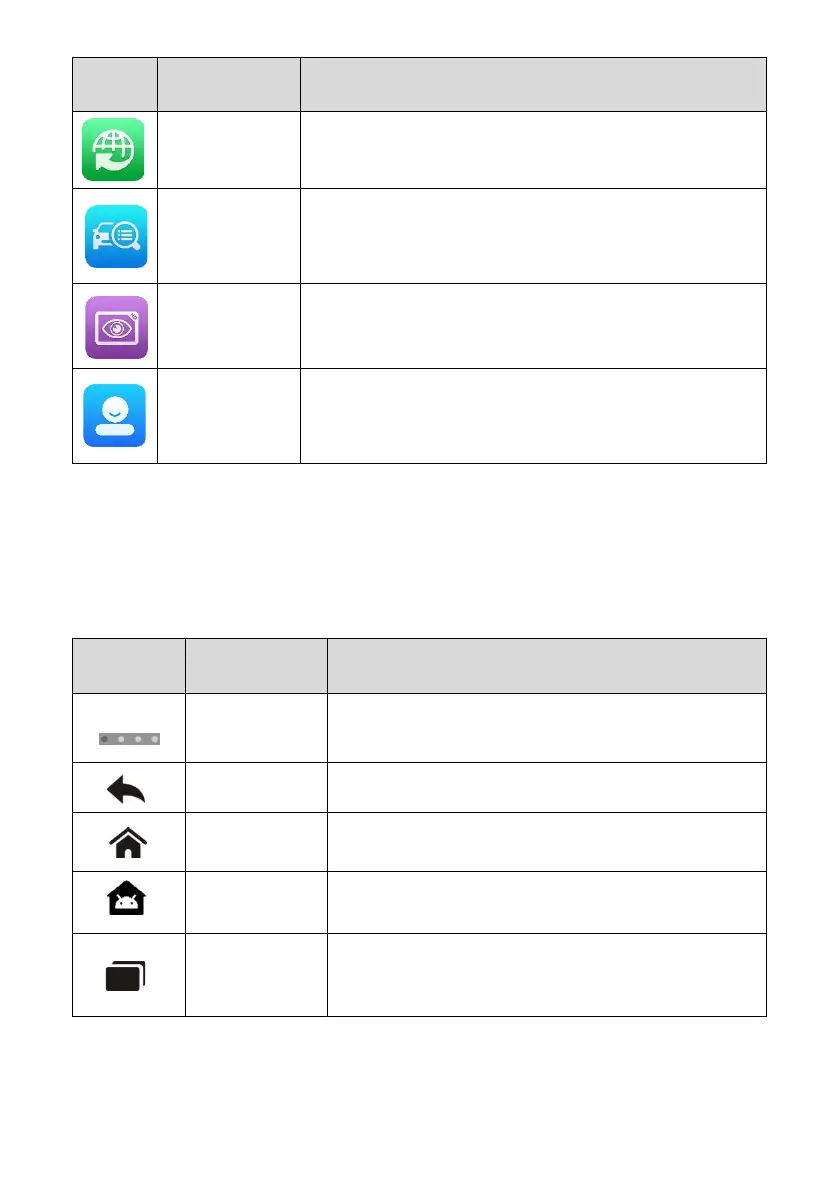
Provides associated website bookmarks to allow quick
access to product update, service, support, and other
information. See Quick Link.
Provides a quick search for supported functions and/or
vehicles
.
See MaxiViewer
.
Configures the tablet to operate as a video scope by
connecting to an imager head cable for close vehicle
inspections. See MaxiVideo.
Allows you to register an account, view and edit your
personal profile and link your device. See Autel User
Center.
3.1.2 Locator and Navigation Buttons
Operations of the Navigation buttons at the bottom of the screen are described in the
table below:
Table 3-2 Locator and Navigation Buttons
Indicates the location of the current screen. Swipe left
or right to view the previous or next screen.
Returns to the previous screen.
Returns to the MaxiPRO Job Menu.
Returns to the Android system Home screen.
Displays a list of applications that are currently
running. Tap an app icon to launch. Close an app by
swiping it to the top.















 To Next Page