33
between an ECM and a diagnostic tool. Global OBD may use several
different communications protocols.
3. Select a specific protocol under the Protocol option. Wait for the OBDII
Diagnostics Menu to appear.
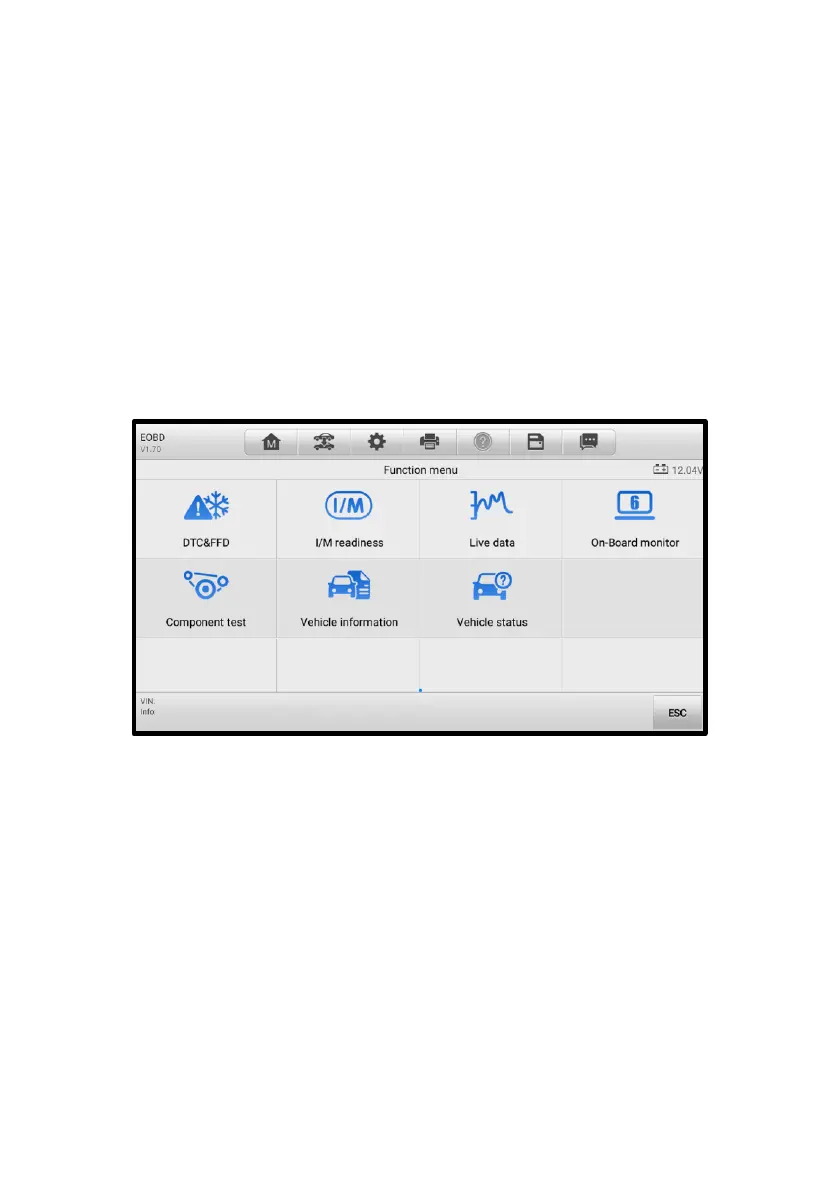
4. Select a function to continue. Supported functions may vary by vehicle.
⚫ DTC & FFD
⚫ I/M Readiness
⚫ Live Data
⚫ On-Board Monitor
⚫ Component Test
⚫ Vehicle Information
⚫ Vehicle Status
Figure 4-14 OBDII Diagnostics Menu Screen
4.5.2 Function Descriptions
This section describes the various functions of each diagnostic option:
4.5.2.1 DTC & FFD
When this function is selected, the screen displays a list of stored codes and pending
codes. When the Freeze frame data of certain DTCs are available for viewing, a
snowflake button will display on the right side of the DTC item. The Erase Codes and
Read codes functions can be applied by tapping the function buttons at the bottom of the
screen.















 To Next Page