Chapter 4 --- Operation
35
L
anguage
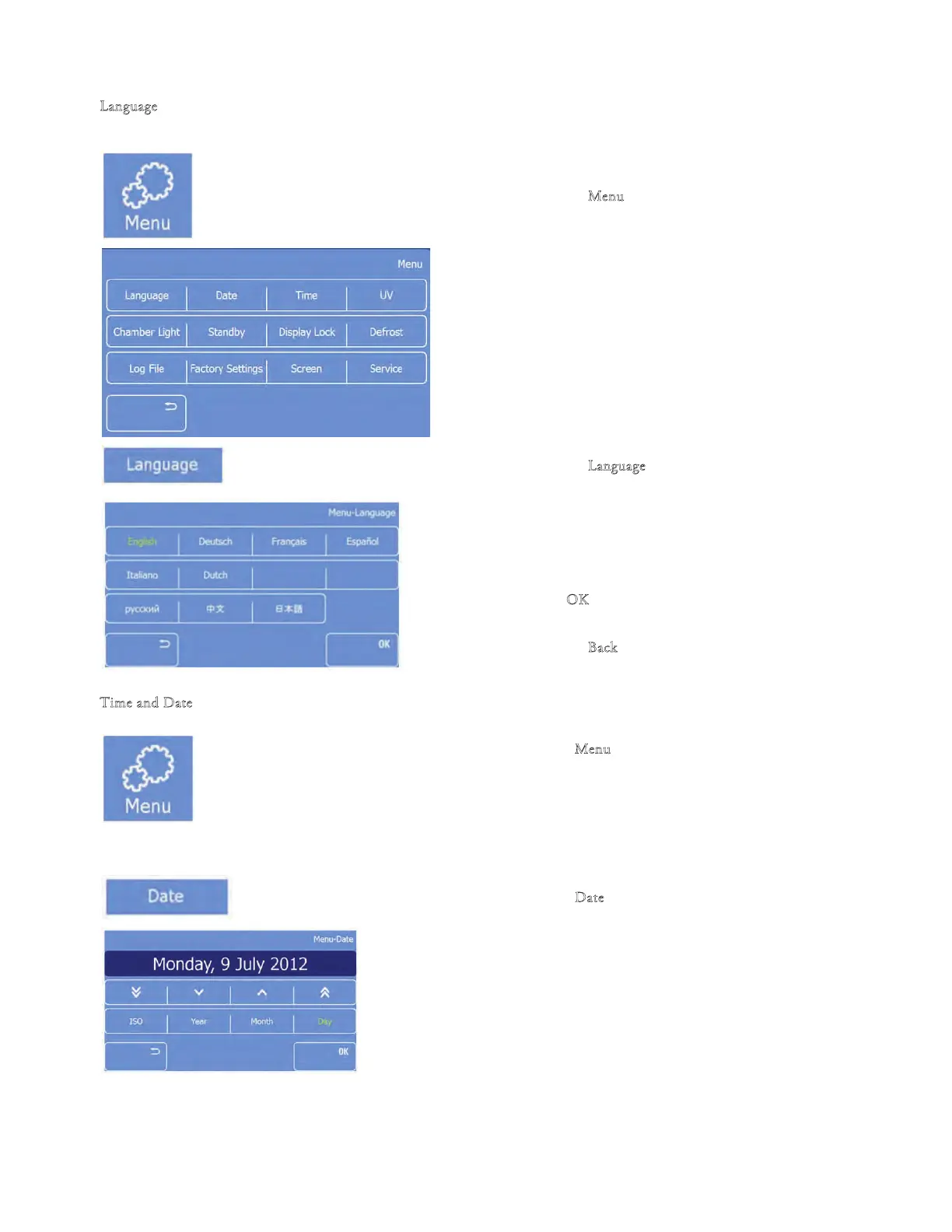
To set the Language:
• Press the "M
enu" button on th
e Main screen.
• e Menu screen will be displayed.
• Press the "L
an
guage" button.
• e Menu-Language screen will be displayed.
• Select the desired language by pressing the
respective button
• Press "O
K" to save the changes and to return to
the Main screen
• Press the "B
ack" button two times to return to
the Main screen withou
t saving the changes
T
ime an
d Date
• Press the "M
enu" button on the Main screen
• e Menu screen will be displayed
Set the Date:
• Press the "D
ate" button.
• e Menu: Date screen will be displayed.



 To Next Page