noitarepO --- 4 retpahC
44
F
actory Settings
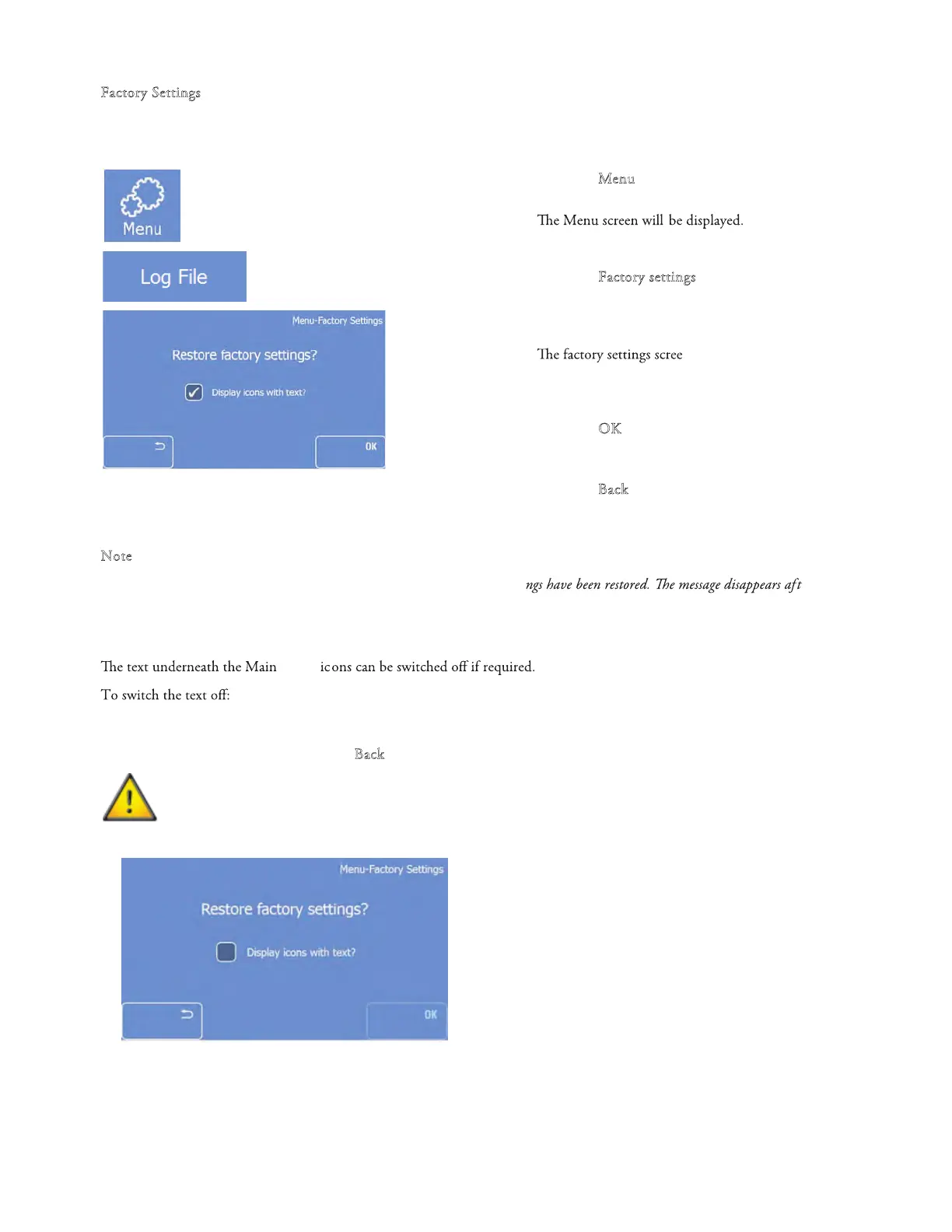
If required, the instrument can be reset to the factory settings.
To restore the Factory settings:
• Press the "M
enu" button on th
e Main screen.
•
• Press the "F
act
ory settings
" button.
•
n will be displayed.
• Press the "O
K"
button to restor
e the factory
settings and to return the Main screen
• Press the "B
ack" button two times to return to
the Main screen without restor
ing the factory
settings.
N
ote
A message appears on the Main screen to inform the user that the factory setti
er
approximately 3 seconds.
Display icons with text
screen
• Enter the factor
y settings screen as described above.
• Uncheck the box and press the "B
ack" button one time to save the changes and to return to the Main screen.
Pressing ‘OK’ will reset the instrument to the factory settings.



 To Next Page