Chapter 4 --- Operation
46
Sectioning Procedures
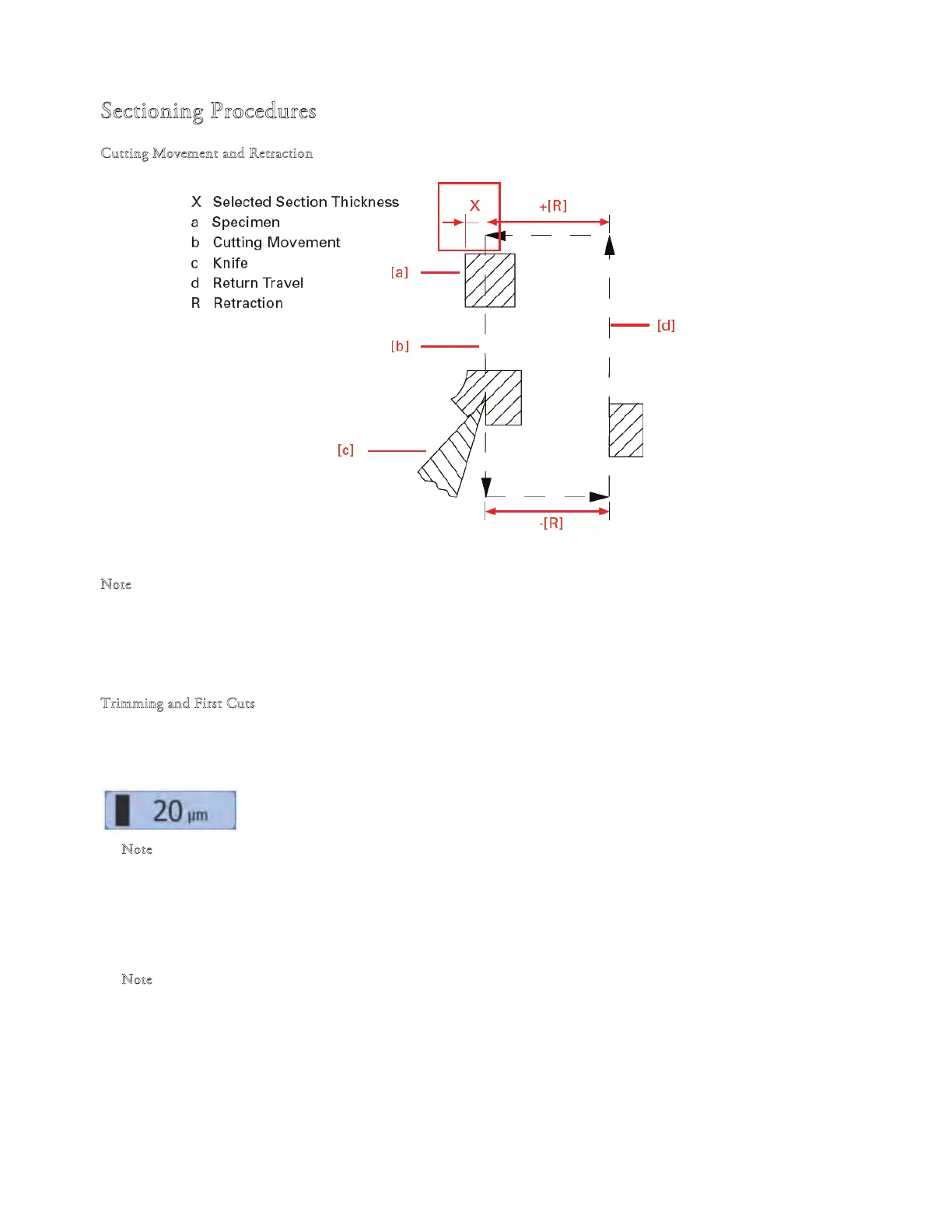
Cutting Movement and Retraction
Front Rear
Lateral view into instrument
N
ote
e retraction prevents the surface of the specimen being damaged during the return stroke of the specimen head.
e retraction can be switched o - see "Switching the Retraction On - O".
e retraction distance required is 20 µm and cannot be changed.
T
rimming and First Cuts
After the specimen orientation and the blade angle have been set, trimming can be carried out using the trimming function.
Trimming
• Make sure that the trimming thickness setting is selected
N
ote
Trimming thickness is shown highlighted on the display.
Turn the hand-wheel in a clockwise direction to begin trimming.
• Press the "Trim" button to move forward the blade holder by the preset trim value. e
hand-wheel does not need
to be turned for this function.
N
ote
e s
pecimen head will move forwards by the preset trim thickness value every cycle.



 To Next Page