Chapter 4 --- Operation
37
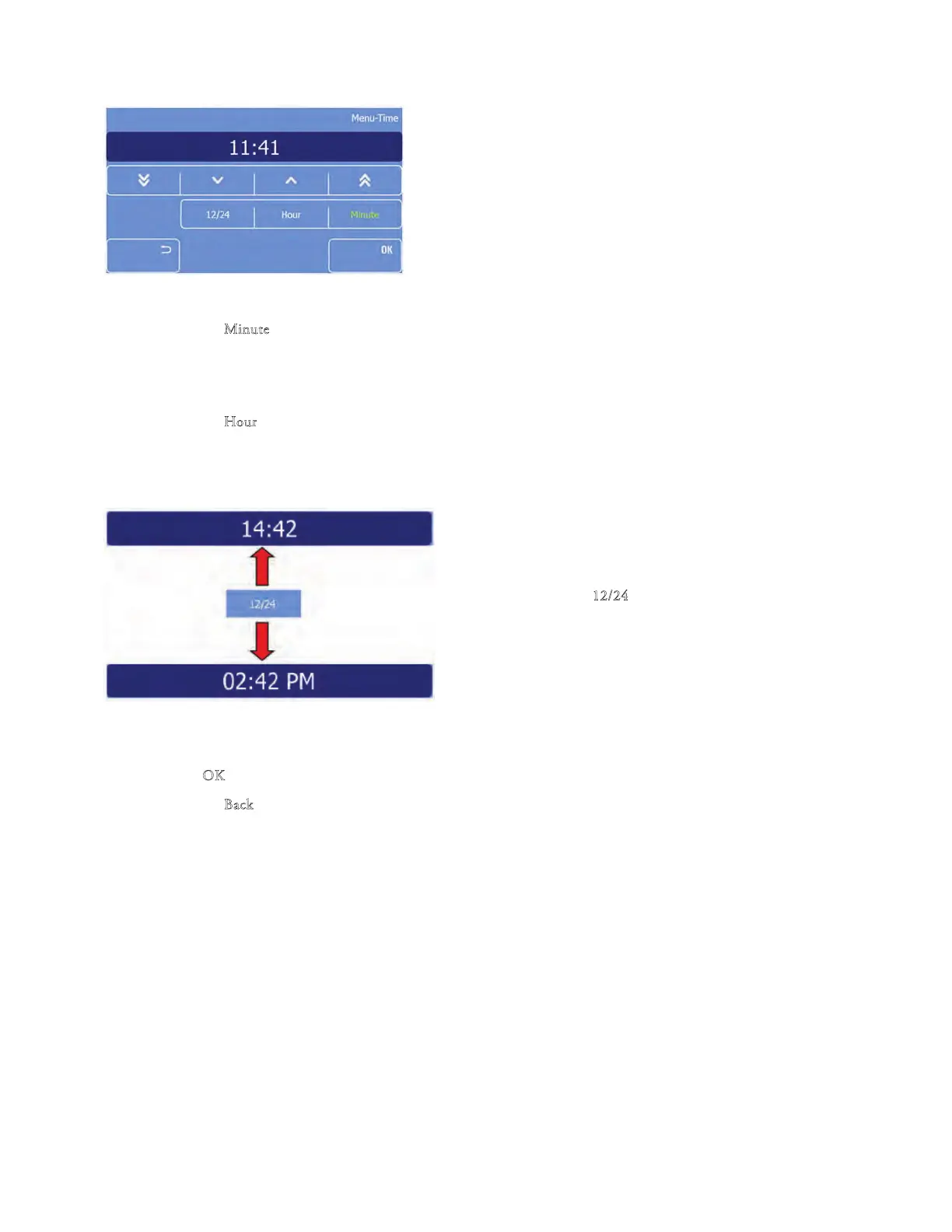
• e Time screen will be displa
yed.
Set the minutes
• Press the "M
in
ute" button to highlight it.
• Use the arrow keys to select the desired minute.
Set the hour
• Press the "H
our
" button to highlight it.
• Use the arrow keys to select the desired hour.
Set the time format
• Press the "1
2/24" button to to
ggle between the
12 and 24 hour modes.
Note
e 12/24 button is highlighted in yellow if the 12h mode is active.
• Press "O
K" to conrm the setting and to return to the Main screen.
• Press the "B
ack" button one time to exit back to the Main screen without saving the changes.



 To Next Page