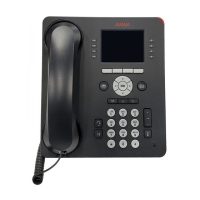
8410D User’s Guide
19 of 37
Conference
To add another party to
a call (for a total of up to
six parties)
1 Press Conf [dial tone]
• Present call is put on hold, and you are given a new call appearance;
all other parties remain connected to each other
2
Dial the number of the new party and wait for an answer
Note: You can privately discuss the call with the new party at this time;
if no answer or busy, press the call appearance button next to the
fluttering light in order to return to the held call.
3
Press Conf again
• All parties are now connected
• Repeat Steps 1 through 3 for additional conference connections
To add a call you’ve put
on hold to another call
you’re connected to
1 Press Conf [dial tone]
• Held call light continues to flutter; the light next to the current call
also flutters
• You are given a new call appearance
2 Press the call appearance button of the call on hold (first call)
3
Press Conf again
• All parties are now connected
To drop the last party
added to a conference
call
1 Press
• Last party you added is dropped
• You remain connected to the other parties
Note: Parties other than the last one must disconnect to be released
from the conference call.
Drop
To disconnect from a
normal call and obtain
dial tone without
hanging up the handset
1 Press Drop [dial tone]
Note: If you press
Drop during a conference call, the last party added
will be dropped, and you will remain connected to the other parties.



 To Next Page