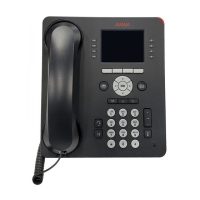
8410D User’s Guide
25 of 37
Send All Calls
You can access this feature with the softkeys only if your voice terminal has a display and if the
feature’s abbreviation, SAC, appears on the second line of one of the feature option screens.
To send all calls (except
priority calls)
immediately to coverage
(If your system manager
has provided a coverage
path for your extension)
1 If you are using an 8410 with a display, press Menu and then press
the softkey below SAC(while on-hook)
If your 8410 does not have a display or if SAC is not available on your
display, press
Send Calls (while on-hook)
or Dial the Send All Calls access code * 5 (while off-hook)
[confirmation tone]
Note: You may hear a ring-ping tone (half ring) from your voice
terminal as each call is forwarded.
To cancel Send All Calls
1 If you are using an 8410 with a display, press Menu and then press
the softkey below SAC again (while on-hook)
If your 8410 does not have a display or if SAC is not available on your
display, press
Send Calls again (while on-hook)
or Dial the Send All Calls cancel code # 5 (while off-hook)
[confirmation tone]
Speaker
Note: Your voice terminal is set for either the Speaker (listen-only) or the Speakerphone (listen and talk)
function. Check with your system manager to see if you can use either of these two features.
Use the following procedures if your voice terminal is set for the Speaker (listen-only) feature.
To place a call without
lifting the handset, or to
use speaker with any
listening-only feature
activity (such as,
monitoring a call on
which you have been put
on hold or for group
listening)
1
Press Speaker
• Red lights next to
Speaker and Mute go on
• Place a call or access the selected feature
2
Adjust speaker volume if necessary
• To raise the volume, press the right half of the Speaker Volume
control button labeled ϖ; to lower the volume, press the left half of the
Speaker Volume control button labeled ω.



 To Next Page