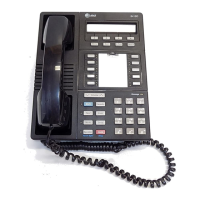
8410D User’s Guide
30 of 37
To place a call to the
name shown on the
display
1 Pick up the handset
2 While the name is shown, press Call Disp (if available)
or, if you do not have Call Disp on your set, press Exit and then dial the
number using the dial pad
3 You can also leave your handset on-hook. The speakerphone will
turn on automatically when you press
Call Disp.
Exit (Normal)
To exit any display
feature and return to
Normal (call-handling)
Mode display
1
Press Exit
• Display will show call information for the active call appearance
Inspect
You can access this feature with the softkeys only if your voice terminal has a display and if the
feature’s abbreviation, Inspt, appears on the second line of one of the feature option screens.
Note: If you are currently on a call and a new call comes in, the display automatically shows you
information on the new call. You do not need to use the Inspect feature in this situation. However,
you can use the Inspect feature to see who’s on a call that has been placed on hold.
To see who’s on hold
while on a call
1 Press Menu and then press the softkey below Inspt
or, if Inspt is not available on your display, press
Inspect
2 Press the call appearance button of the held call
• Information is shown on the display screen; you remain connected to
the present call
3 To return to the held call, press Exit and the call appearance button of
the held call
Normal (Exit)
To exit any display
feature and return to
Normal (call-handling)
Mode display
1 Press Exit
• Display will show call information for the active call appearance


 To Next Page