8410D User’s Guide
24 of 37
• Red light next to
Shift goes off
Note: If you receive a call, go off-hook, or lose
power during selection, the process is interrupted and
you must start again.
To select a personalized
ringing pattern (for
those 8410 voice
terminals which have a
button)
1 While on-hook, press Ring
• Red light next to
Ring winks
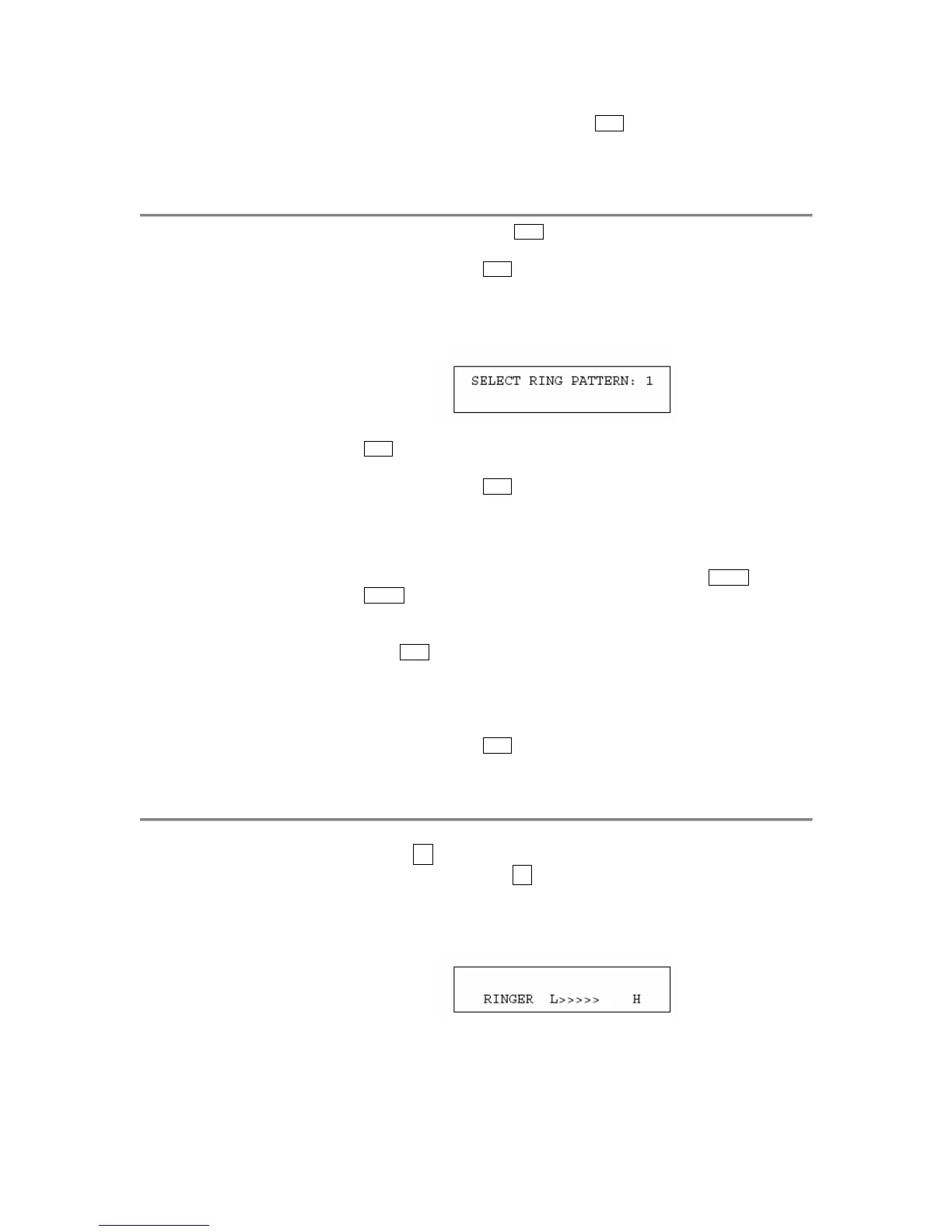
• Current ringing pattern plays and repeats every three seconds. If your
8410 has a display, it shows the ringing pattern you are hearing, such
as:
2 Cycle through the ringing patterns by pressing (and then releasing)
Ring
• Red light next to
Ring continues to wink
• If your 8410 has a display, it shows the number of the ringing pattern
you have selected
Note: If you are using a display set, you can also press
Next or
Prev ) to cycle through all eight ringing patterns
3
If you want to save the ringing pattern currently being played, do not
press
Ring anymore. You will hear the selected ringing pattern two
more times, and then it will be automatically saved.
• You hear confirmation tone (two rising tones)
• Red light next to
Ring goes off
Note: If you receive a call, go off-hook, or lose power during selection,
the process is interrupted and you must start again.
To adjust the ringer
volume if necessary
(handset and speaker are
not active, or handset
and ringer are both
active)
1
To raise the volume, press the right half of the Volume control button
labeled ϖ
; to lower the volume, press the left half of the Volume
control button labeled ω
• If you have a display, it shows:
(There are eight possible volume settings. On the display, one arrow is
the lowest setting, and eight arrows is the highest setting.)
One full ring cycle will sound to demonstrate the new volume.


 To Next Page