8410D User’s Guide
22 of 37
feature). If you do not have a Shift button or the Reset Spkr label on your 8410, you do not need
to activate this feature.
If your 8410 is equipped with this feature, you can adjust the speakerphone to the surrounding
room acoustics to provide optimal performance. Use the Reset Speakerphone feature in the
following ways:
• Whenever you move your voice terminal to another place (even in the same room)
• Whenever the red light next to
Speaker is fluttering
Note: You may also use this feature when you are on a call in the unlikely event your
speakerphone makes a squealing noise during the call. Your speakerphone will adjust itself to
normal for that call. (No tones will be heard.)
Important: If there has been an interruption in power (such as, the system has just been
powered up again, or you have plugged in the voice terminal at another location), the
light next to
Speaker flutters until you reset the built-in speakerphone.
You can initiate the Reset Speakerphone feature when your handset is on-hook, or during a call
in which you are using the built-in speakerphone. (If a call is in progress, you will not hear the
tones, and the new speakerphone adjustment is reset for only the duration of that call.)
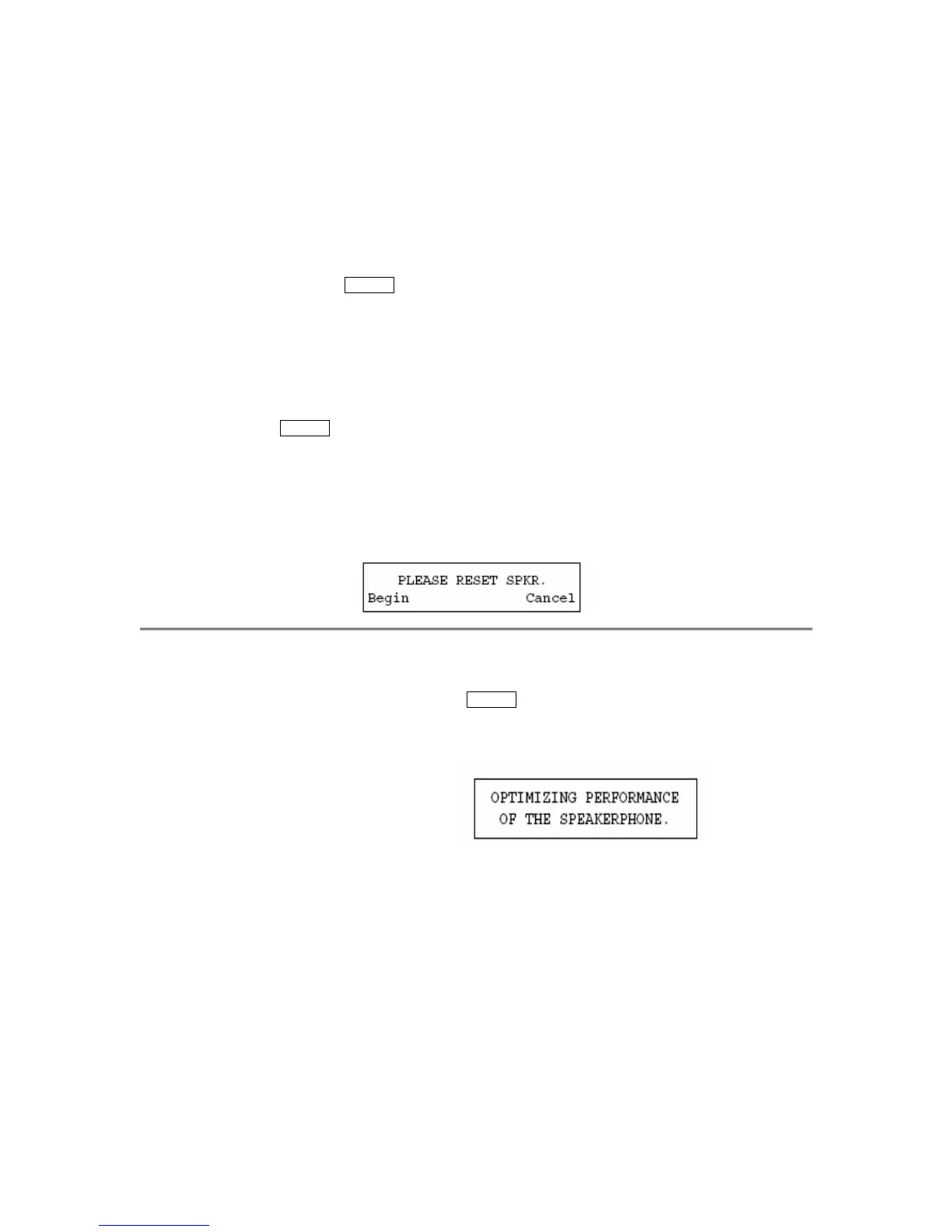
When you first power up the 8410D voice terminal, the following display appears:
To reset the 8410D
speakerphone (when the
voice terminal is first
powered up)
1 Press the softkey below Begin to reset the speakerphone
(Press the softkey below Cancel if you do not want to reset
the speakerphone at this time. However, note that the red light
next to
Speaker will continue to flutter.)
• If you press the softkey below Begin, the display shows the following
timed screen:
• You will hear a set of rising tones as the speakerphone adjusts itself
to the surrounding acoustical environment. These tones are automatic.
No user response is required.


 To Next Page