8410D User’s Guide
27 of 37
To place/answer a call
without lifting the
handset, or to use
speakerphone with any
feature
1 Press Speaker
• Red light next to
Speaker goes on steadily
2 Place or answer the call, or access the selected feature
3 Adjust speakerphone volume if necessary
• To raise the volume, press the right half of the Volume control button
labeled ϖ; to lower the volume, press the left half of the Volume
control button labeled ω.
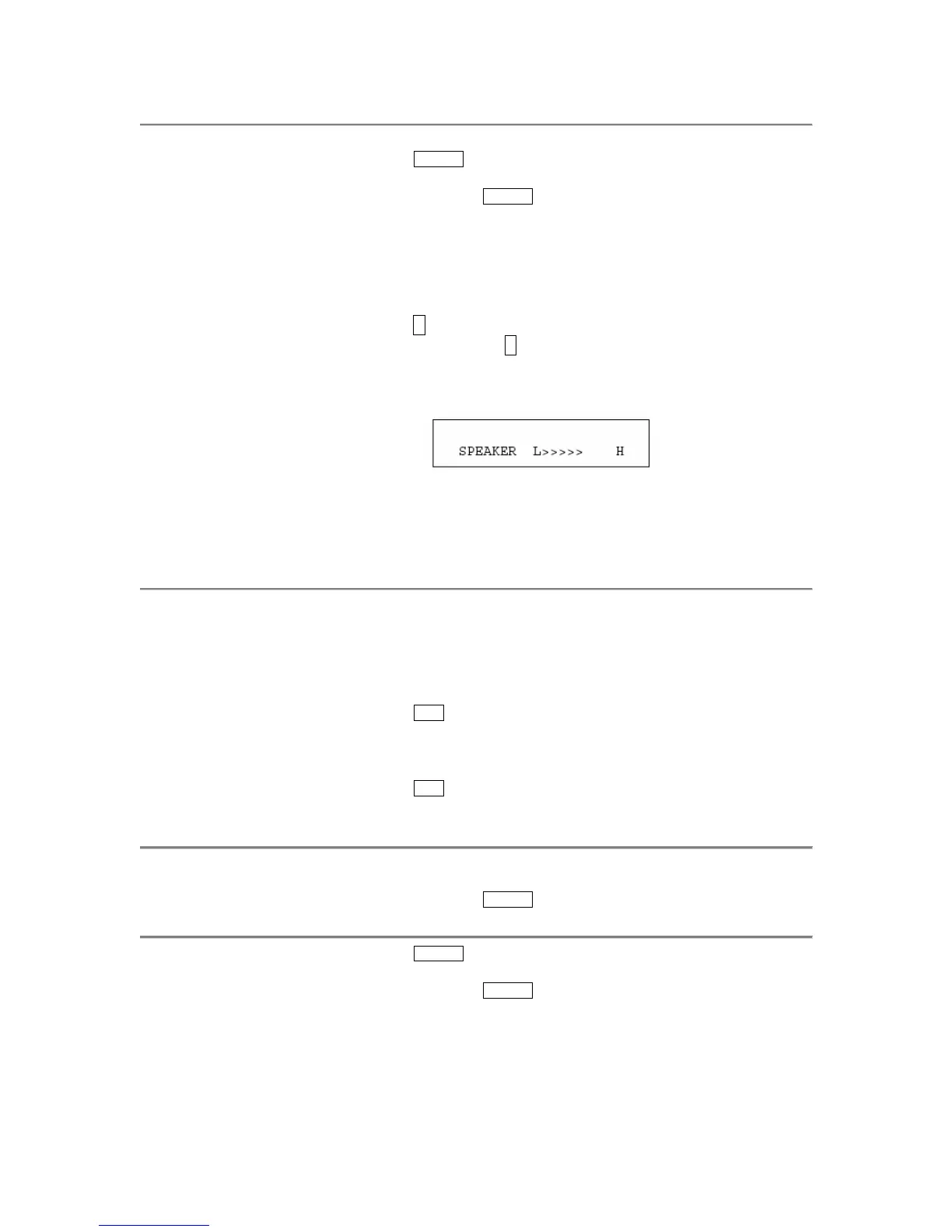
• If you have a display, it shows:
(There are eight possible volume settings. On the display, one arrow is
the lowest setting, and eight arrows is the highest setting.)
Note: The Volume control does not affect an external speakerphone
attached to your voice terminal.
To prevent the other
party from hearing you
Note: If the Speakerphone feature is not active, the Mute feature
turns off the microphone associated with the handset (not the
speakerphone). However, if the speakerphone is active and the
handset is not active, then the Mute feature turns off the
microphone associated with the speakerphone (not the handset).
1 Press Mute
• Red light goes on and the other party cannot hear you
2 Press Mute again to resume talking to the other party
• Red light goes off and the other party can hear you again
To change from the
speakerphone to the
handset
Pick up the handset and talk
• Red light next to
Speaker goes off
To change from the
handset to the
speakerphone
1 Press Speaker
• Red light next to
Speaker goes on
2
Hang up the handset


 To Next Page