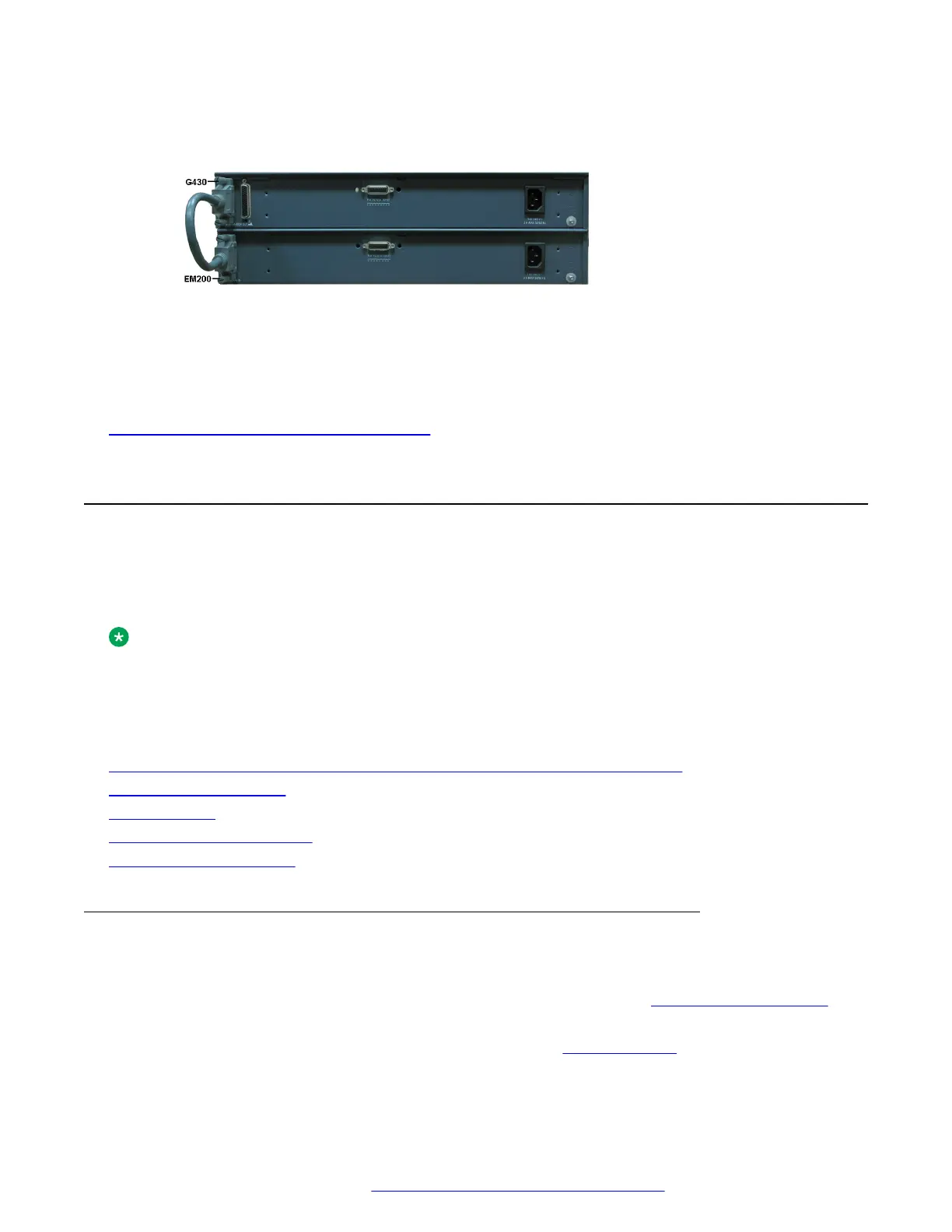
2. Connect the other end of the expansion cable to the CONNECTOR IN connector on the
rear of the EM200.
Figure 2: Connecting an EM200 to the G430
• If you mounted two EM200 modules, connect one EM200 to the CONNECTOR OUT 1
connector on the rear of the G430, and one EM200 to the CONNECTOR OUT 2 connector on
the rear of the G430.
Related links
Mounting the EM200 expansion module(s) on page 27
Installing the media modules
When the Branch Gateway chassis and optionally the EM200 module(s) are installed, you can insert
the media modules. Each module is shipped with two thumb screws for securing the module in the
Branch Gateway or EM200 chassis.
Note:
The required media modules are sometimes pre-installed in the Branch Gateway or EM200
chassis. If this is the case, skip this step. Read this section only if the media modules are not
pre-installed, or if you want to replace modules or add new media modules.
Related links
Before inserting media modules into the Branch Gateway or EM200 chassis on page 28
Combination limitations on page 29
Slot allocation on page 29
Inserting the S8300 Server on page 31
Inserting media modules on page 32
Before inserting media modules into the Branch Gateway or
EM200 chassis
• Do not install an unsupported combination of media modules. See Combination limitations on
page 29.
• Allocate a permissible slot to each media module. See
Allocating slots on page 29.
Installing the Branch Gateway and EM200
February 2017 Installation and Upgrades for the Avaya Branch Gateway G430 28
Comments on this document? infodev@avaya.com



 To Next Page