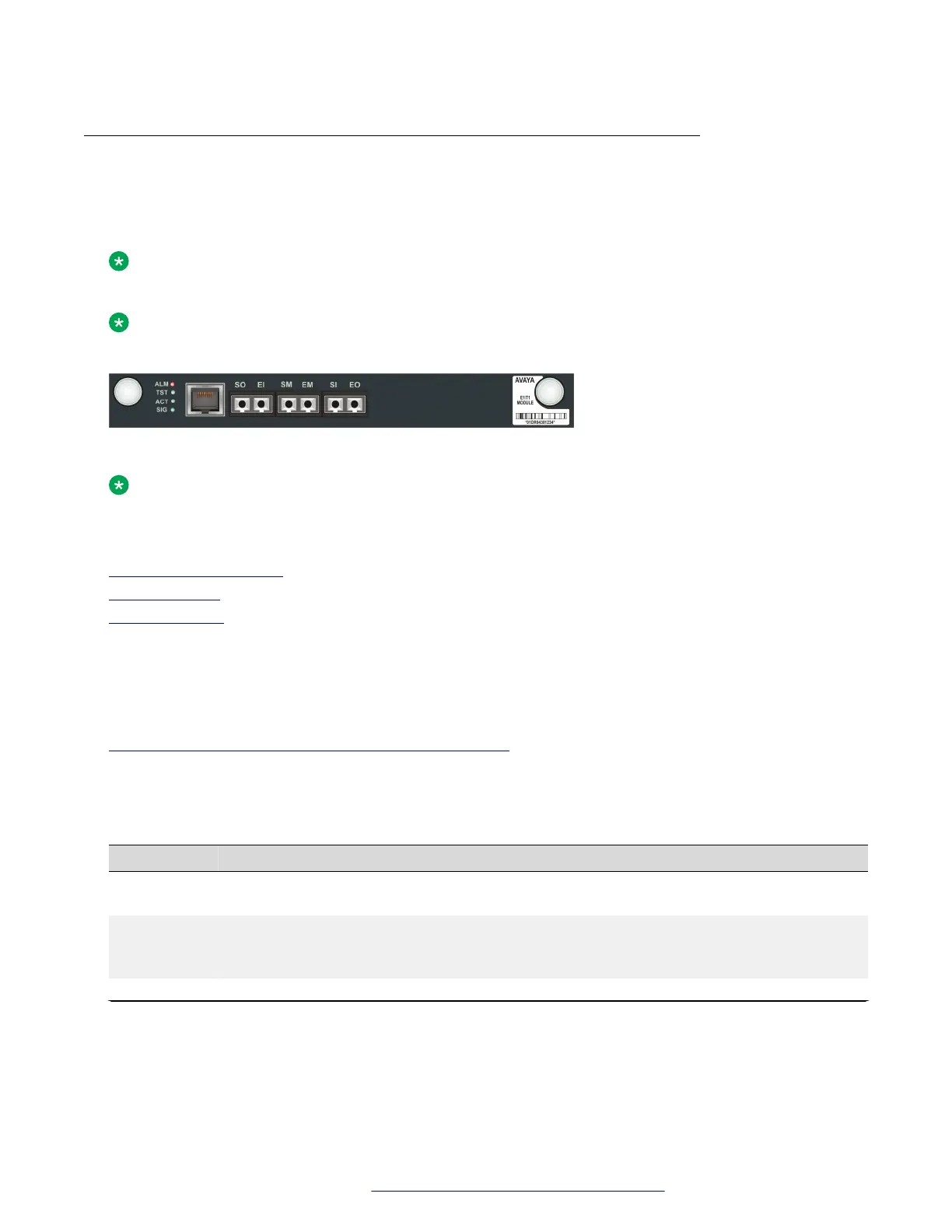
The front panel of the Avaya MM710B media module
The MM710B T1/E1 media module terminates a T1 or E1 trunk facility. For T1 connections, you can
provision the MM710B to either utilize the integrated Channel Service Unit (CSU) capabilities or
connect directly to an external CSU
Note:
This information also applies to the MM710.
Note:
For drop and insert, an external CSU is required.
Figure 33: The MM710B media module front panel
Note:
The six ports in the middle of the front panel are used for testing.
Related links
Front panel description on page 111
MM710B ports on page 116
MM710B LEDs on page 116
MM710B ports
The MM710B contains an E1/T1 port.
Related links
The front panel of the Avaya MM710B media module on page 116
MM710B LEDs
Table 14: MM710B LEDs
LED
Name Color Indication
ALM Alarm Red The module type is not the type configured in the MSG for
the slot
TST Test Green Either a test is being performed on the module via the
server, or the module is performing a self-test upon initial
insertion
ACT Activity Yellow An E1/T1 trunk device connected to the module is in use.
Table continues…
Front panel description
February 2017 Installation and Upgrades for the Avaya Branch Gateway G430 116
Comments on this document? infodev@avaya.com


 To Next Page