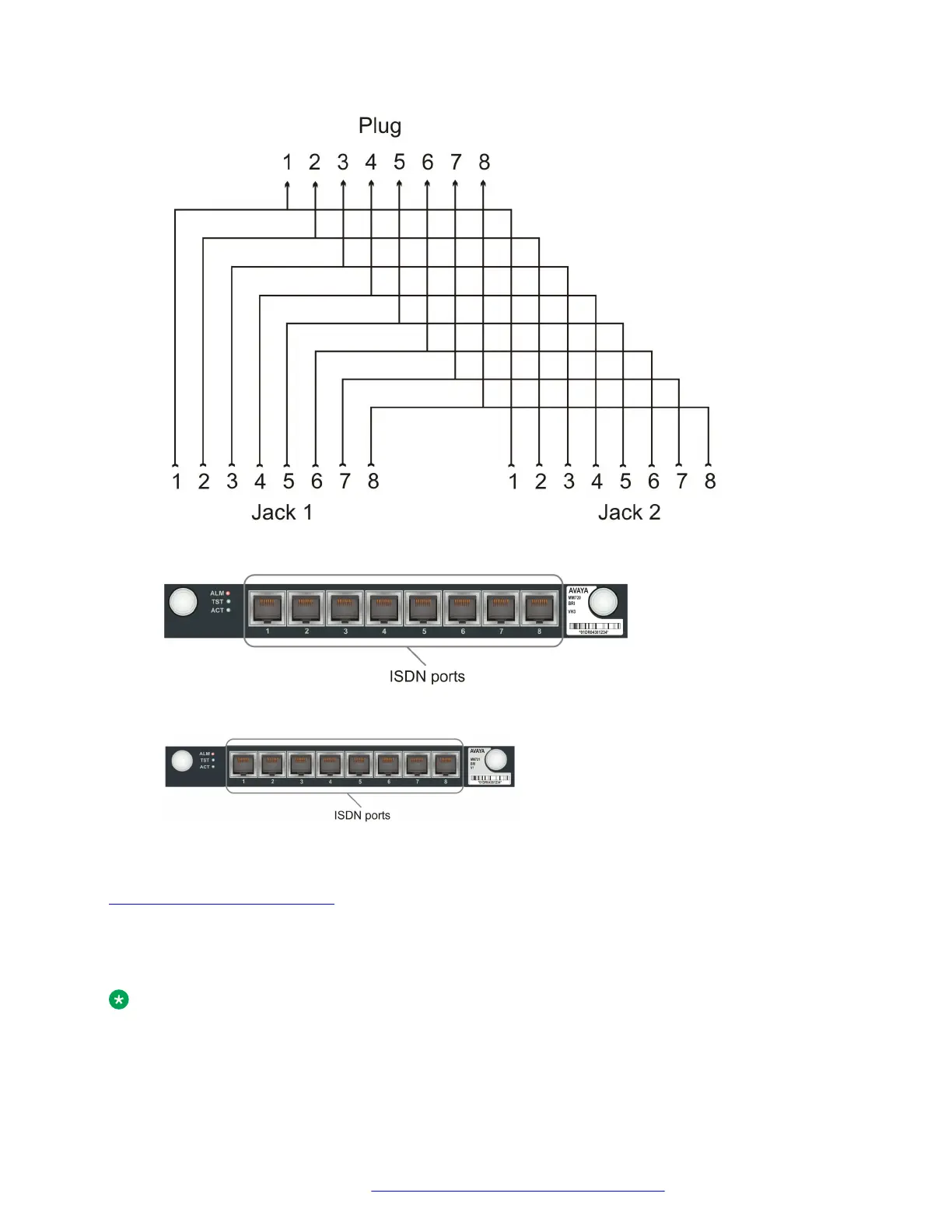
Figure 9: RJ-45 splitter wiring for connecting two ISDN BRI stations to one ISDN port
Figure 10: The MM720 media module
Figure 11: The MM721 media module
Related links
ISDN BRI station connections on page 45
Connecting an analog telephone
About this task
Note:
For a full list of supported phones, see Appendix B, Supported Avaya telephones in Overview
for the Avaya Branch Gateway G430..
Connecting devices
February 2017 Installation and Upgrades for the Avaya Branch Gateway G430 46
Comments on this document? infodev@avaya.com



 To Next Page