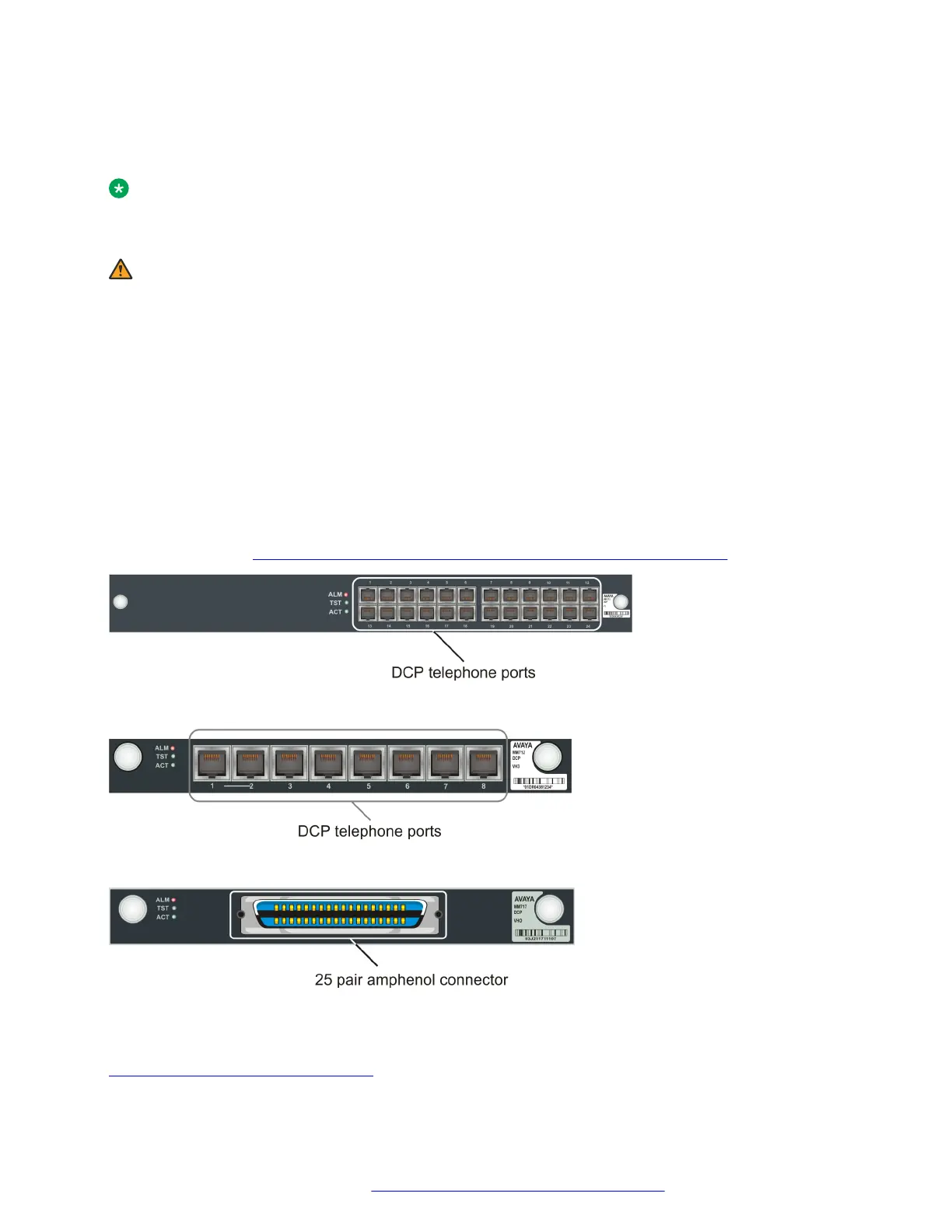
Connecting a DCP telephone to an MM712 or MM717 media module
About this task
Note:
For a full list of supported phones, see Appendix B, Supported Avaya telephones in Overview
for the Avaya Branch Gateway G430..
Warning:
Avaya MM712 and MM717 DCP Lines. DCP lines require the 146E IROB (In-range, Out of
Building) protectors, or the 4C3S-75 solid-state 5-pin protectors, when they are used for any
connection routed out-of-building. These protection devices provide both overvoltage and
overcurrent protection.
Procedure
Wire a telephone port to a DCP port on the Branch Gateway.
The following media modules provide DCP telephone ports:
• MM712. Eight DCP ports
• MM717. Twenty four DCP ports, provided via a single 25-pair amphenol socket on the front
panel. To connect the MM717 media module to a punch down block to enable telephone
connection, see Connecting devices to the MM717 and MM716 media modules on page 50.
Figure 16: The MM312 media module
Figure 17: .The MM712 media module
Figure 18: .The MM717 media module
Related links
Data and voice device connections on page 44
Connecting devices
February 2017 Installation and Upgrades for the Avaya Branch Gateway G430 48
Comments on this document? infodev@avaya.com



 To Next Page