LED Name Color Indication
ACT Activity Yellow An E1/T1 trunk device connected to the module is in use.
The light is always on if the trunk is an ISDN E1 or T1 PRI
trunk, and the MM710B is not configured as the
synchronization source of the Branch Gateway.
The light flashes at a rate of 2.8 seconds on and 0.2
seconds off if the MM710B synchronization source is
configured to synchronize the Branch Gateway and the
module is receiving a T1 source signal.
The light flashes at a rate of 0.2 seconds on and 2.8
seconds off if the MM710B synchronization source is
configured to synchronize the Branch Gateway and the T1
source is lost.
SIG Signal Green The physical connection is up.
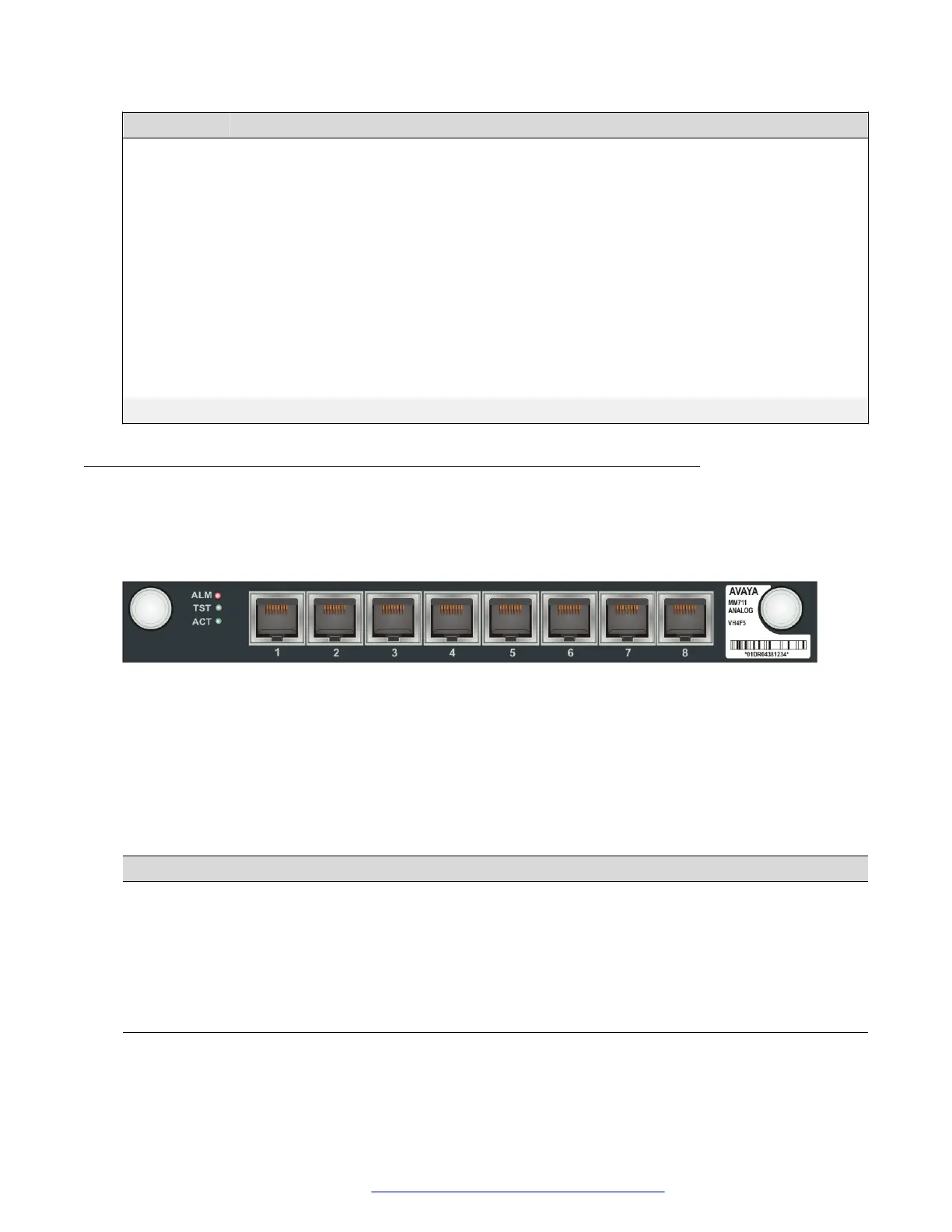
The front panel of the Avaya MM711 media module
The MM711 media module provides analog line, trunk and telephone features and functionality.
The MM711 front panel includes eight universal analog ports. These ports can be used for analog
telephone or fax machines, or for analog trunks.
Figure 34: The MM711 media module front panel
MM711 ports
The MM711’s eight universal analog ports are labeled 1 through 8.
MM711 LEDs
Table 15: MM711 LEDs
LED
Name Color Indication
ALM Alarm Red The module type is not the type configured in the
MSG for the slot
TST Test Green Either a test is being performed on the module via
the server, or the module is performing a self-test
upon initial insertion
ACT Activity Yellow A device connected to the module is in use. This
can include a telephone that is off the hook.
Front panel description
July 2018 Deploying and Upgrading Avaya G430 Branch Gateway 110
Comments on this document? infodev@avaya.com



 To Next Page