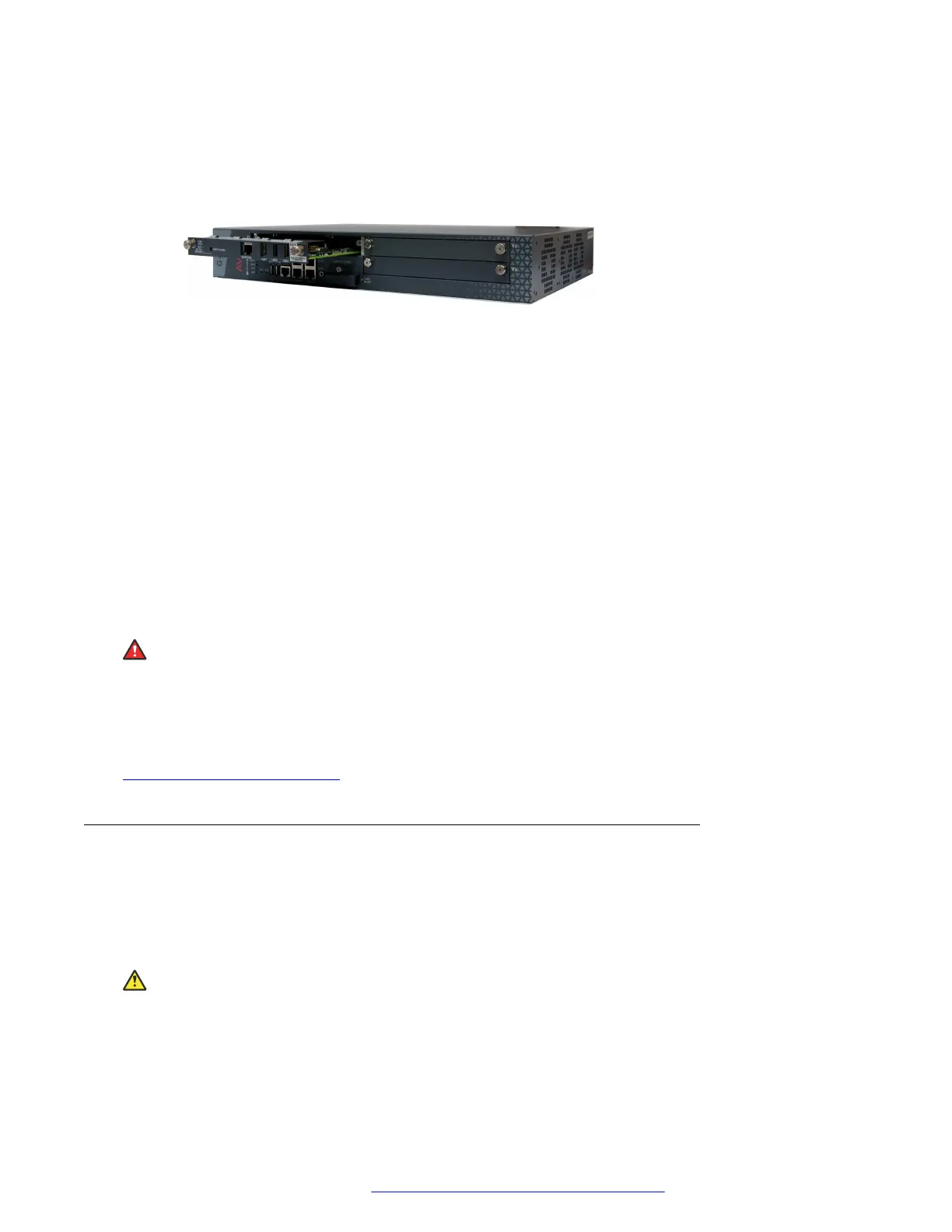
3. Position the server before the V1 bay opening and engage both sides of the module in the
interior guides.
4. Slide the S8300D or S8300E server slowly into the chassis, maintaining an even pressure
to assure that the module does not become twisted or disengaged from the guides.
Figure 5: Inserting the S8300D or S8300E server
5. Apply firm pressure to engage the connectors.
The connector has pins of different lengths. The long pins engage first to provide
grounding. Medium length and short pins provide power and signal.
6. Lock the S8300D or S8300E server module into the chassis by tightening the spring-
loaded captive screws on the front of the module.
If you are installing an S8300D or S8300E server, replace the plate labelled “Remove
before removing or inserting S8300 module” above slot V1
7. After you have inserted the S8300D or S8300E server module, if applicable, insert the rest
of the media modules.
Make sure to insert each module in a permissible slot.
Result
Danger:
To prevent access to electrical hazards by unauthorized personnel and to ensure continued
compliance to radiated emissions requirements, all captive screws must be securely tightened
such that they cannot be loosened without the use of a tool.
Related links
Installing the media modules on page 28
Inserting media modules
About this task
After you have inserted the S8300D or S8300E server module, if applicable, insert the rest of the
media modules. Make sure to insert each module in a permissible slot. Remove the blank plate
from the empty bay.
Electrostatic alert:
Hold media modules only by the edges to avoid damage from static electricity. Do not touch
the top or bottom of the circuit board. If possible, wear a wrist-strap and use an anti-static bag.
Installing the Branch Gateway and EM200
July 2018 Deploying and Upgrading Avaya G430 Branch Gateway 32
Comments on this document? infodev@avaya.com



 To Next Page