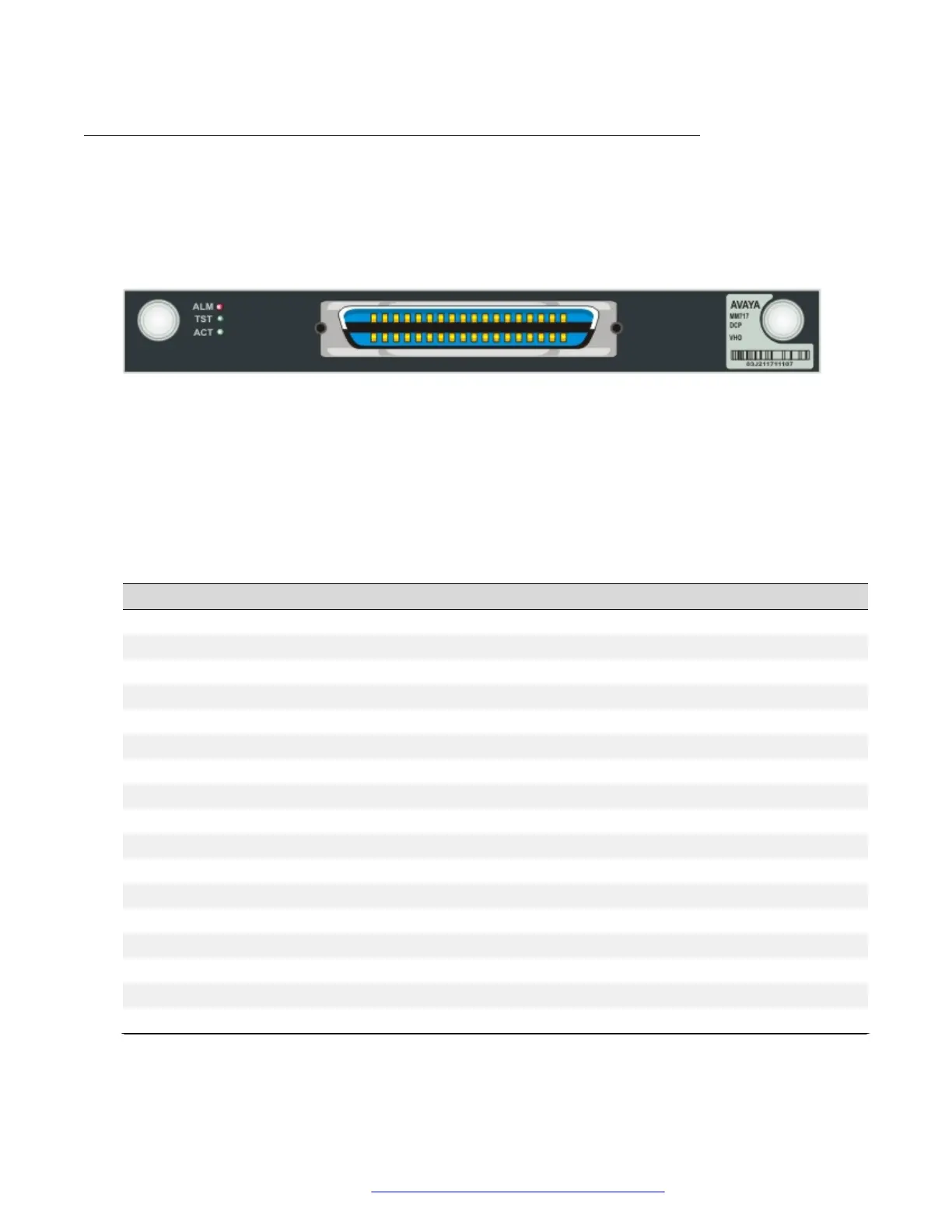
The front panel of the Avaya MM717 media module
The MM717 high density DCP media module front panel has a 25-pair amphenol connector
supporting 24 Digital Communications Protocol (DCP) ports. To use the MM717 media module,
connect an amphenol cable to the port and to either a breakout box or a punch down block
containing RJ-45 or RJ-11 jacks, as needed. You can attach up to 24 two-wire DCP telephones to
these jacks. The MM717 does not support four-wire DCP telephones.
Figure 39: The MM717 media module front panel
MM717 ports
The MM717 contains a single 25-pair amphenol connector, which can be connected by an
amphenol cable to a breakout box or punch down block containing RJ-45 or RJ-11 jacks, as
needed.
Table 21: 25-pair amphenol connector pinout
Station port Cable pair
1 White Blue
2 White Orange
3 White Green
4 White Brown
5 White Slate
6 Red Blue
7 Red Orange
8 Red Green
9 Red Brown
10 Red Slate
11 Black Blue
12 Black Orange
13 Black Green
14 Black Brown
15 Black Slate
16 Yellow Blue
17 Yellow Orange
Table continues…
Front panel description
July 2018 Deploying and Upgrading Avaya G430 Branch Gateway 115
Comments on this document? infodev@avaya.com


 To Next Page