RAM card replacement
About this task
Electrostatic alert:
Hold the module only by its edges to avoid damage from static electricity. Do not touch the top
or bottom of the circuit board. If possible, wear a wrist-strap and use an anti-static bag.
Procedure
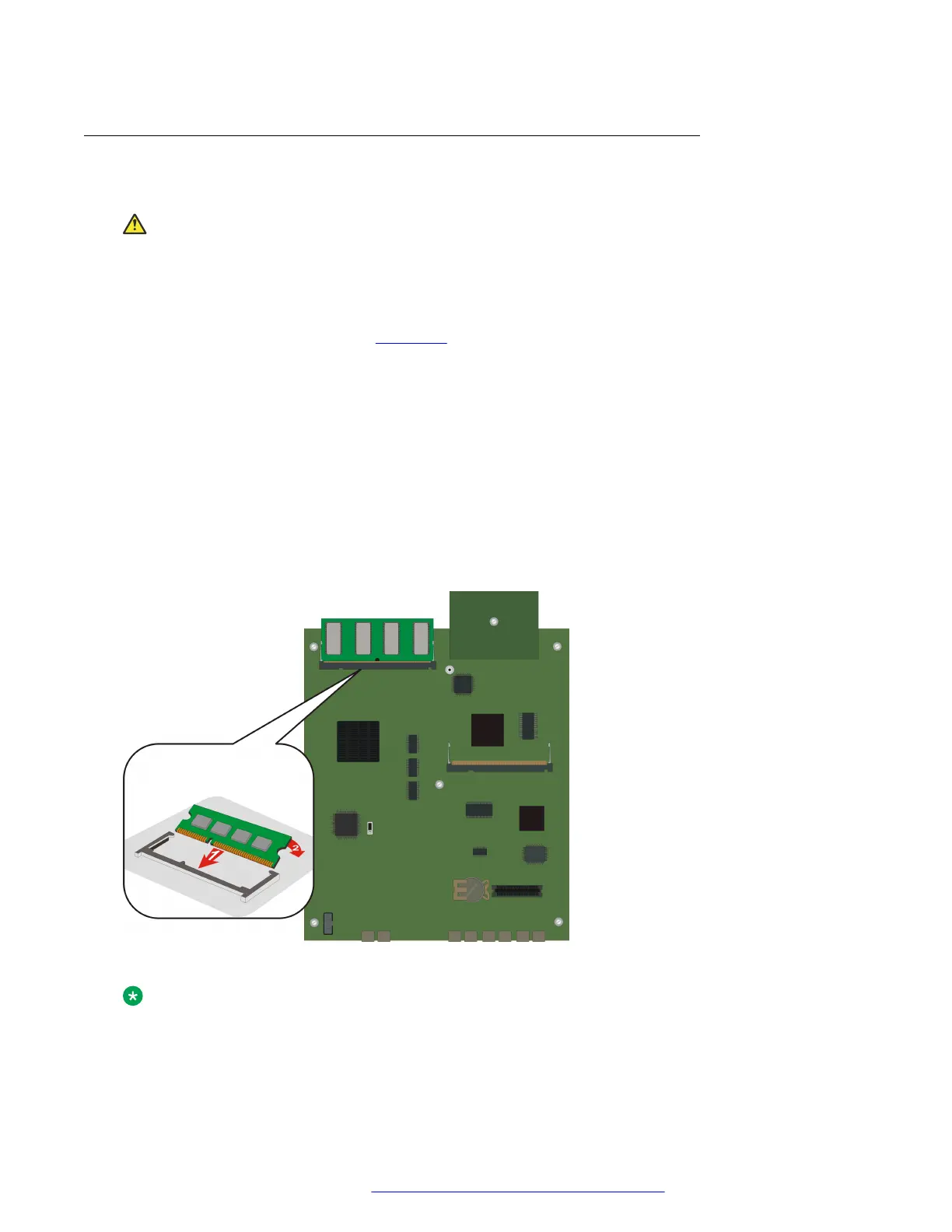
1. Locate the RAM slot (see the figure on page 74).
2. Open the latches on both sides of the RAM slot.
The RAM card lifts up.
3. Pull out the 256 RAM card.
4. Insert the 512 RAM card provided in the kit into the RAM slot, and push in all the way.
Do not use too much force.
5. Flatten the RAM card so it is flush with the main board.
The latches at both sides click shut.
Result
Figure 28: Replacing the RAM card
Note:
RAM card replacement is applicable only for G430 v1 and G430 v2.
Upgrading and replacing Field Replaceable Units
July 2018 Deploying and Upgrading Avaya G430 Branch Gateway 74
Comments on this document? infodev@avaya.com



 To Next Page