Upgrading the S8300A
Issue 9.1 June 2006 281
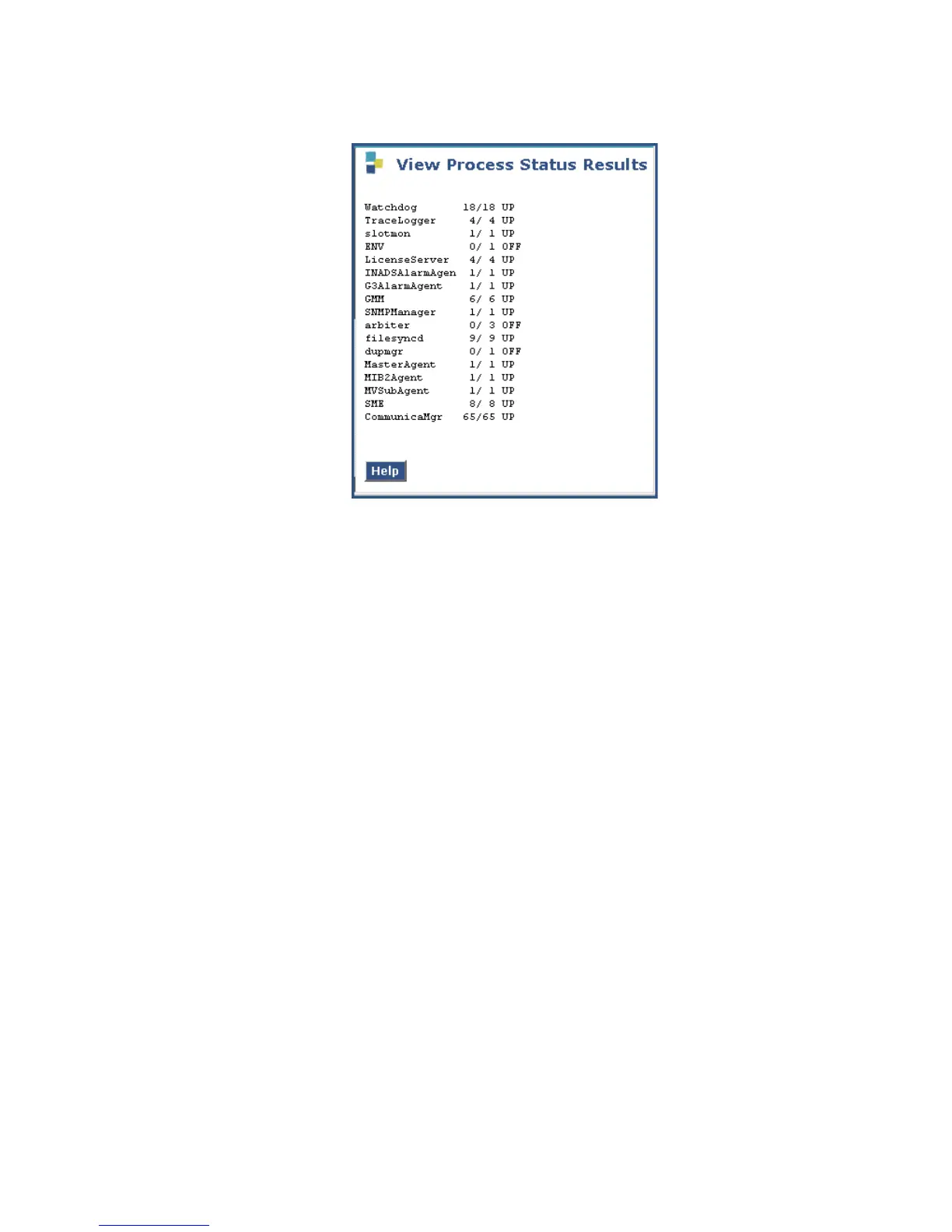
View Process Status Results screen
3. Make sure everything except ENV, arbiter, and dupmgr shows UP.
Communication Manager should show 65/65 UP.
The number of processes (65/65) may vary depending on the configuration. For a normal
state, the second number should not be greater than the first number. For example, the
numbers 64/65 UP would indicate that a process did not come up and should be
investigated before proceeding.
4. Using a telephone, make test calls to verify that call processing is working.
Next steps
This completes the S8300 upgrade process for upgrading to release 3.1. You now must
upgrade the G700 and media module firmware and then restart IA770, if it has been installed on
the S8300.





 To Next Page