Music-on-hold
Issue 9.1 June 2006 439
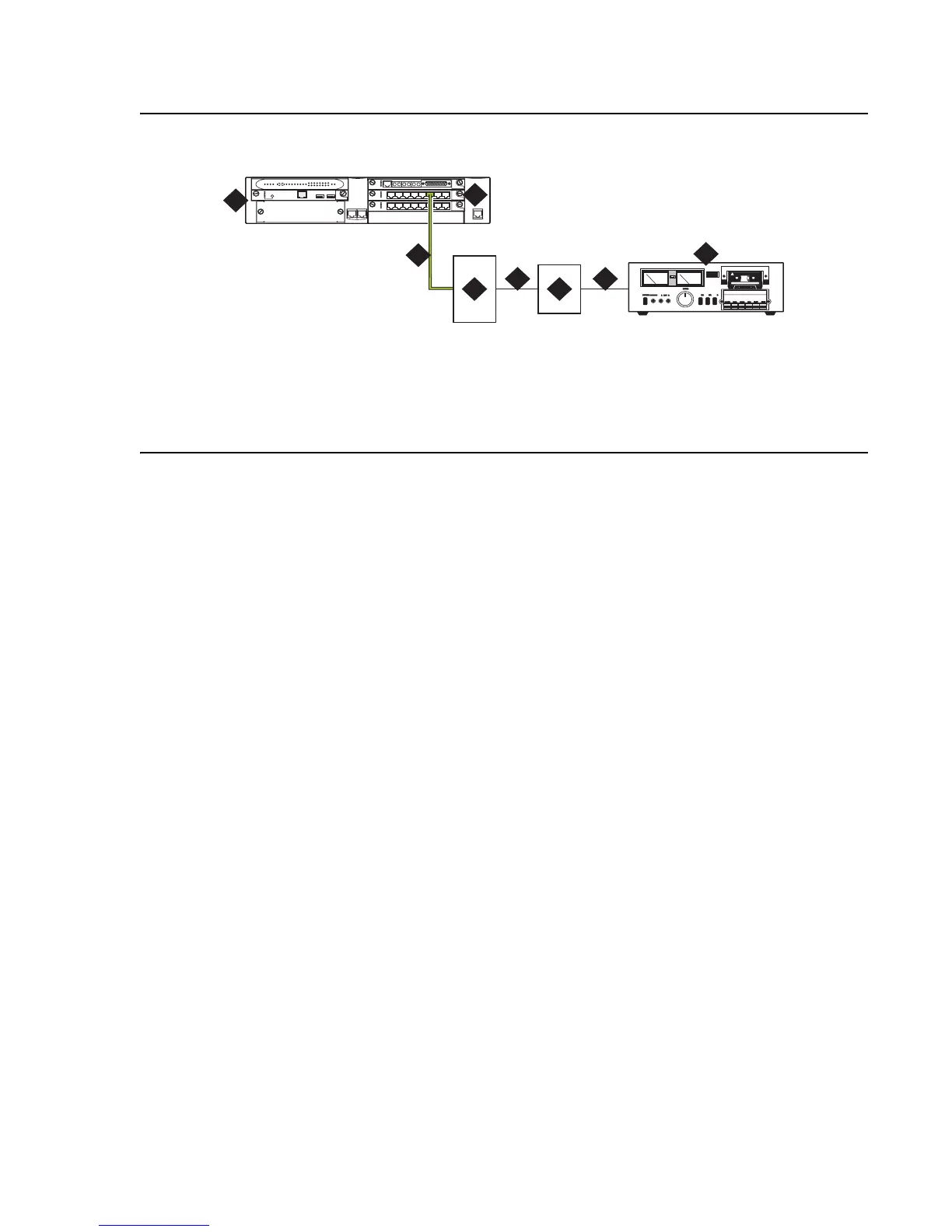
Figure 46: Unregistered music-on-hold equipment connecting to KS-23395-L4 for a G700
Media Gateway
To connect an unregistered music-on-hold source to a G700 or G350 Media
Gateway using a KS-23395-L4 coupler:
1. Connect one end of an RJ-45 cable to a port in the MM711 Analog Media Module.
For a G350 Media Gateway only, connect the RJ-45 cable to a port in an MM714 Analog
Media Module or a fixed analog (LINE 1 or 2) port on the G350 front panel.
2. Connect the other end of the RJ-45 cable to a KS-23395-L4 coupler.
3. Connect the KS-23395-L4 coupler to the 909A/B universal coupler using a 8-pair modular
cord.
4. Connect the 909A/B universal coupler to the music source using a 8-pair modular cord.
5. Administer the switch for the new equipment.
Note:
Note: For additional installation information, refer to 909A/909B Universal Coupler
Installation Instructions, which is normally shipped with the 909A/909B Universal
Coupler.
Figure notes:
1. G700 Media Gateway
2. MM711 Analog Media Module
3. RJ-45 connection
4. KS-23395-L4 coupler
5. 8-pair modular cord
6. 909A/B universal coupler
7. 8-pair modular cord
8. Music source
cydfhld3 KLC 021303
ALM
TST
ACT
123456 87
ALM
TST
ACT
123456 87
REMOVE
ALM
TST
ACT
OKTO
SHUTDOWN
SERVICES USB1 USB 2
E1/T1 EIA 530A DCE
ALM
TST
ACT
SIG
EISO EMSM EOSI
1
2
5
4
6
7
8
3





 To Next Page