AVerTV 6
46
(This picture is only for reference.)
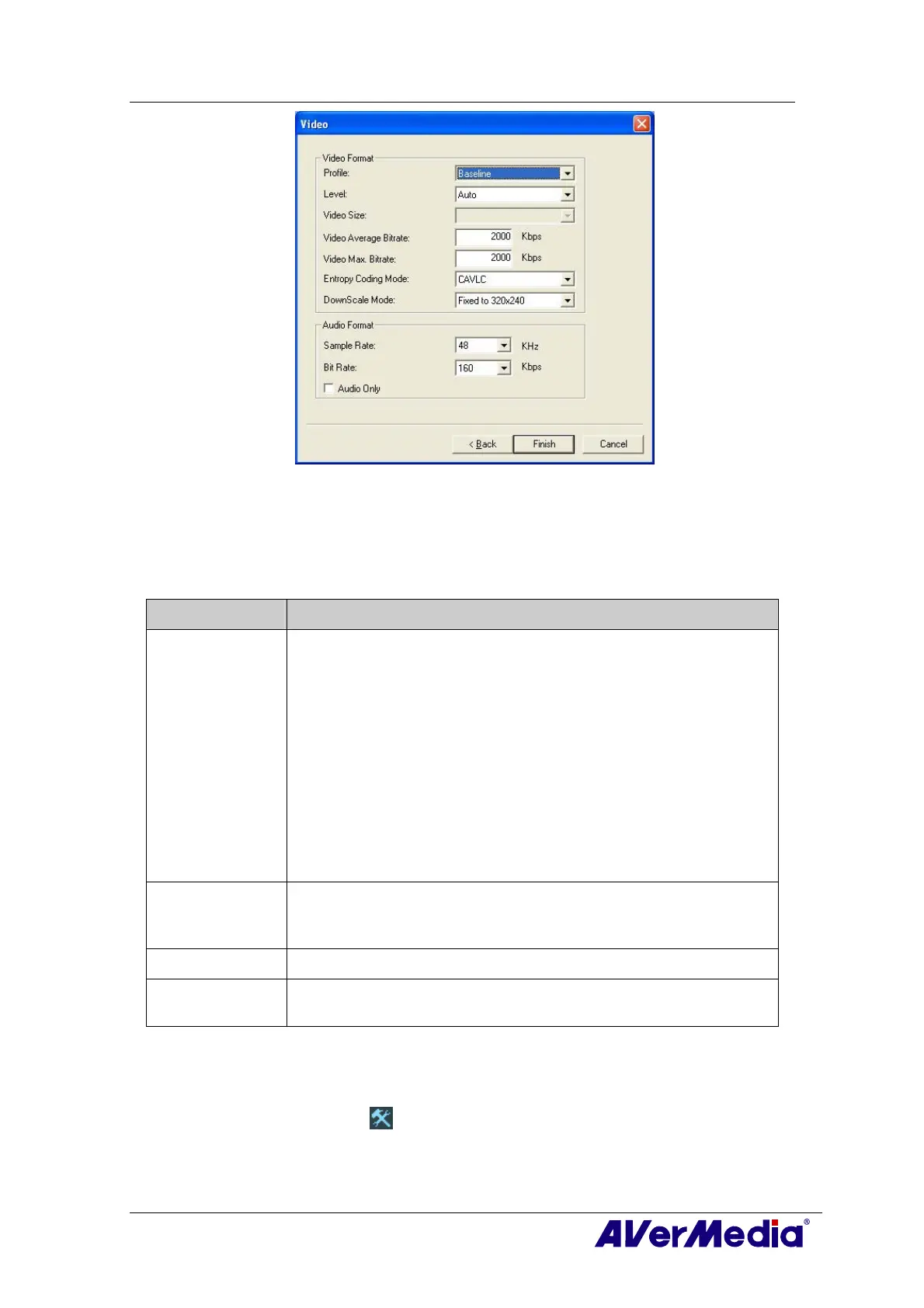
6. Click Finish to save the settings. To abort this operation, click Cancel.
7. If you want to change the settings of your own file format, click Modify or you can
click Delete to remove the unwanted file format that you created earlier.
Information:
File Format Description
Source Format
(MP2/MP4)
Record the signal according to the source format, MP2 or MP4.
MPEG-2:
Videos compressed using MPEG-2 have extremely high quality pictures
and full CD-quality sound. Choose MPEG-2 format for video files that
are intended for DVD-ROM playback on a computer or if you want
broadcast quality videos.
MPEG-4:
Videos compressed using MPEG-4 standard are two or three times
more efficient than MPEG-2.
This format can be applied to a wide
variety of applications or networks
and systems like HD-DVD, Digital
TV, Broadcast and Streaming applications.
MP4-H.264
MP4-H.264 is a much more effectively compression techniques in the
MPEG-4 standard. It delivers excellent video quality across the
entire bandwidth.
Audio Only
Compress audio in MPEG-2 standard.
iPod
A video format base on H.264 standard but has smaller video bit rate.
It’s an iPod -compatible format.
—External Video Source—
1. Click the Setup
button and in the Setup dialog box, click Auxiliary Input icon on
the left pane.
2. Select the Record Format option.


 To Next Page
 Loading...