DADman Software 19
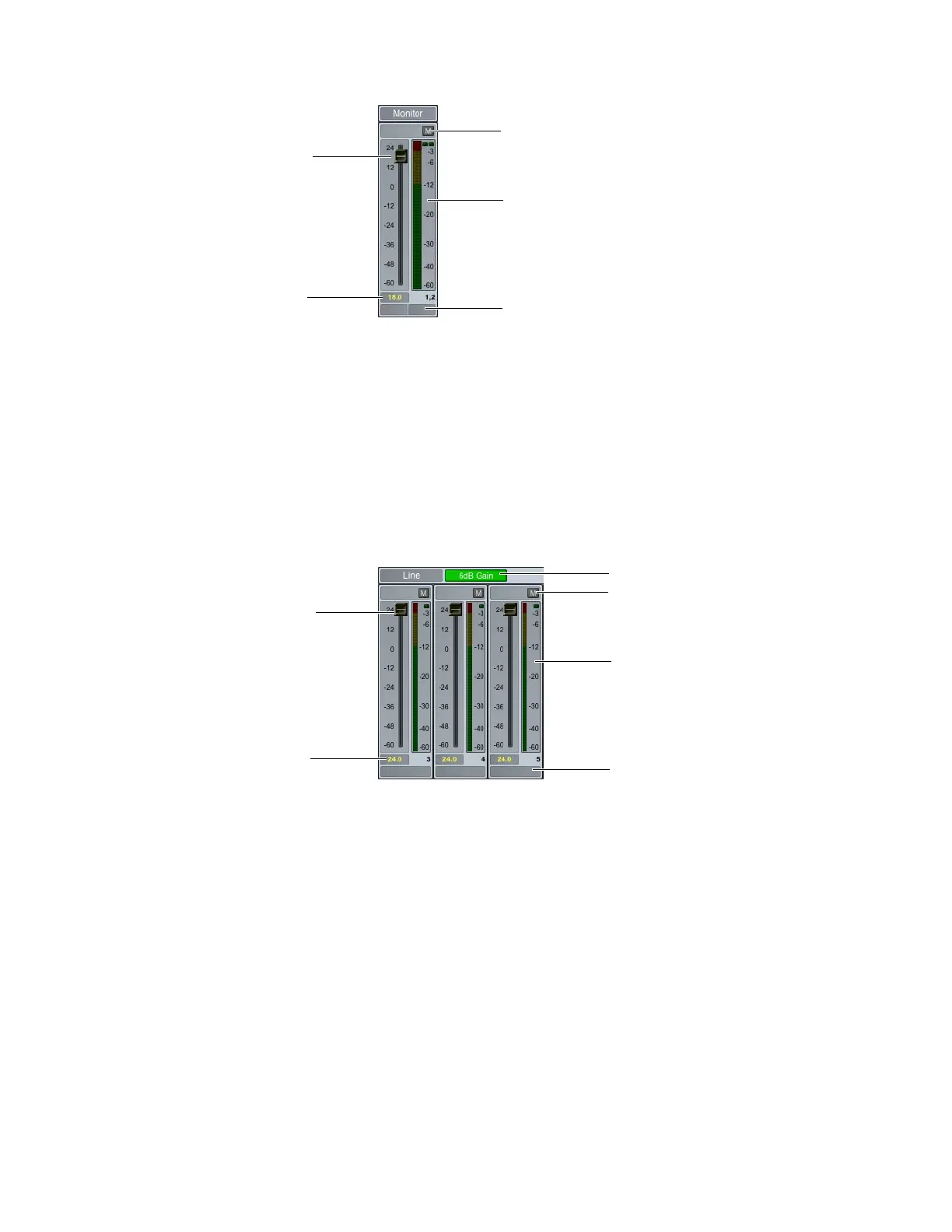
Monitor Channel Strip
The Monitor channel strip provides the following controls:
Mute (M)
Click to mute (or unmute) the channel.
Level Meter
Displays the input signal level.
Fader
Move to adjust the input signal level.
dB Display
Displays the gain adjustment to the input signal in dB.
Label
Click to change the label (name) for the channel.
Line Output Channel Strip
The Line output channel strips provide the following controls:
6 dB Gain
Click to add (or subtract) 6 dB to the Level meter and Gain fader.
Mute (M)
Click to mute (or unmute) the channel.
Level Meter
Displays the input signal level.
Fader
Move to adjust the input signal level.
dB Display
Displays the gain adjustment to the input signal in dB.
Label
Click to change the label (name) for the channel.
Monitor channel strip (stereo)
Monitor channel strip (stereo)
Mute
Channel Label
Level meter
Level fader
dB display
Mute
Channel Label
Level meter
Level fader
dB display
6 dB Gain



 To Next Page