DADman Software 20
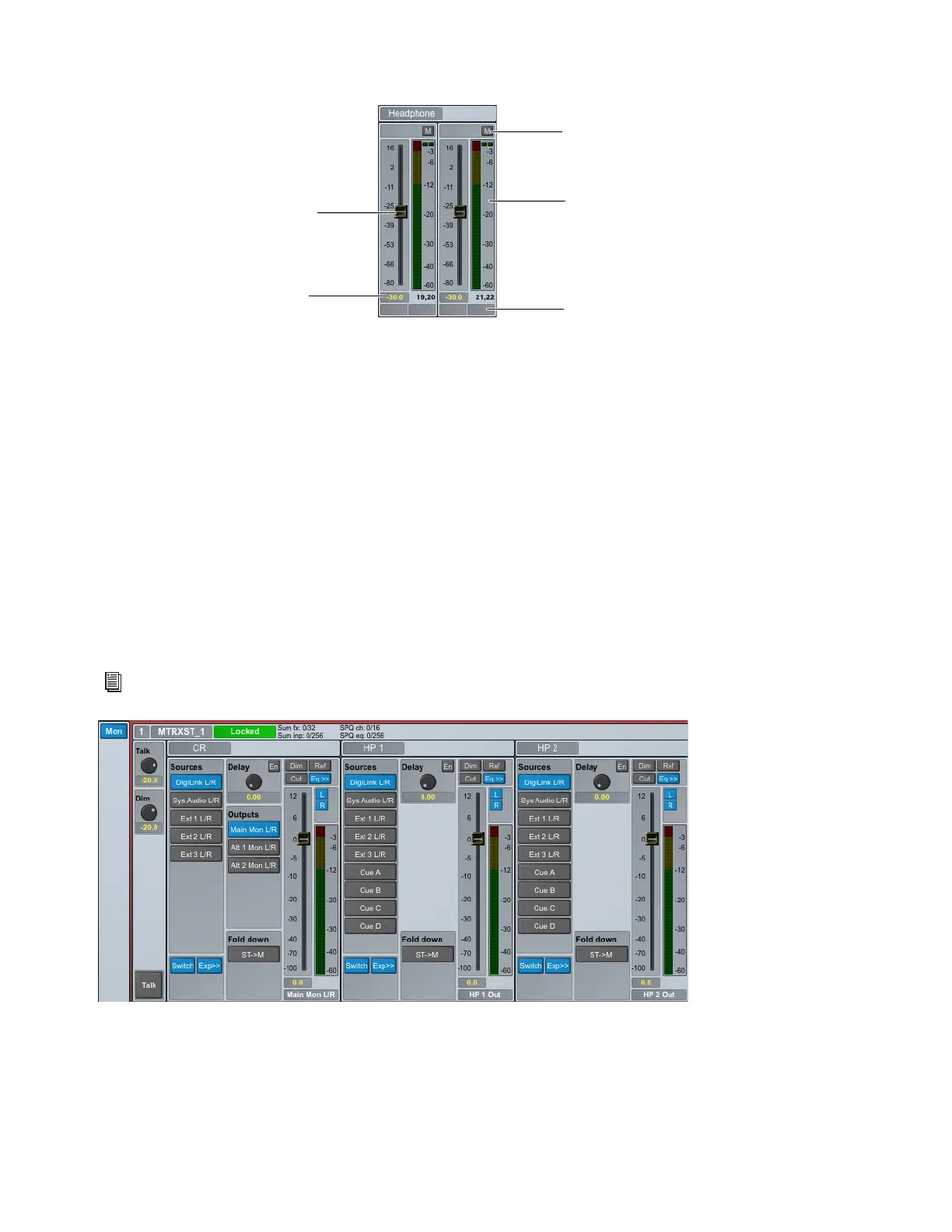
Headphone Channel Strips
The Headphone channel strips provide the following controls:
Mute (M)
Click to mute (or unmute) the channel.
Level Meter
Displays the input signal level.
Fader
Move to adjust the input signal level.
dB Display
Displays the gain adjustment to the input signal in dB.
Label
Click to change the label (name) for the channel.
Monitoring Section
The Monitor (Mon) section is available when the Enable monitor option is selected in the Monitor Profile Configuration Settings
window (
Settings > Monitor Profile). This lets you monitor defined sources and route them to defined outputs (configured in the
Monitor Profile Configuration Settings window). The Mon section also provides controls for Talkback parameters and signal delay
amounts. EQ and Filter options are also available for each output channel. Note that this section is blank if no Monitor Profile is
defined.
Headphone channel strips (stereo)
For information on creating and editing Monitor Profiles, see Monitor Profiles.
Mon section: default stereo monitor profile shown
Mute
Channel Label
Level meter
Level fader
dB display



 To Next Page