DADman Software 21
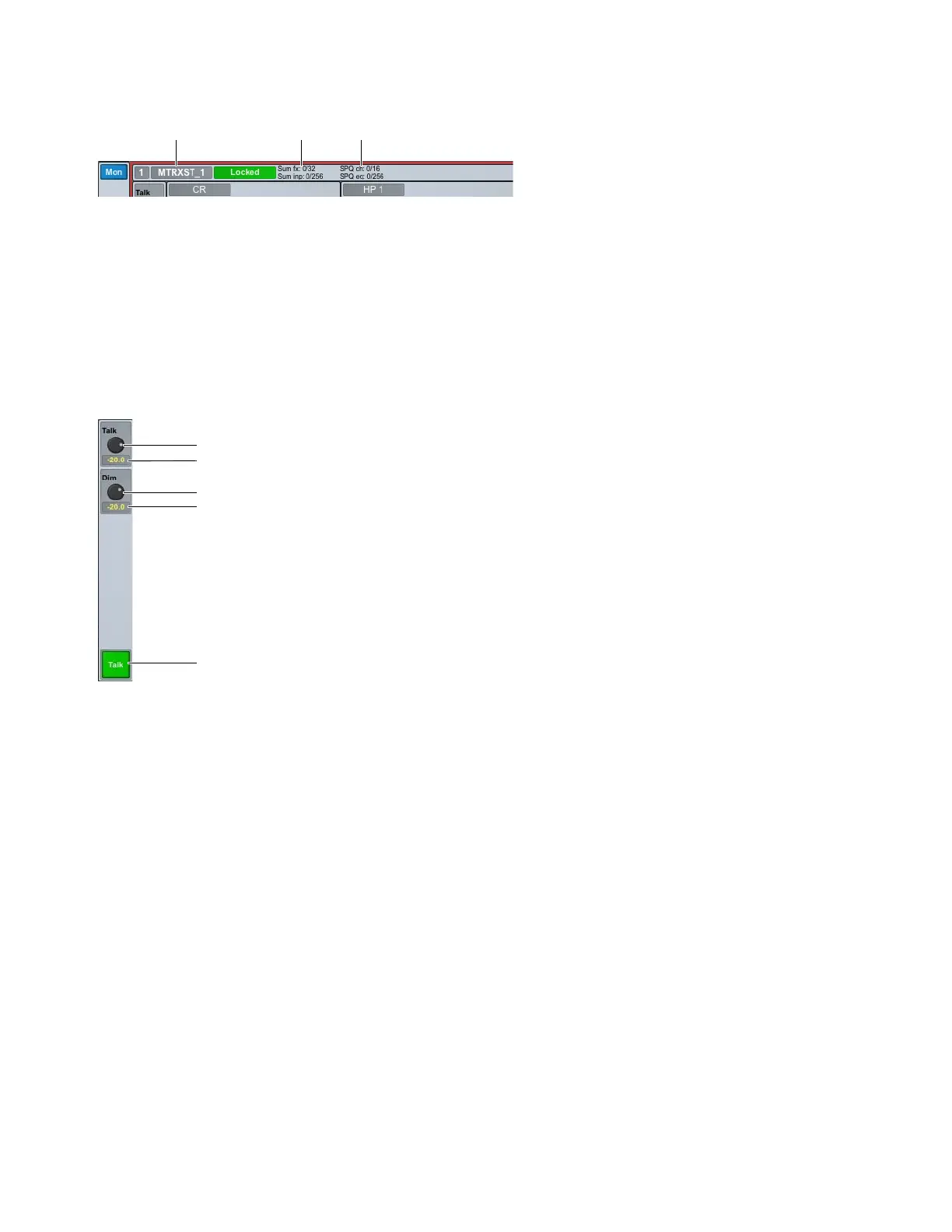
Monitor Header Display
Monitor Profile Label
Click to type a new label for the monitor profile.
Summing Info
Displays the summed Sources Sum fx (n/n) and input channels Sum inp (n/n).
SPQ Info
Displays the number of SPQ channels (SPQ ch) used out of the total number available, and the number of SPQ EQs
(
SPQ eq) used out of the total number available.
Talkback Controls
If you have configured a Talkback channel in the Monitor Profile Configuration window (see Talkback), use the Talkback controls
to toggle Talkback on and off, and adjust the Talkback level.
Talkback Level
Lets you adjust the level for Talkback.
Talkback Level Indicator (dB)
Displays the Talkback level setting in dB.
Dim Level
Lets you adjust the level for Talkback when it is dimmed.
Dim Level Indicator (dB)
Displays the Dim level setting in dB.
Enable/Disable Talkback
Click to enable or disable Talkback. This can be controlled by the footswitch or from the front panel if
configured in the
MTRX Studio page in the Monitor Profile Configuration window (see MTRX Studio Page).
Mon section: default stereo monitor profile shown
Mon section: Talkback controls
Monitor Profile label Summing Info SPQ Info
Enable/Disable Talkback
Dim level in dB
Dim level
Talkback level in dB
Talkback level



 To Next Page