Chapter 5: Configuring Pro Tools | Sync X 17
Chapter 5: Configuring Pro Tools | Sync X
Pro Tools | Sync X is configured and controlled using Pro Tools | Ultimate software.
Pro Tools | Sync X Setup in the Peripherals Dialog
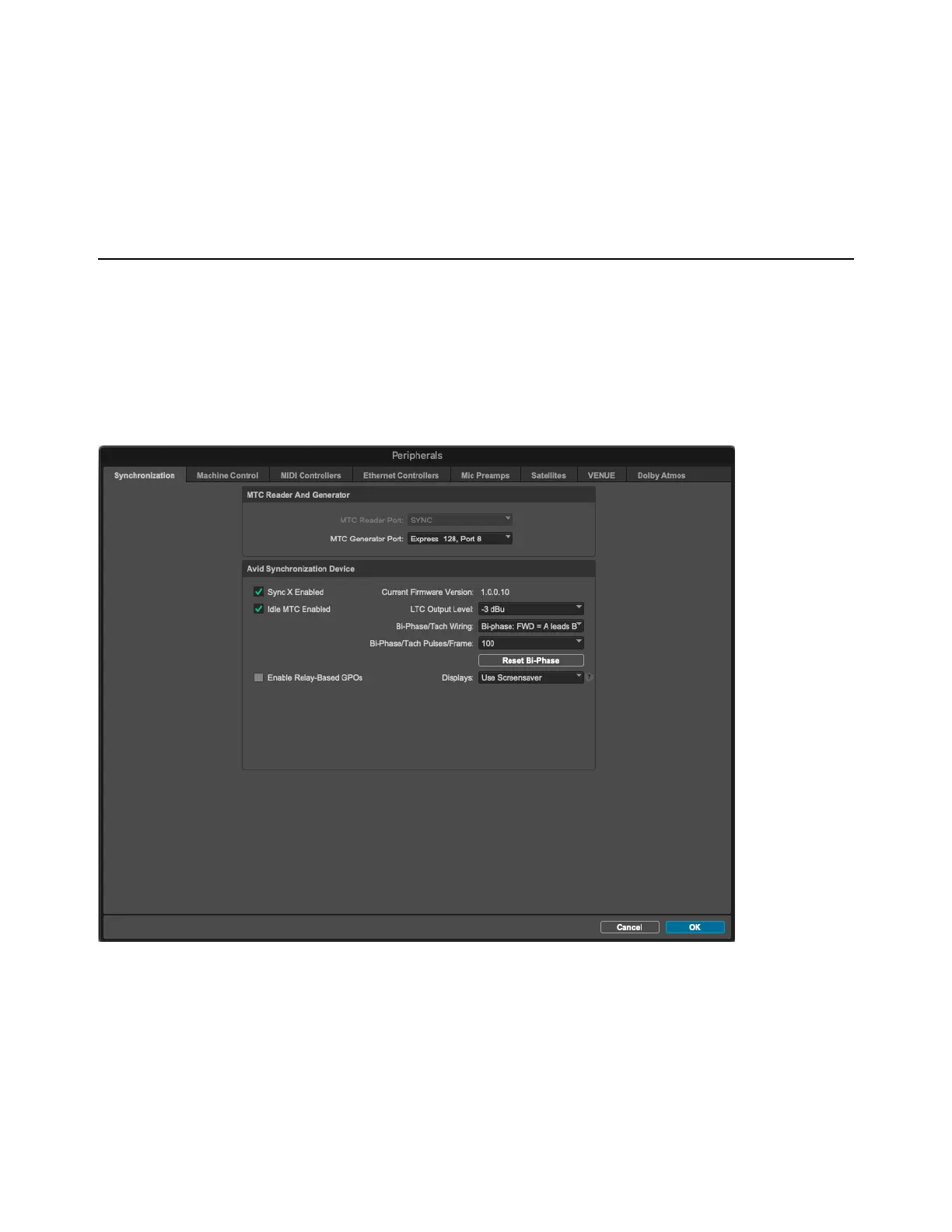
Enable and configure Pro Tools | Sync X in the Pro Tools Peripherals dialog (Setup > Peripherals).
Synchronization Peripherals Setup
Avid Synchronization Device
The Avid Synchronization Device settings let you configure Sync X.
Sync X Enabled
When Pro Tools | Sync X has a serial connection to the primary HDX card or HD Native device in the system and this option is en-
abled, the dialog provides setup options for Sync X. If you deselect this option, it updates to read
Enable Sync Device and all
Sync X options are hidden.
Synchronization settings in the Pro Tools Peripherals dialog












 To Next Page