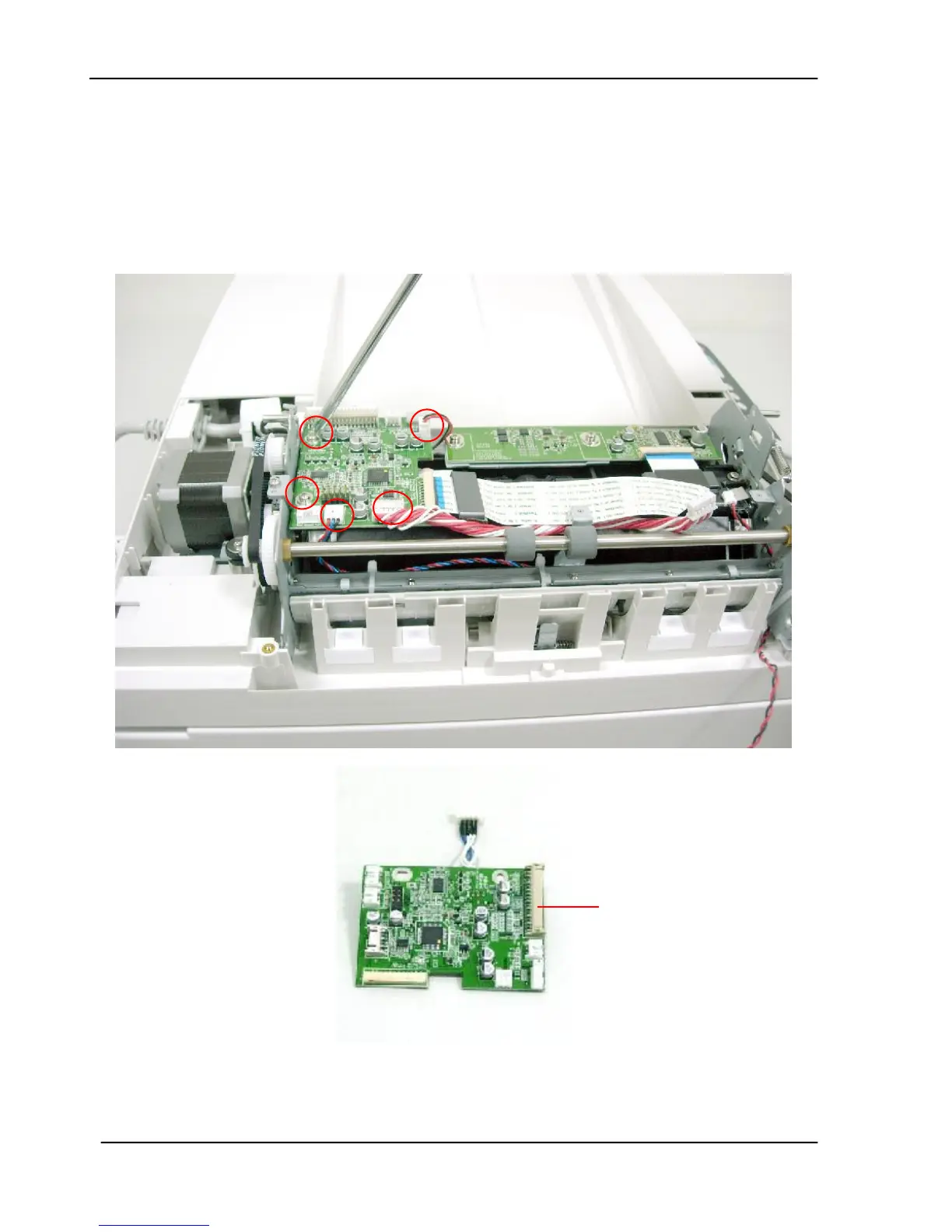
6.2.8 Removing the ADF Board
1. Remove the ADF Front Cover as described in the preceding section 6.2.5.
2. Remove the 2 Sensor Units on the front case as described in the preceding section
6.2.6.
3. Remove the 2 fixing screws on the sensor board, and unplug the 4 pieces of the cables
from the ADF board to remove the ADF board.









 To Next Page