Service Manual
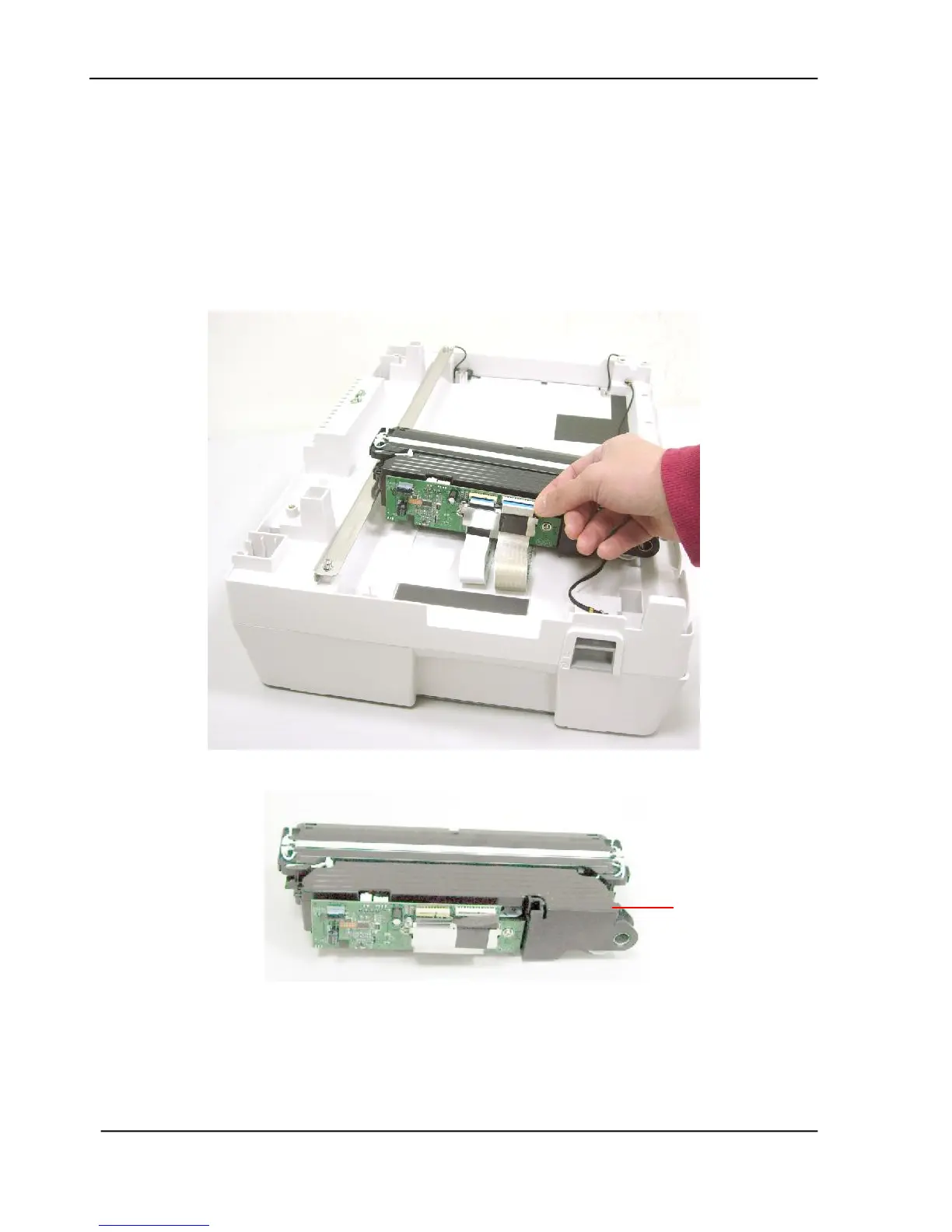
6.2.24 Removing the Flatbed Chassis
1. Remove the Hinge as described in the preceding section 6.2.12.
2. Remove the Rubber Cap as described in the preceding section 6.2.20.
3. Remove the Upper Housing as described in the preceding section 6.2.21.
4. Remove the Metal Plate as described in the preceding section 6.2.22.
5. Remove the Sliding Rod as described in the preceding section 6.2.23.
6. Unplug the 2 flat cables to remove the flatbed chassis.









 To Next Page