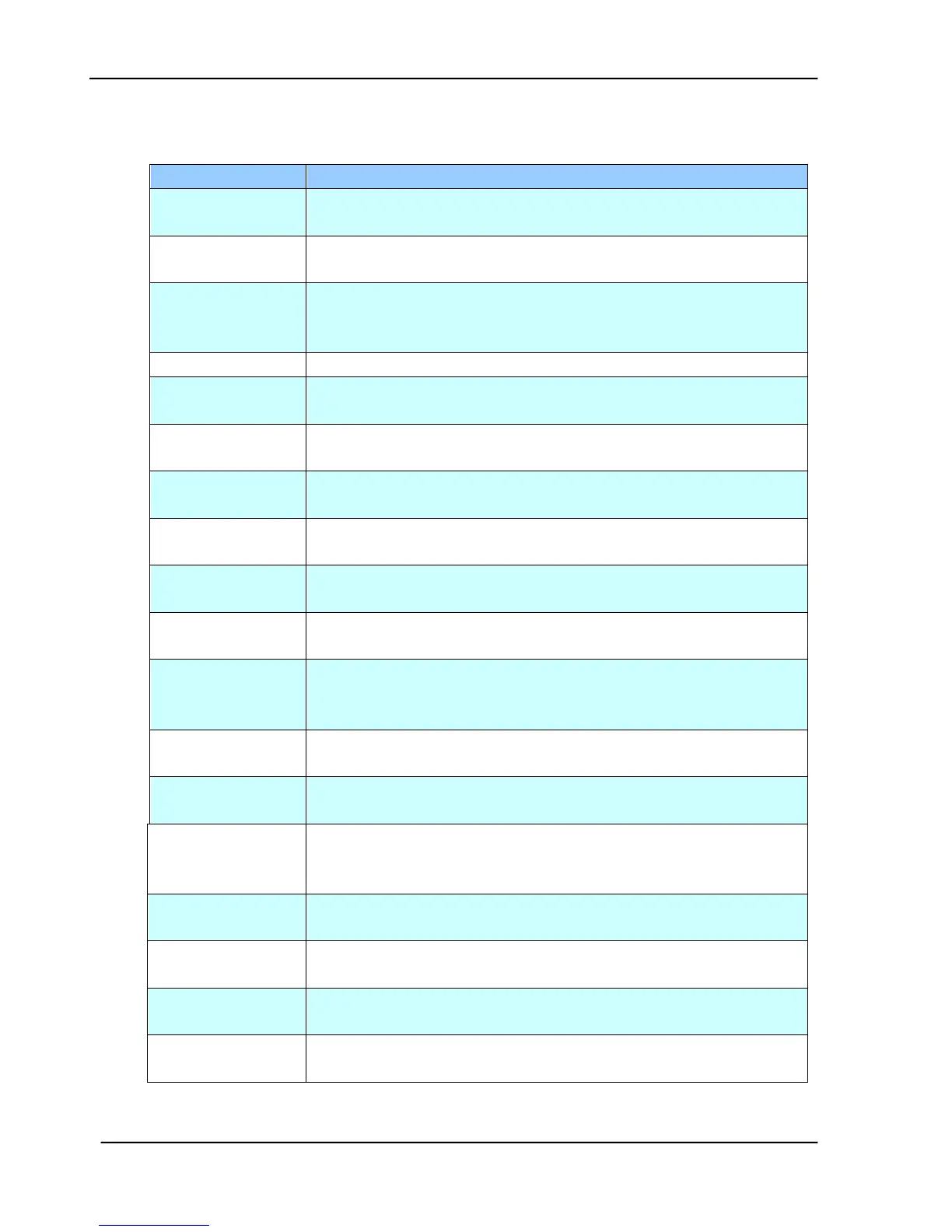
5.2.10 INFORMATION MESSAGES DURING FILING
Can not create a
subfolder.
Make sure you have the privilege.
Reboot the machine, and try later. If the error is still there,
contact your FTP server administrator.
Can not connect
FTP server.
Make sure the FTP server is not shut downing and port number
is correct. If the error is still there, contact your FTP server
administrator.
Contact your network administrator for further help.
Check your login name and try again
Check your password and try again
FTP can’t enter
this directory.
Make sure your have privilege to enter this directory.
[FTP] can’t check
file existed or not
Make sure your have privilege to browse this directory.
[FTP] can’t change
data transfer type.
Contact your server administrator for further help.
Make sure your have privilege to store file in the server.
[FTP] Insufficient
storage space in
system.
Check FTP server free storage space and contact your server
administrator.
[FTP]File name not
allowed.
Change file name to meet naming convention of FTP server’s
OS.
FTP [550]
permission denied.
Check the privilege of your account.
[CIFS] can not
create a
subfolder
This account has not right to create new directory.
[CIFS] share name
incorrect.
Check target URL and make sure it’s correct, such as
file://Computer/Share/directory.
Check if server supports CIFS(SMB) connection.
[CIFS] Device
name conflict
Device name conflicts with other computer. Contact your
server administrator for further help.
CIFS dialect
negotiation failed.
This CIFS may not support PC NETWORK PROGRAM 1.0
dialect.









 To Next Page